Software shaped by the way you welcome your guests
Ultineo SaaS builds custom software with you, starting from the people, the information and the decisions behind each guest request. For reviews, enquiries and menus, Ultineo Reasoning, a separate product with its own access, holds ready-made AI applications.
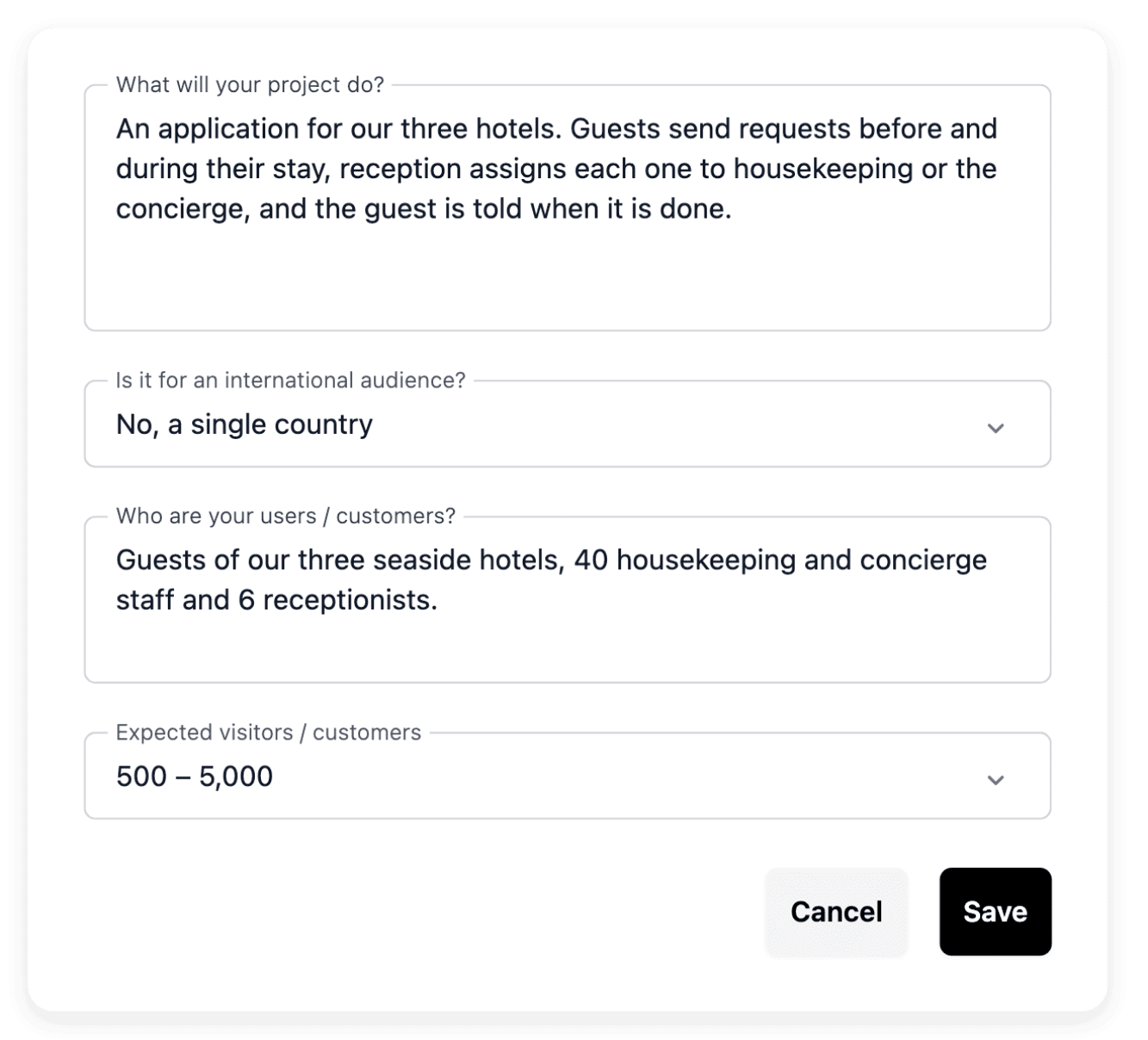
What a busy season asks of your teams
- Enquiries noted in several places
A booking request comes by phone, another by email, a third through a booking site, and each one lands in a different notebook or inbox. With Ultineo SaaS, you explain how a guest discovers your service, submits information and receives a result, and the project defines the functions and pages of that journey.
- Teams always on the move
Reception, housekeeping, kitchen and floor staff work in shifts and away from a desk, and what one shift learned has to reach the next. In the application view, you start with what a person on shift wants to achieve, inspect the corresponding function and page, and choose the application or the administration context relevant to that person.
- Guests from many countries
Travellers book from abroad and write in their own language, long before they arrive. During project preparation, you identify the main country and include the countries to serve among the constraints of your brief, then you verify the public pages of your website in the intended language.
Pick the task that looks like yours
- Open a space for your guests
A special request, a change of dates or a group quote is submitted in an application, and your team handles it from a back office. The page also covers how accounts are opened and the addresses guests recognize.
- Pass a request between teams
A late arrival or a table for a large party travels today between a notebook, email and several tools before everyone is informed. The page shows how such a journey and its responsibilities are brought together in one application.
- Prepare a project without developers
Nobody on your team writes software, and the project has to fit around the service. The page explains what you bring, a business brief rather than a complete technical specification, and the structure you review before following the construction.
- Prepare replies to guest reviews
A review waits for a reply and an enquiry has to be read for its dates and its requests, day after day. The page shows how such a task becomes an application of Ultineo Reasoning, with its instructions and a few fields, launched from your own tools.
- From enquiry to drafted reply
A chain puts several applications in sequence, each step passing its answer to the next: summarize the request, detect urgency, then draft the right reply. Conditions decide the path, and each application keeps its own instructions and its own fields.
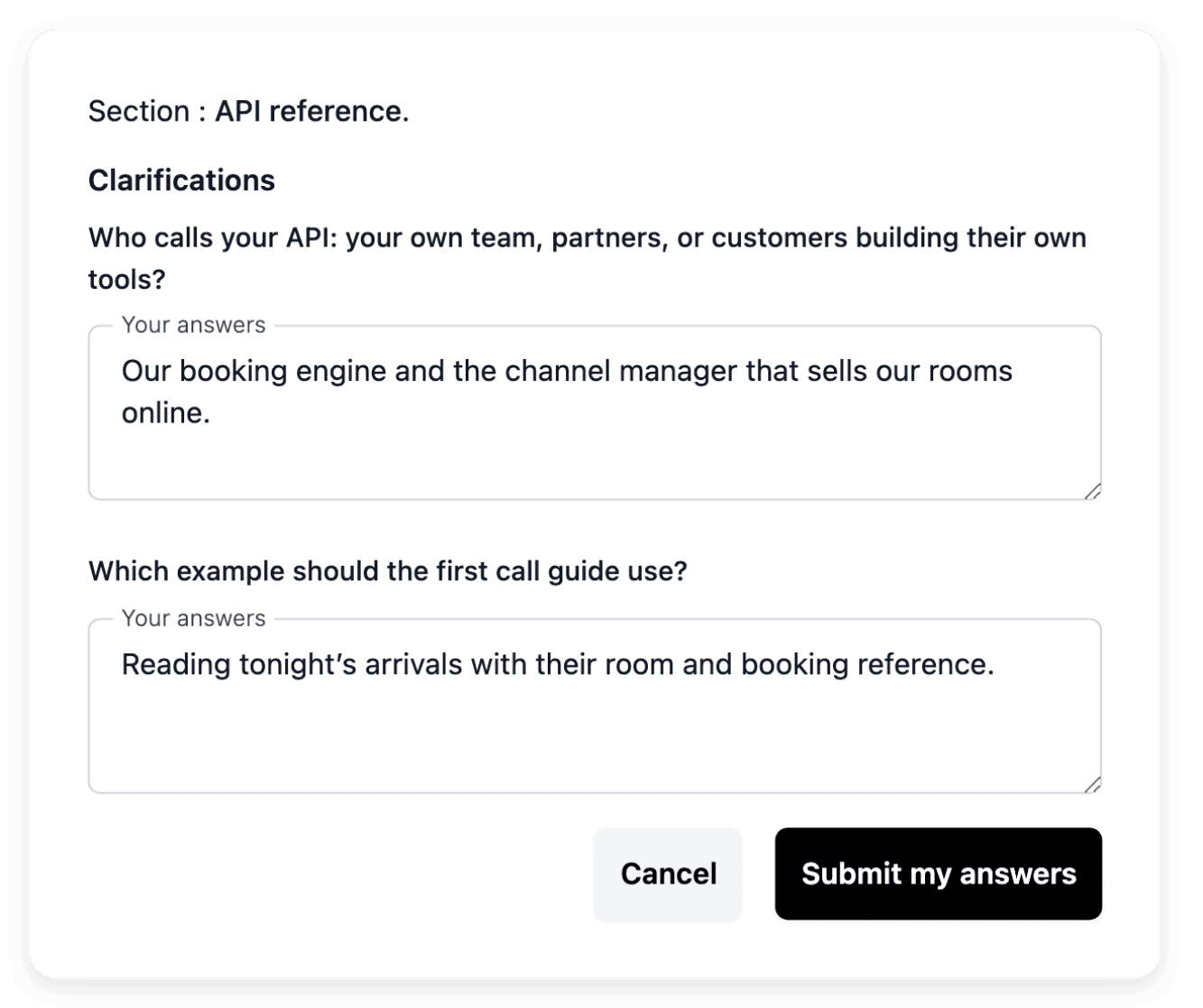
Describe the reservation service your software must use
A hotel, a restaurant or a venue usually takes its bookings in a service it already subscribes to. In Ultineo SaaS, an external connection describes how your application uses another service: you give the service name and a link to its documentation, then explain which business action requires it and the information that should move between the systems, a confirmed booking or the status of a room for example. Add a useful example and the expected response when the service is unavailable, so the connection is discussed in terms of your team’s work.
Declaring the service supplies the integration requirements; it does not prove that the exchange works. Follow its state and test the complete exchange in the relevant environment before relying on it in production, with the test and production access details kept in their corresponding fields.
Show guests what your service does, page by page
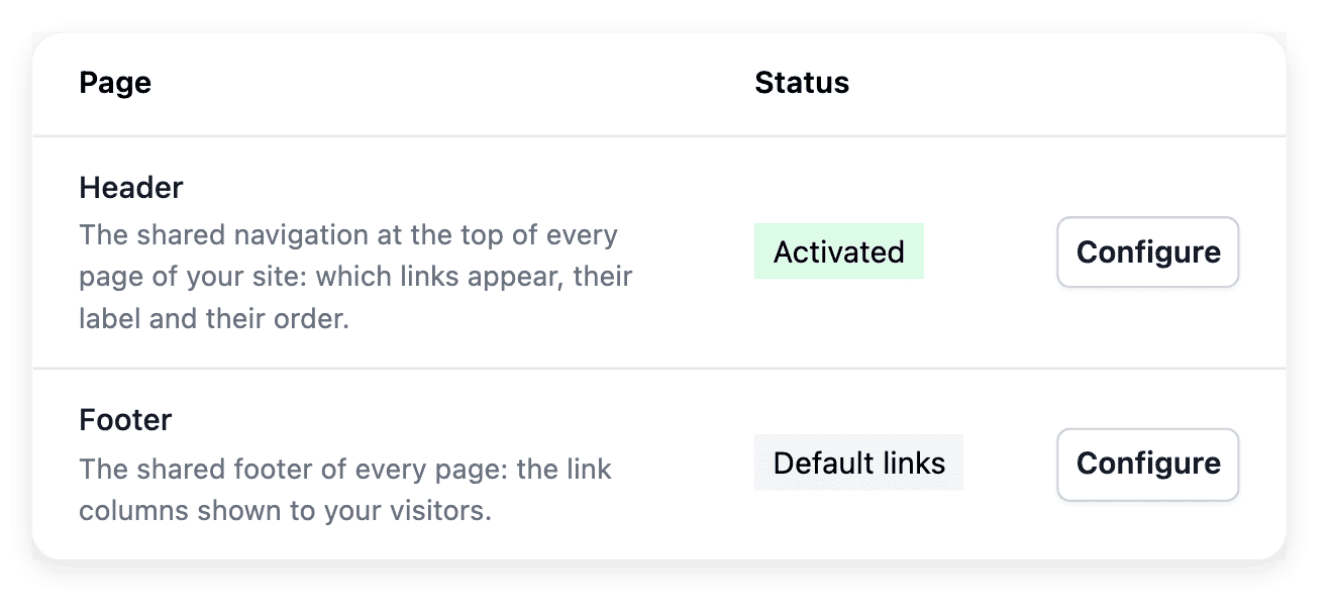
The public website of a project presents your application: it should help a visitor understand the product, explore the relevant capabilities and decide how to contact you. The website tools cover the homepage, product information, pricing, contact and legal content, and you review what each page should explain to a visitor before the build. A future guest can then move from a broad promise to a concrete explanation of the service.
Keep the public claims consistent with the functionality your application supports. For the legal content, use your actual publisher identity, your contact details and the policies applicable to your business: a generic placeholder cannot establish your company’s terms.
Adjust a screen when the season changes
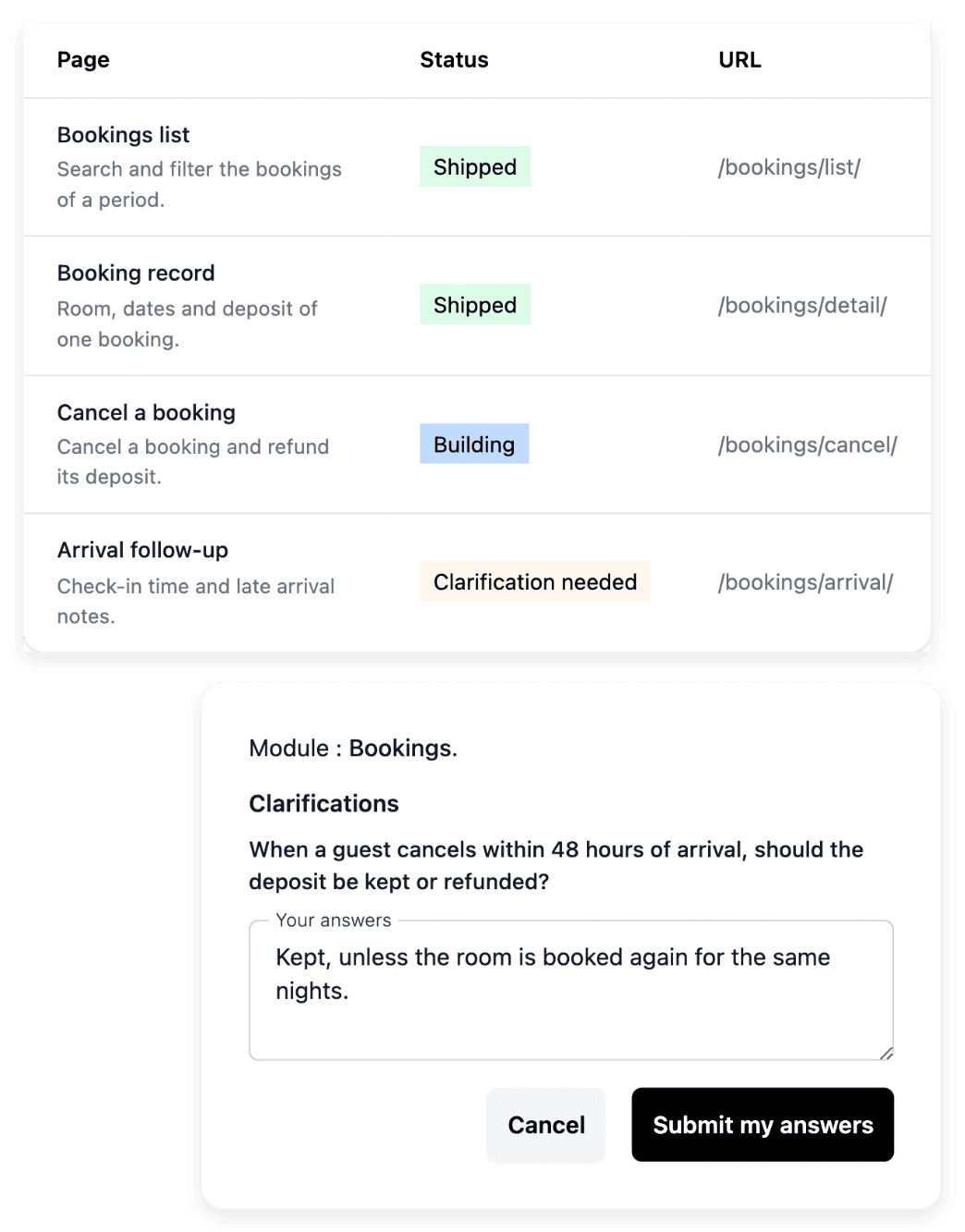
A new season brings a new type of room, a different menu or other opening days, and a screen has to follow. In AI requests, you paste the address of the page you want to change: when it matches a known route, the tool selects the page and its project context, and name search remains available when you do not have the link. You then describe what happens now, what should happen and an example the result can be checked against.
Sending a request does not change what your guests and your teams use: you test the result in development, then publish the reviewed version through the deployment process. Keep the requests of a batch within the same business area.
Typical starting scope
For each trade, the business areas a first version usually holds and the level that fits. It is a first proposal, not a template you pick: we review it with you against the way your team works, and you change, add or remove areas before anything is built.
- Hotels and holiday rentals
First version: guest requests, housekeeping and maintenance, shift handover, reviews follow-up. Your booking engine and channel manager stay where they are.
Level that fits: Level 1; Level 2 when the property wants its own showcase website.
Ultineo Reasoning applications: Guest Review Reply, Enquiry Detail Extractor, Housekeeping Shift Handover, Group Enquiry Proposal.
- Restaurant groups and caterers
First version: catering quotes and events, hygiene logs, suppliers and deliveries, staff rota, across several sites. Hygiene records are kept under your local rules.
Level that fits: Level 1. Level 3 adds menus and allergens published live on your website.
Ultineo Reasoning applications: Menu Description Writer, Allergen Matrix Builder, Temperature Log Auditor, Catering Quote Drafter.
- Event agencies and venues
First version: enquiries and proposals, events, guests, suppliers, then a client space where your client follows the proposal, the run of show and the guest list.
Level that fits: Level 2, with the venue's showcase website.
Ultineo Reasoning applications: Venue Enquiry Reply, Run Of Show Timeline, Seating Plan Assistant, RSVP Reply Classifier.
Level 1 holds 4 business areas, Level 2 holds 5 and a showcase website, Level 3 holds 6 and a dynamic website.
AI applications for hotels, restaurants and events
For hotels and rentals, for restaurants and for event planners and venues, the catalogue of Ultineo Reasoning holds ready-made applications. In a hotel or a rental, you reply to guest reviews, extract the dates, guests and requests from an enquiry, write housekeeping shift handovers and multilingual menu cards for international guests; in a restaurant, you write menu descriptions and chalkboard specials; for an event, you reply to venue enquiries, build a run-of-show timeline and sort dietary requirements for the caterer. Open the page of your trade to see the other tasks its applications handle: each one runs as it is or as a step of your chains.
Applications for this trade: Restaurants and food service
The capabilities behind it
- External connections
Describe the external service to connect, provide its documentation and associate it with the relevant business areas.
- Public website
Present your application with a public showcase site whose pages explain the product, offer and contact path.
- AI change requests
Describe a change in plain language, attach the existing page and follow it in AI requests.
- Project preparation
Turn your idea into a clear brief, with the business context, users and practical constraints needed to start.
- Application and pages
Inspect the application structure, functions and individual pages, including their route, presentation and search metadata.
- Company and registration settings
Maintain the project’s company details and address, and decide whether users can create an account publicly.
- Application catalogue
Ready-made applications for 40 trades.
- Reasoning chains
Several applications in sequence, with conditions.
Go further
- Related guides
- Ultineo SaaS
- Ultineo Reasoning
Begin with one guest journey, from the first message to the stay
Send your application with this journey, the people who take part in it and the tools in place today: our team reviews it and replies by email.
Questions
No. Ultineo SaaS is the Ultineo product for custom business applications: your software is designed and built with you, and it manages what your brief describes. When you already take bookings in another service, include it in the brief as an existing service to connect, with the documents your team already uses.
You decide. Public registration can be enabled when guests should create their own account, and disabled when your process requires checking their information and opening accounts manually. Self-registration is one setting for the whole project, and the accounts of your back office remain managed in separate access tools.
No. A chain starts on demand, when you launch it, and after a launch you see the path taken, step by step, with the answer of each one. In the customer service example, the last step drafts the reply: reading it and sending it to the guest remain your team’s work.
Yes. Ultineo SaaS and Ultineo Reasoning are separate products, each with its own access and its own pricing page, and an application of the catalogue runs as it is. Ultineo Reasoning has no self-service account: our team opens your access after a first exchange. A software project, for its part, is opened after our team has reviewed your application to join.