Solutions · Open an online shop
Move your shop with its catalogue and its sales history
Ultineo E-commerce takes in the catalogue of a shop you already run from files, and its sales history through the E-commerce API, with the original dates. You prepare the new shop before it goes online, then connect the domain you already own.
What makes moving a shop hard
- A catalogue to bring over
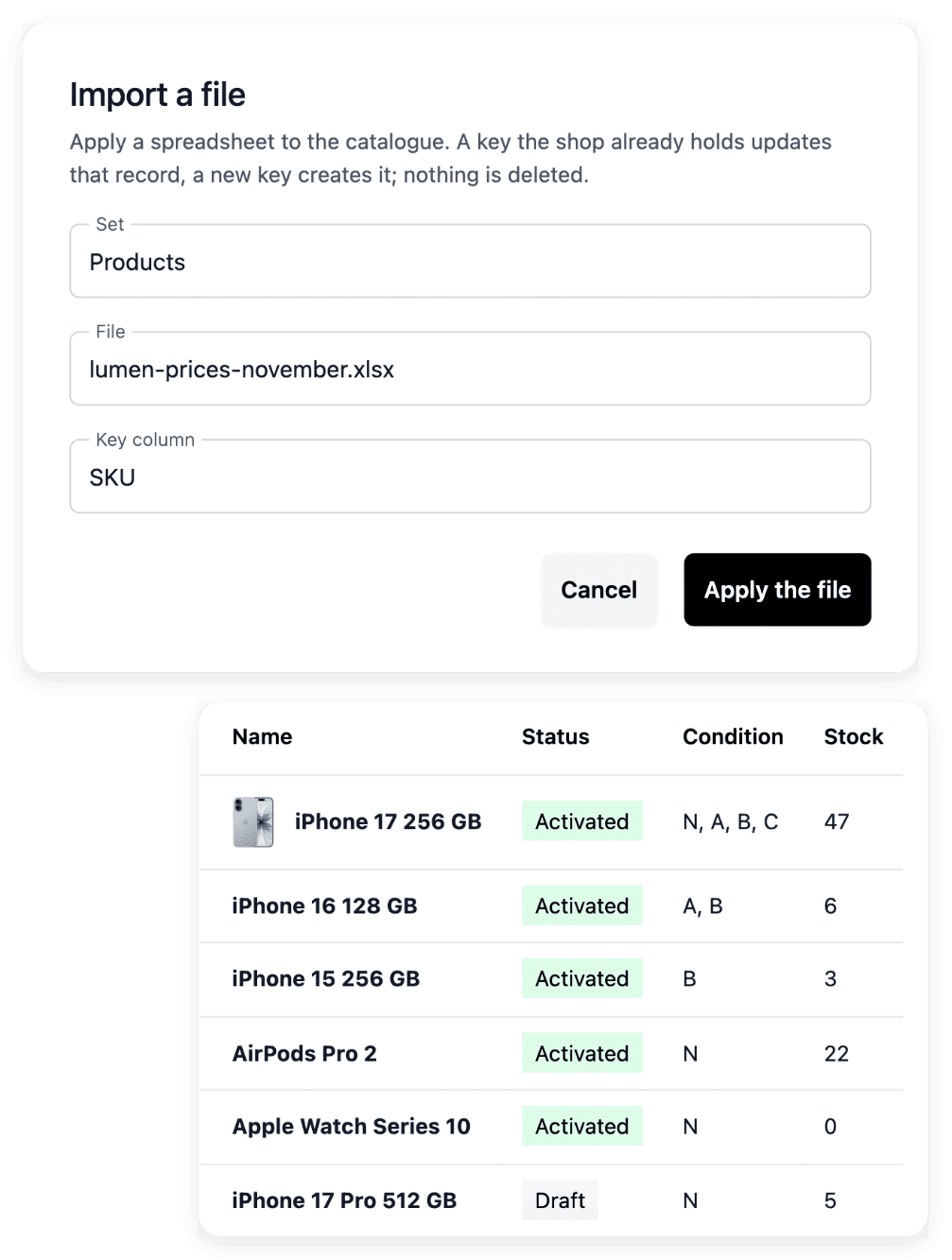
Entering every product again by hand takes time and lets errors slip in. You move catalogue data in as spreadsheets, for products, categories, brands and product groups, with an import report for every line.
- A sales history to keep
The customers and the orders of the old shop are still needed after the move, to answer a buyer or to read a past sale. The E-commerce API imports a sales history with its original dates: customers, orders, payments, shipments, refunds, returns and support requests.
- An address buyers know
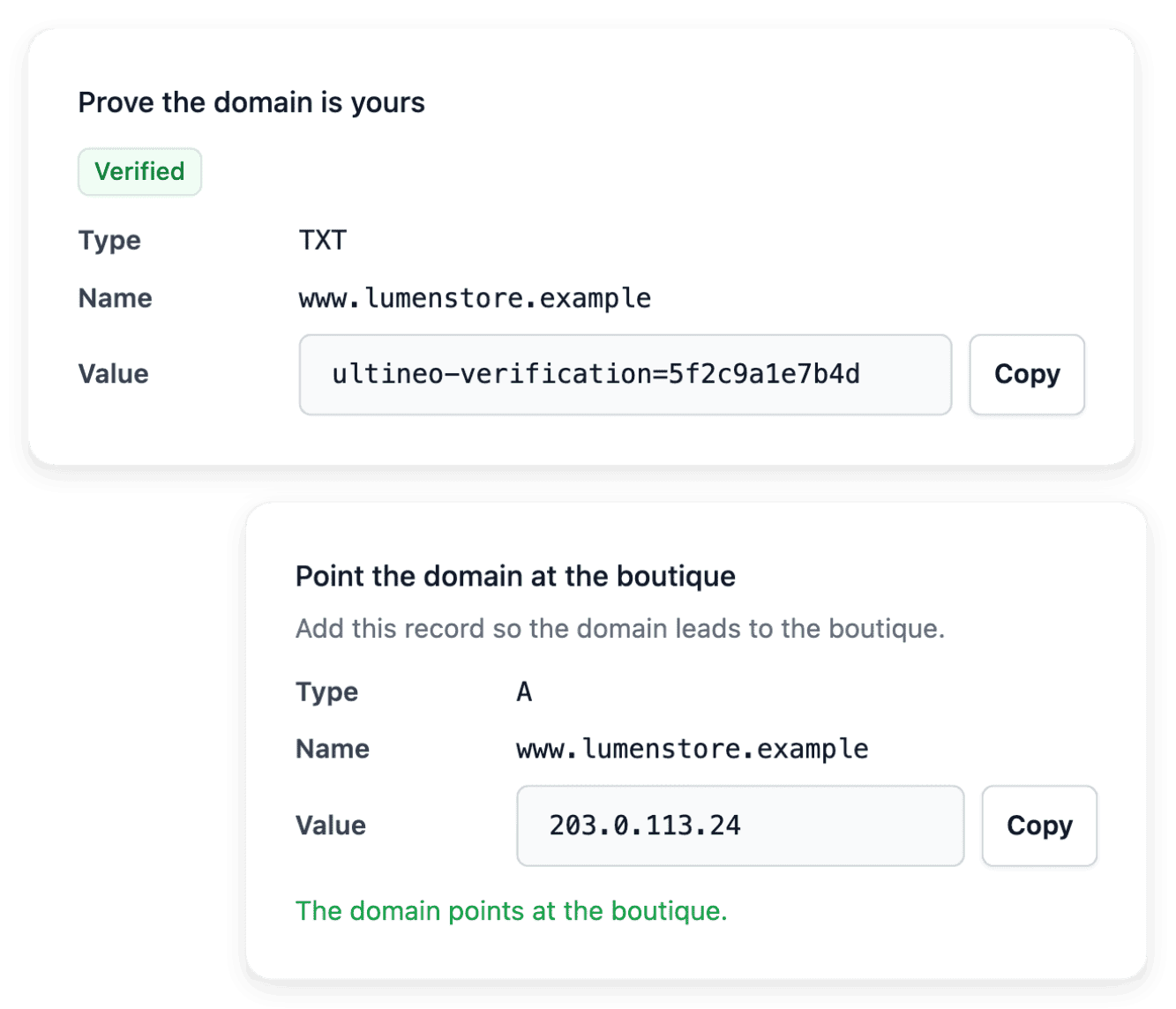
Your buyers, your links and your printed material all point to the address of the current shop. You connect a domain you already own to the new shop, with guided ownership and DNS steps and a verification that reads the current result.
From the old shop to the new one
-
1
Import the catalogue Prepare one file per set (products, categories, brands or groups), apply it and read the result line by line. Correct the refused lines in your source file and keep that file: it is not retained for download.
-
2
Bring the sales history Your technical team or your service provider sends the history through the E-commerce API: customers, then orders, then payments and shipments. A batch sent as a dry run returns the full report and writes nothing.
-
3
Connect your domain Declare the domain in Publication and make the DNS changes in your domain provider’s account, with the instructions shown. Then run a verification: a name entered in the settings is distinct from a working connection.
-
4
Check the shop online Check that the address actually reaches the intended shop, then open it and follow the actual buying path. A publication state alone does not guarantee every configuration or transaction outcome.
Bring your catalogue over from files
The catalogue exchange supports product, category, brand and product group data: you prepare each file for the set you intend to load. After application, you read the result line by line: created, updated, unchanged or refused. The import history then shows which set was processed, when and by whom.
A file being accepted is not proof that every row changed: correct the refused data, and review quantities when the file includes stock. The exchange covers these catalogue sets; pages and visual style are prepared in the shop’s builder tools.
Import your sales history with its original dates
The E-commerce API lets your own tools fill your shop and read it back: a migration script sends records in batches, then reads any single record back to check what was saved. The reference recommends importing first the records the others depend on, the catalogue before the customers and their orders. Sending a record that is already in your shop updates it or reports it as unchanged, so an interrupted import can be replayed from the beginning.
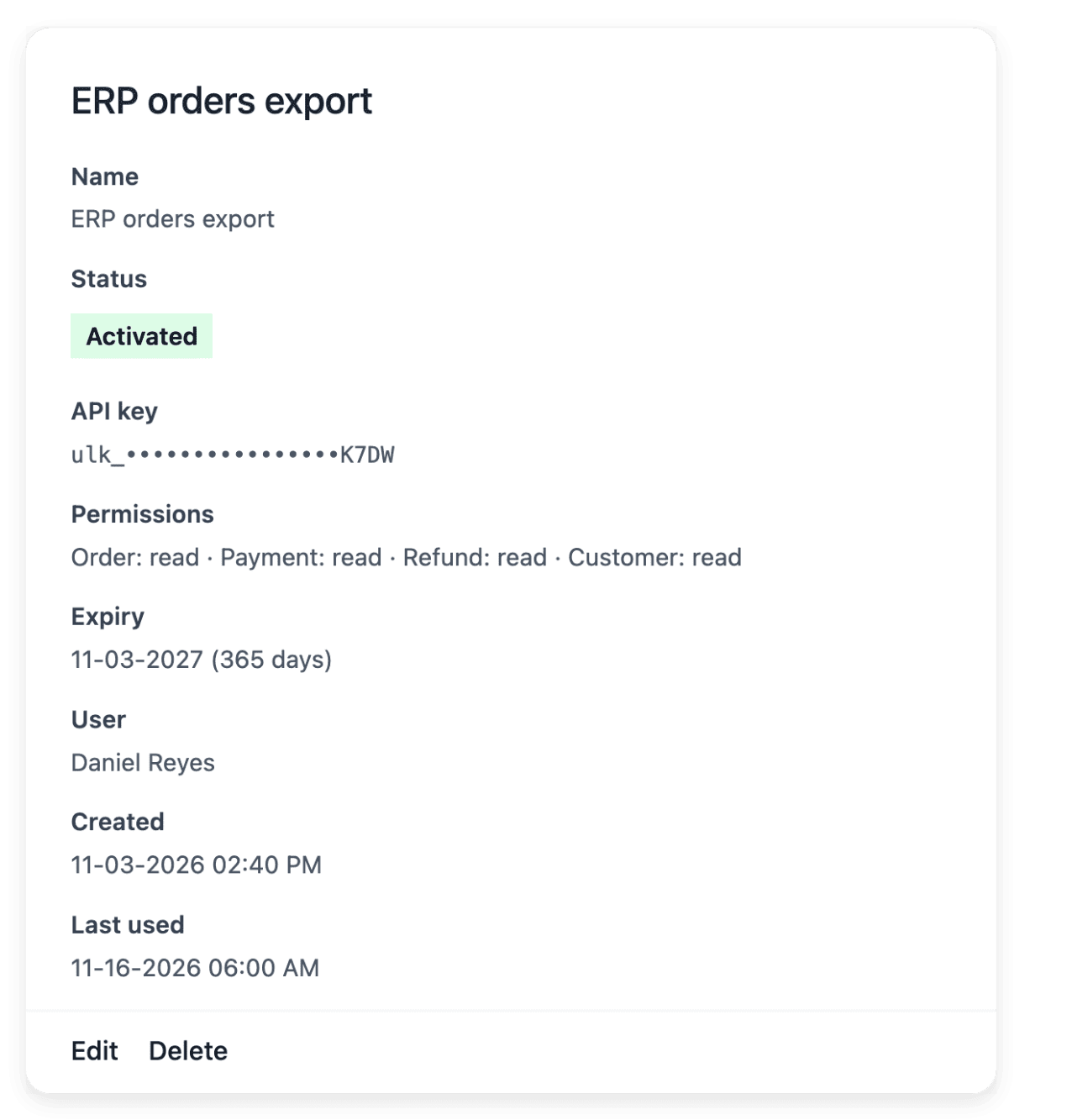
The API provides building blocks, not an installed connector: your technical team or your service provider builds and tests the exchange against the documented endpoints. A key is created inside an open shop by an administrator of its project, and it belongs to that one shop.
The capabilities behind it
- Products
Product records, images and categories
- Domain names
Connect your own domain
See what else you can do
- Open an online shop
Build a shop with your look and your catalogue, follow its orders and put it online on your own domain.
- Manage a catalogue
Keep a growing range consistent: shared terms, grouped versions, stock per condition, changes by file.
- Take payments
Connect your payment account, then follow each payment with its order and its recorded state.
Go further
- Ultineo E-commerce
Move your shop once its catalogue, its history and its address are ready
In your application, say that you want to move your shop: each application is reviewed by our team before the account is opened.
Questions
By file, the supported catalogue sets: products, categories, brands and product groups. Through the E-commerce API, the catalogue with its customer reviews, the sales history up to carrier claims, refused parcels and wallet movements, and your vouchers with their codes. Do not assume that every screen of the workspace has an equivalent endpoint: the reference lists every resource.
Yes. Your shop can start with its provided address before using a personal domain, which is not required to begin. When you change the final address, follow the preparation and availability states, then review the links your customers use. Declaring a new domain replaces the previous one, since a shop serves a single final personal address.
Yes. Allo Allo, the example shop presented on this site, did not start on Ultineo: the shop existed before, with its buyers and its orders. Its history was carried over: the customers, the orders and the support requests recorded before the move came with the shop.