Follow every after-sales case with its order
Ultineo E-commerce keeps each buyer request, return, refund and delivery incident in its own record, linked to the order it concerns. Your team reads the history before deciding the next step, and an item coming back and money given back stay two distinct events.
What makes after-sales cost time and trust
- Cases scattered across tools
A return in an e-mail thread, a refund at the payment provider, a claim in a spreadsheet: nobody sees the whole case. In Ultineo E-commerce, an order record brings together its customer, items, payments and shipments, and each support request, return and refund stays linked to that purchase.
- Return confused with refund
An item that came back is quickly counted as money given back, and the buyer is told too early. Ultineo E-commerce keeps two records: the return describes the handling of the item, and the refund has its own state on the original payment.
- Parcels that go wrong
A parcel refused at delivery or lost on the way leaves a reference, a date and a carrier’s answer that someone has to keep. A refused parcel and a carrier claim each have their own record, connected to the shipment instead of a separate conversation.
Go further into this use case
- Returns and refunds
Handle the item coming back and the money going back as two records, each with a status you can check.
- Delivery incidents
Record each lost, damaged or refused parcel with its shipment, its references and the carrier’s answers.
- Customer support
Answer each buyer request with its order, item and history, and publish a help center buyers read first.
How an after-sales case moves forward
-
1
Read the buyer’s request Open the conversation in Support and confirm the purchase concerned, instead of asking the buyer to reconstruct it.
-
2
Open the return or claim When an item comes back, connect a return to the request and move it through your stages. For a parcel lost or damaged on the way, open a carrier claim, starting with the shipment concerned.
-
3
Handle the refund separately When the case calls for reimbursement, open the payment breakdown and its prior refunds, then use the refund action with the intended amount.
-
4
Confirm, then inform the buyer Check in the state and history that the refund is finished: a provider call left unanswered is an uncertain outcome. Then reply to the buyer and close the resolved request.
Follow each return with its item and its order
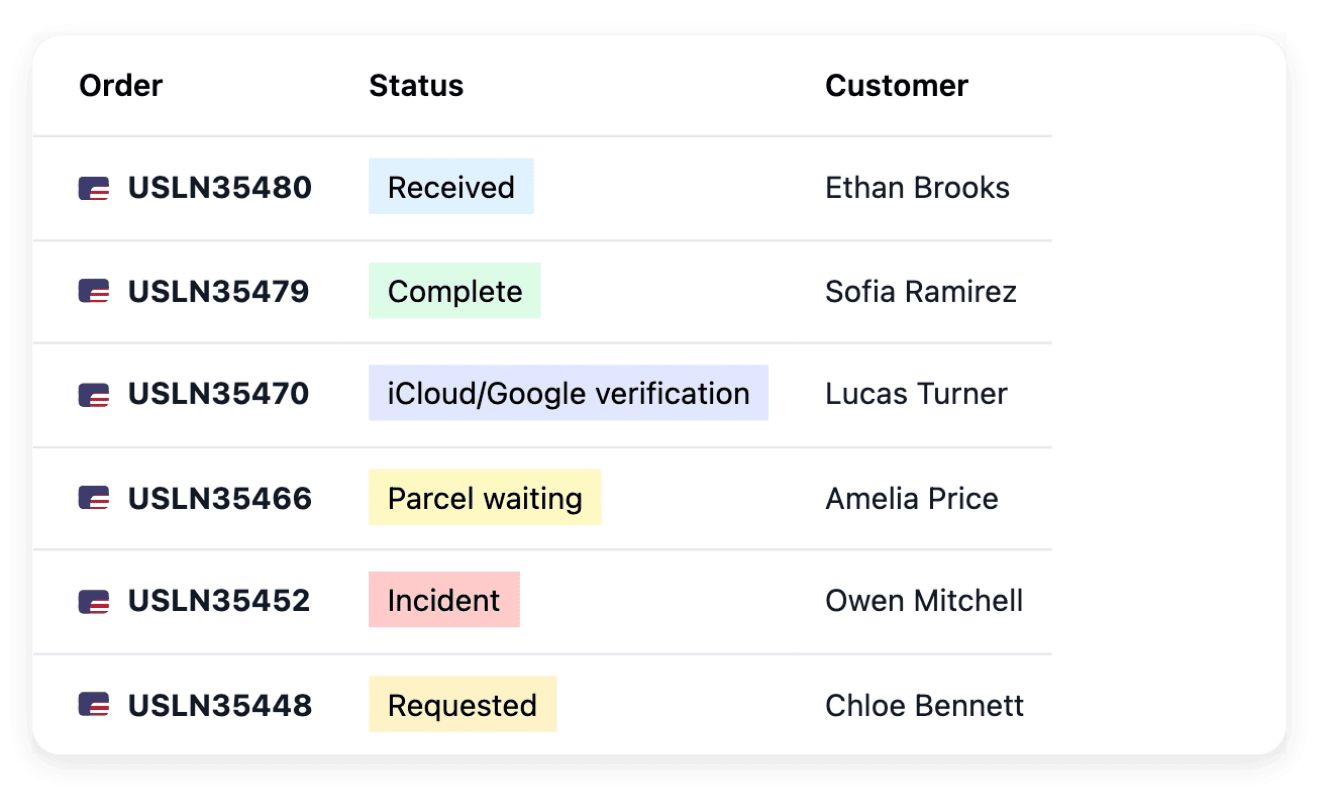
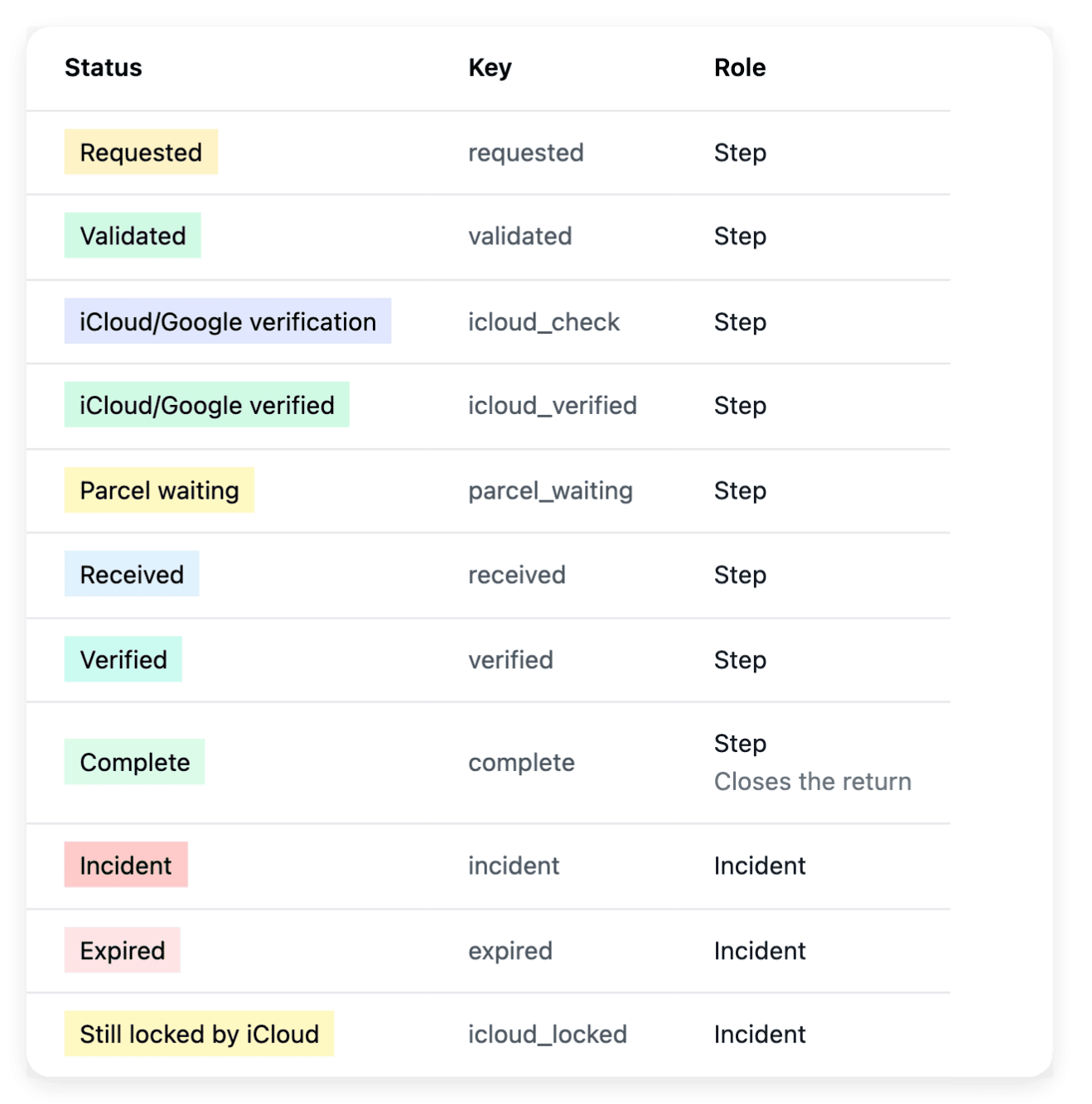
Define the stages a return goes through in your shop, including the problem states that need attention: the list then shows where each returned item stands. Each return has its own record, found by order, customer or serial number, with the item and the purchase kept in view. You advance the return from that record, which retains its history.
A return stage describes the handling of the item; it does not prove that the buyer was refunded. Physical return, stock correction and refund each require their own confirmed outcome.
Refund from the original payment and check the outcome
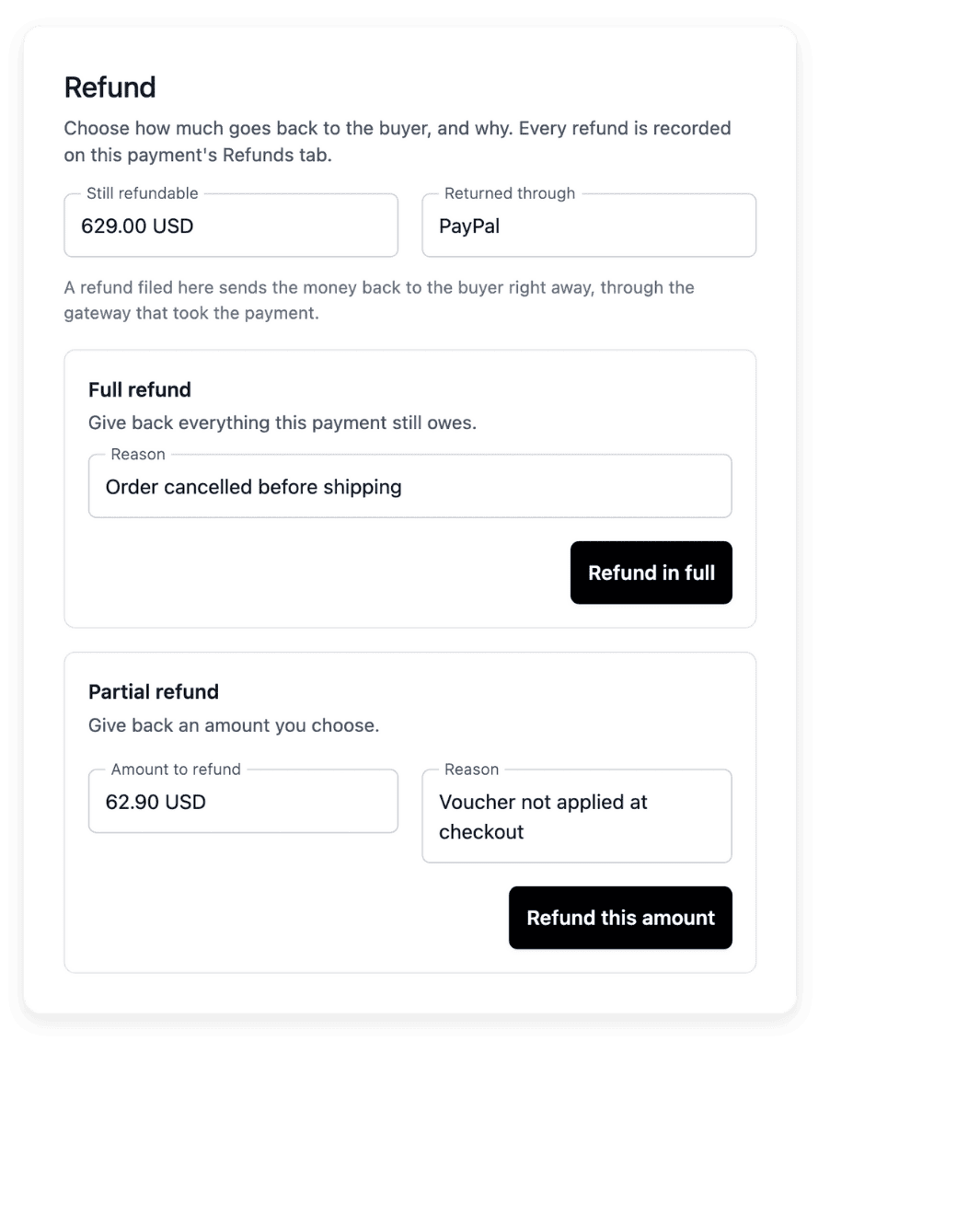
Open the original payment before you request a refund: full or partial amounts stay linked to the same order, and the refundable balance shows how much may still be returned. A pending refund reduces the amount available for another request. After the action, the state and the history of the refund tell a request, an operation in progress and a finished refund apart.
Execution depends on the payment provider configured for your shop and on its response: when a refund is only recorded or its outcome is uncertain, the record says so. Read the state again before you tell the buyer that the money is back.
Follow a carrier claim with the parcel it concerns
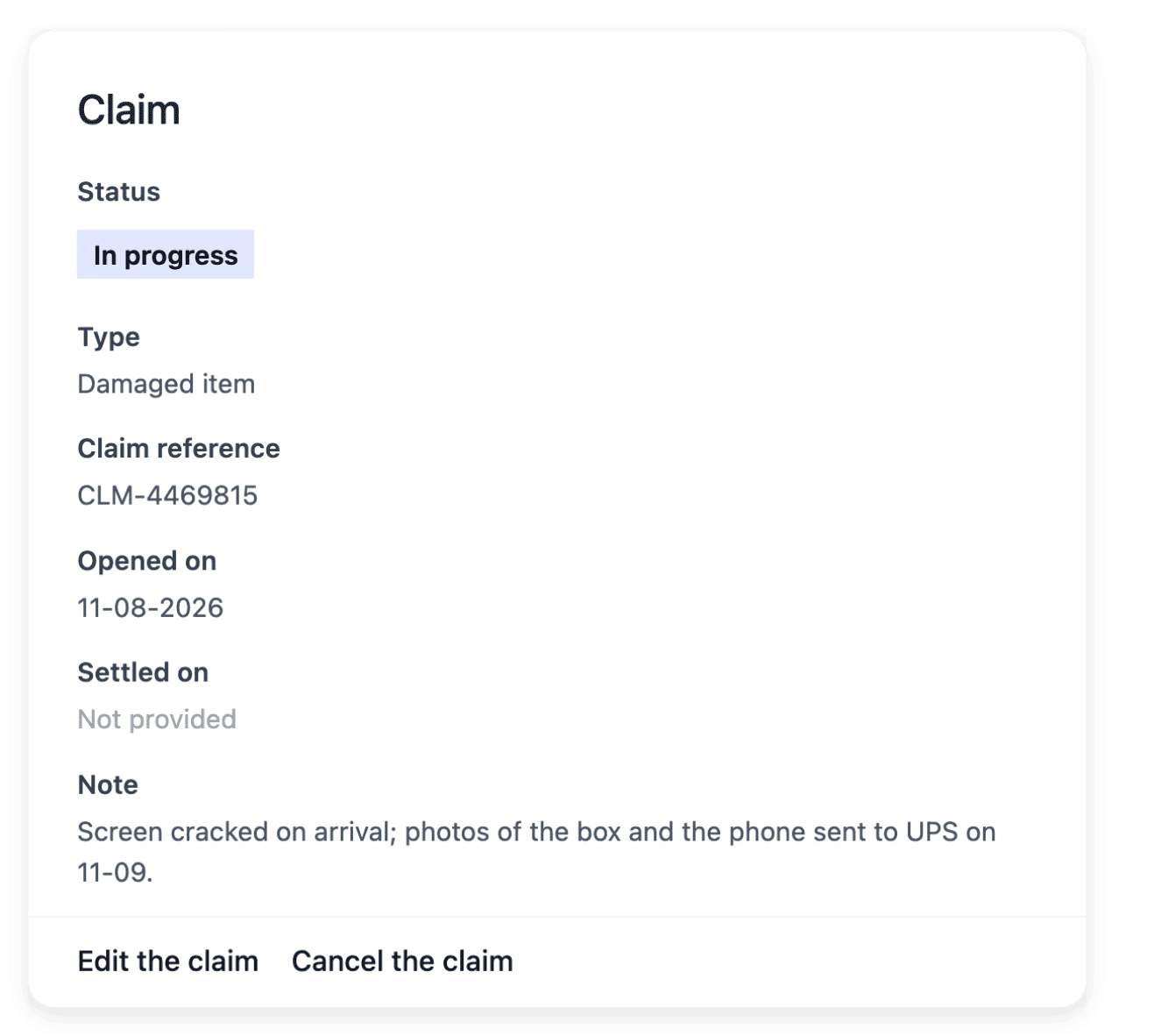
When a parcel is lost or damaged on the way, open the claim with its order, recipient, carrier and tracking number in view. Record the subject and the reference the carrier gives you, so that a later answer is matched with the right case. The status, the notes and the opening and settlement dates give your team the timeline of the case.
You change the status of a claim yourself, on the carrier’s actual answer: a status in your shop does not establish that the carrier accepted responsibility or paid compensation. Goods coming back after a refusal at delivery are followed in their own refused-parcel record.
Answer buyers with their purchase in view
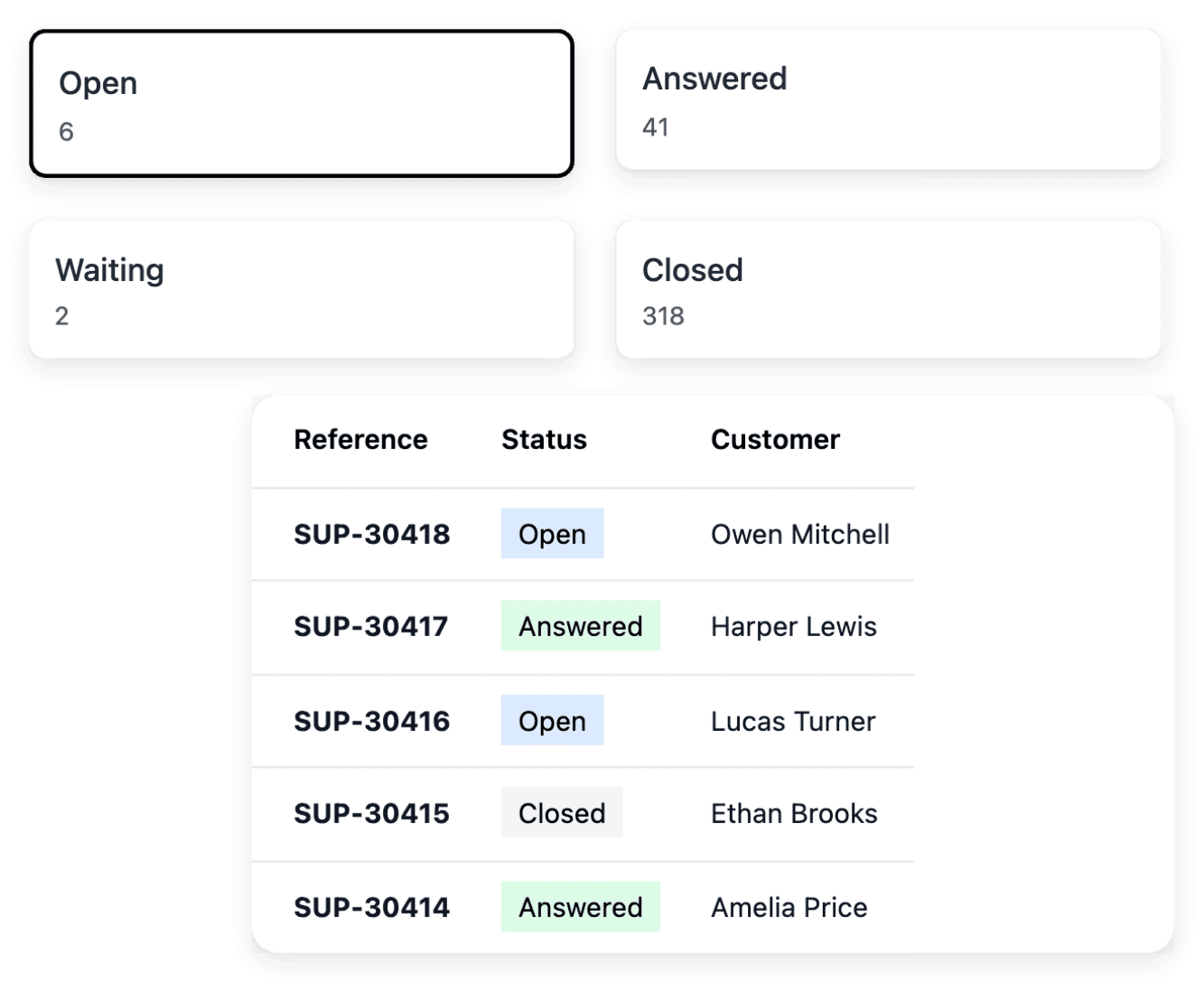
Support collects the requests your customers open from their shop account. Find the conversations waiting for an answer, open a request with its customer, its order and the item concerned, and read the exchange in sequence before you reply. You maintain the subjects customers can choose, and you close a resolved request or reopen it when the discussion continues.
When a case requires an item return, you connect it from the request, and the physical handling stays in its own record. Where reply assistance is available, it rewrites the reply you typed in the buyer’s language as you send it, or first puts it back in the reply form when you choose "Rewrite and review".
The capabilities behind it
- Returns
Returned items and return stages
- Refunds
Full or partial payment refunds
- Carrier claims
Claims linked to the affected parcel
- Support
Requests with order and customer context
- Refused parcels
Track refused parcels and their return
- Warranties
Cover, duration and conditions
- Orders
Items, payments and shipments together
An example shop: Allo Allo
- 58 country versions
Each with its own address, its languages and the currency set for the country.
- 30 interface languages
Language versions of the shop interface. Its legal policies are not all translated.
- 1,525 product pages
Product pages listed in the sitemap of one country version of the shop.
Measured on the public shop.
Go further
Give every after-sales case a record your team can follow
Send your application to open your shop: our team reviews each one before an account is opened.
Questions
From their shop account: a customer opens a support request there, with the purchase concerned, and picks a subject first. When the request can lead to a return, you open the return from that request and choose its type: withdrawal, warranty, wrong item or other. The customer then sees each new status of the return on their account.
Yes. A refund can be full or partial, within the amount still refundable on the original payment. The refund action also offers a withheld refund, which gives back everything except an amount you withhold. What you may keep depends on your terms of sale and on the law that applies to them.
No. Customer credit shows the balance already retained on a customer record, with a monetary equivalent where available; it does not issue or spend points. Money given back is a refund on the original payment, with its own record and outcome.
No. A refused delivery has its own parcel record, with its return reference, its refusal date and your notes, and a buyer’s return has its own record in Returns. You record the arrival yourself once the parcel is back at your warehouse: a refusal reported earlier does not prove physical receipt. Any refund or stock correction is reviewed in its own workflow.
In the after-sales records, not in the warranty settings. Warranties describes the cover your shop offers, with its duration in months and its conditions, at shop, category or product level; it does not open or resolve a customer claim. The buyer’s request is answered in Support, and a return can be opened with the warranty type.