Developers · Integrations and tools
Plan the technical side of your software project
In Ultineo SaaS, a project is opened after our team has reviewed your application, and your software is then built with you. This page covers its technical side: the optional project API, external connections, environments, versions and documentation.
What your technical team can rely on
- Two directions of integration
A project API exposes the agreed operations of your application to other systems. An external connection describes how your application uses another service.
- One project version, every component
One project version covers your application and back office, API, database, documentation and website. Deployment shows the system and project versions running on each environment.
- Documentation on its own service
The product documentation runs on its own public service and publishes practical guides for the users of your application. An API reference belongs to a project whose API exists and is active.
From finished work to production
-
1
Check the work in development Verify the completed user journeys in development. The end of construction does not publish a version: a construction result, version creation and deployment are separate events.
-
2
Create a project version Under "Your project version", use "Create a version" when changes are available. Creating a version groups changes for publication; it does not immediately replace production.
-
3
Deploy and test staging Click "Deploy to staging" and wait for the staging version to update. Then open the staging service and test the changed journeys in the required languages, with their links and the outcome of the complete task.
-
4
Publish and verify production Verify the required production domains, then click "Deploy to production" on the Production row. Wait for Production to show the expected version, open the live service and repeat the changed task.
Tell planned routes from live endpoints
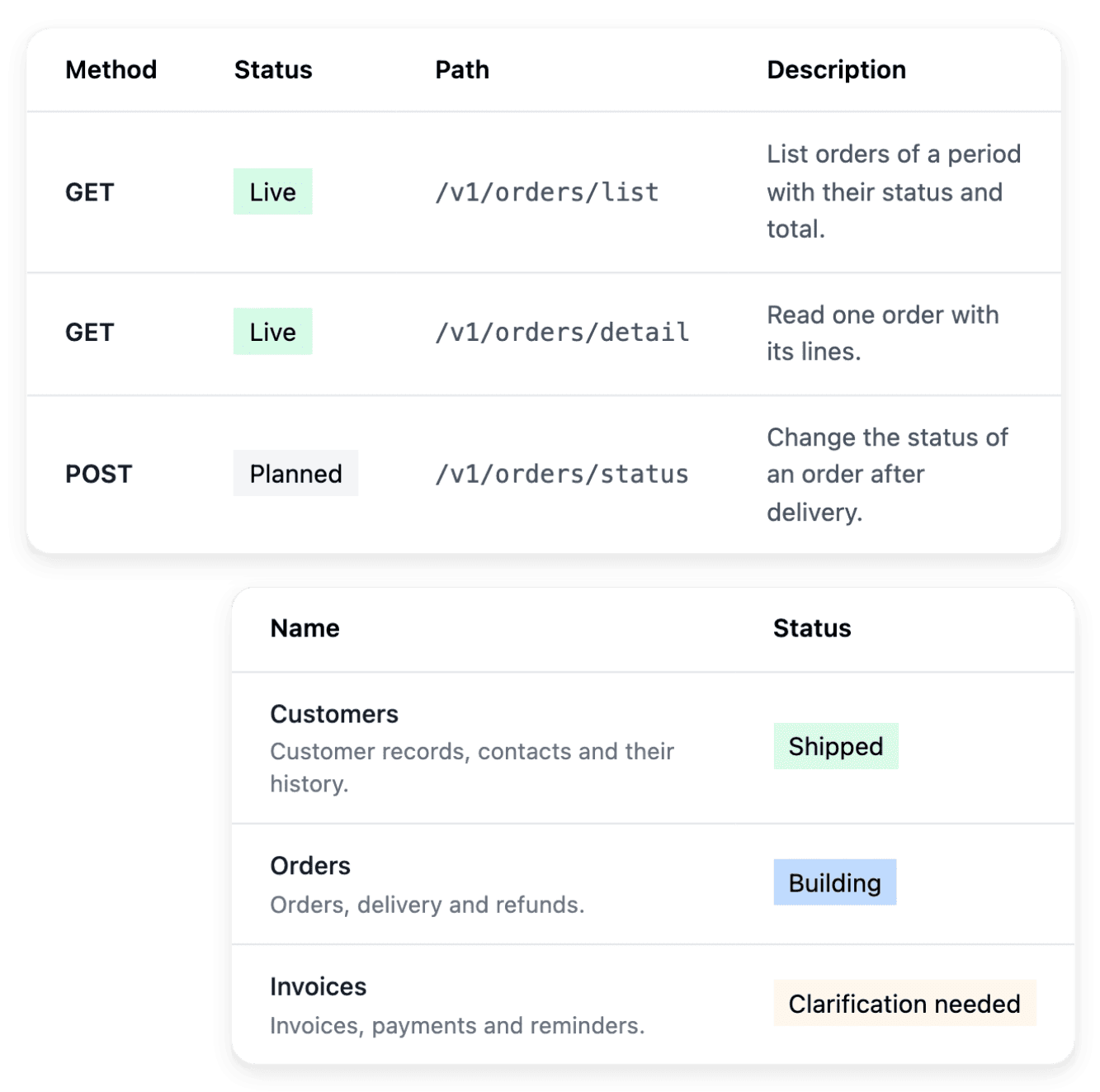
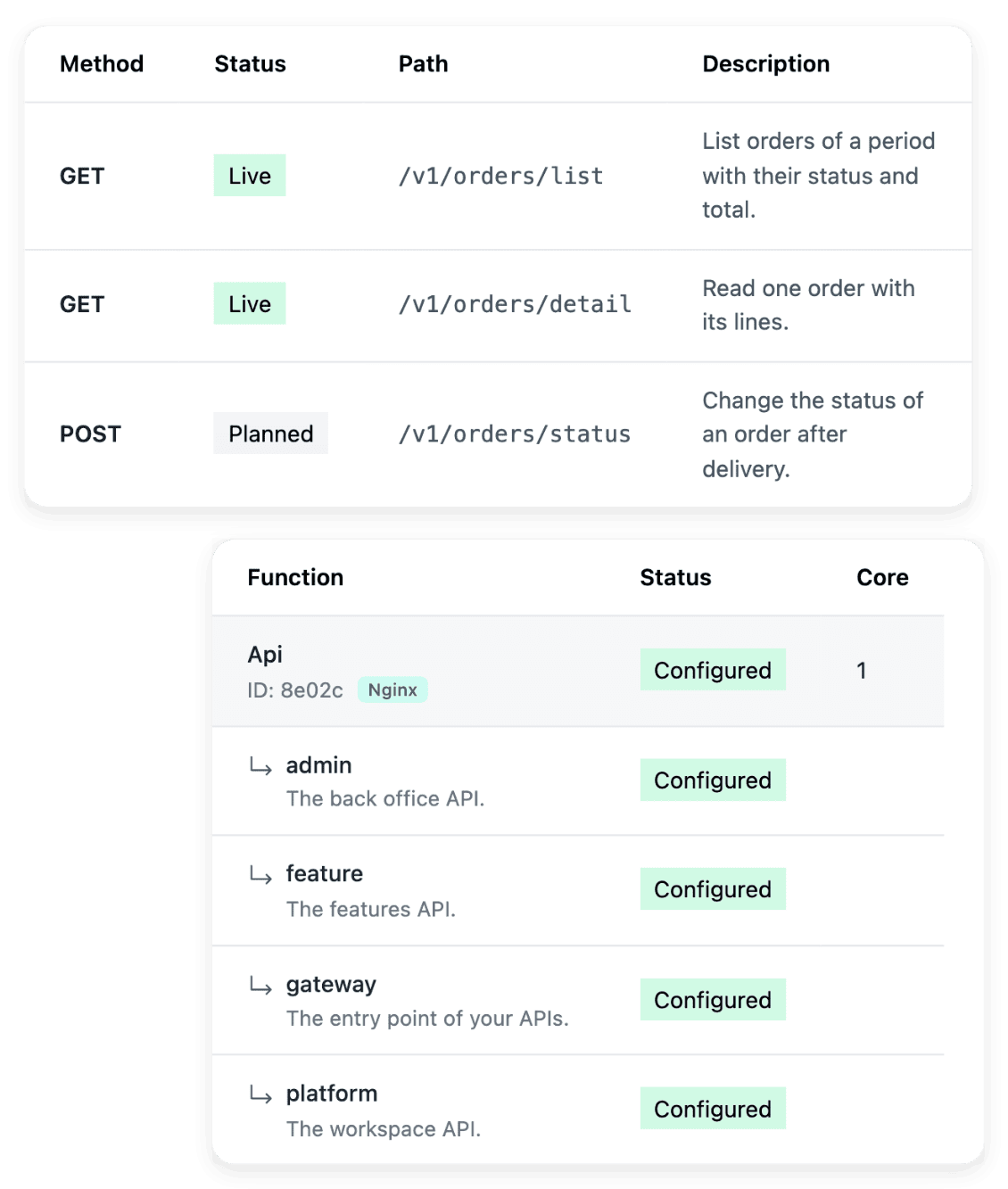
The project API is an optional part of the offer: "Your offer" shows the API option as "Activated" or "Not activated", with its price and conditions. For an activated project, the route catalogue gives the method, the path, the description and the status of each route. A route marked "Planned" describes intended scope, and only the "Live" status establishes that it is available.
This page shows no endpoint address and no authentication example: both belong to the reference of the activated project and of the environment concerned. Do not derive either of them from a planned route.
Give an external connection the information it needs
In "Connectors", you declare the external service with its name and a link to its documentation, or the documentation pasted as text. You supply the test credentials and the production credentials in their own fields, then attach the connection to the business areas that use it. One connection can be associated with several areas.
Declaration, association and a verified exchange are separate stages. Test the complete exchange in the relevant environment before you rely on it in production.
Build, test and serve users in separate environments
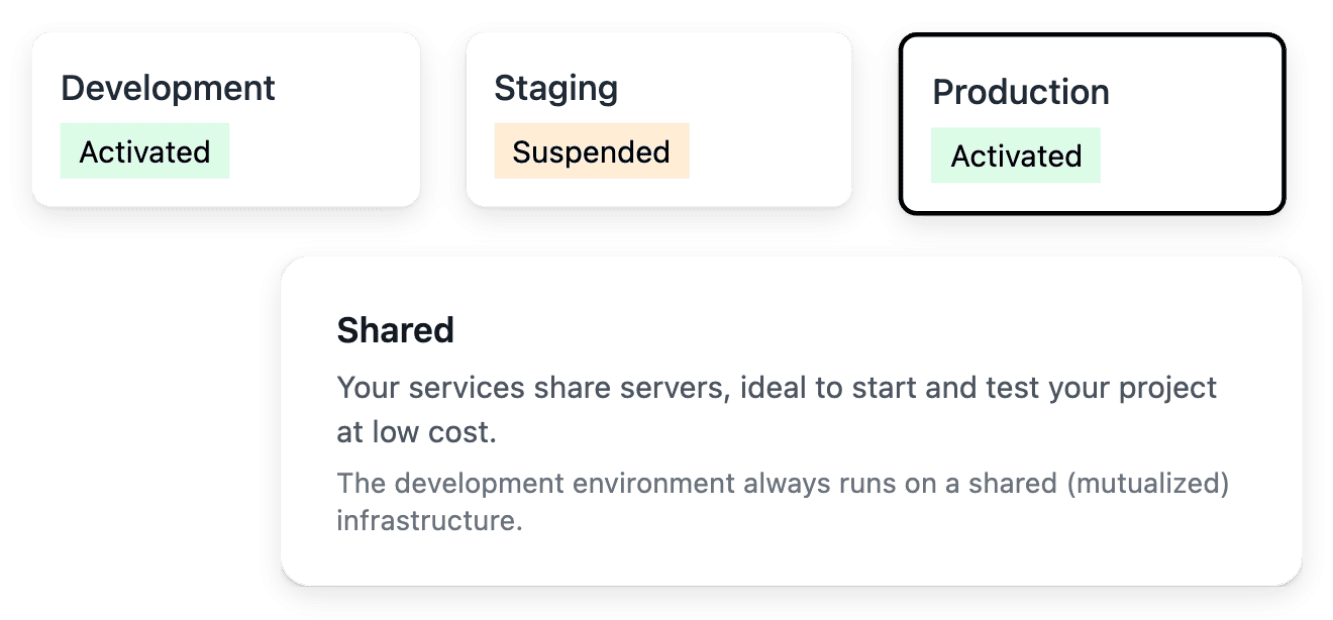
Development receives new work, staging checks a selected release and production serves users. The same project can serve different versions across environments, so read the state and the version of an environment before you test a change. Development and staging can be paused when they are not needed.
Starting an environment restores availability; it does not select another version. Production is never suspended from the workspace.
The articles behind this page
This page restates the following articles of the help center. They hold every field, every value and every answer.
Product pages to read next
- Optional project API
Review an API scope for an eligible project and distinguish planned routes from the endpoints already built.
- External connections
Describe the external service to connect, provide its documentation and associate it with the relevant business areas.
- Development, staging and production
Use separate environments to build, test a selected version and run the application for users.
- Versions and deployment
Follow the versions of your application and choose a tested release for the next environment.
- Product documentation
Give users practical guides that explain the application’s journeys and help them complete their tasks.
Continue in this section
- Integrations
The services a shop connects, the state of each connection, and external connections of a software project.
- Product feeds
Product feeds for shopping services
- File imports and exports
Catalogue spreadsheets with a report for every line, and the other file exchanges of a shop.
- Domain names
Connect a domain you own to a shop or to a software project: ownership proof, DNS records, checks.
Explain the exchanges your software needs
Send your application: our team reviews each one before a project is opened.
Questions
No. It is an option of the offer of a project, with its own price and conditions, and an application can be built and operated without it. Nothing on this page activates it for your project.
Once the option is activated, open "API" in the project. "Launch the API construction" is available once the API infrastructure is installed and at least one module is fully built. You then follow "Modules to expose" and use "Answer" when a clarification is requested.
They are two separate release streams. The project version is the one you create and deploy; the system version has no button, because Ultineo SaaS installs it on Development, then Staging, then Production. Read the components and the environment concerned before an action, so that you know what it will publish.
The screen states the prerequisite: a version to create, staging to complete, required domains to verify or a deployment already in progress. Follow the stated condition before you send another request, and do not treat a requested deployment as a finished one.