Product records your team keeps complete and consistent
Ultineo E-commerce brings the name, photos, specifications and selling information of a reference into one product record, the one place where your team corrects them. You reuse the same brands and characteristic values on every product, and a new product stays a draft until you put it on sale.
What a catalogue team is responsible for
- Records complete before sale
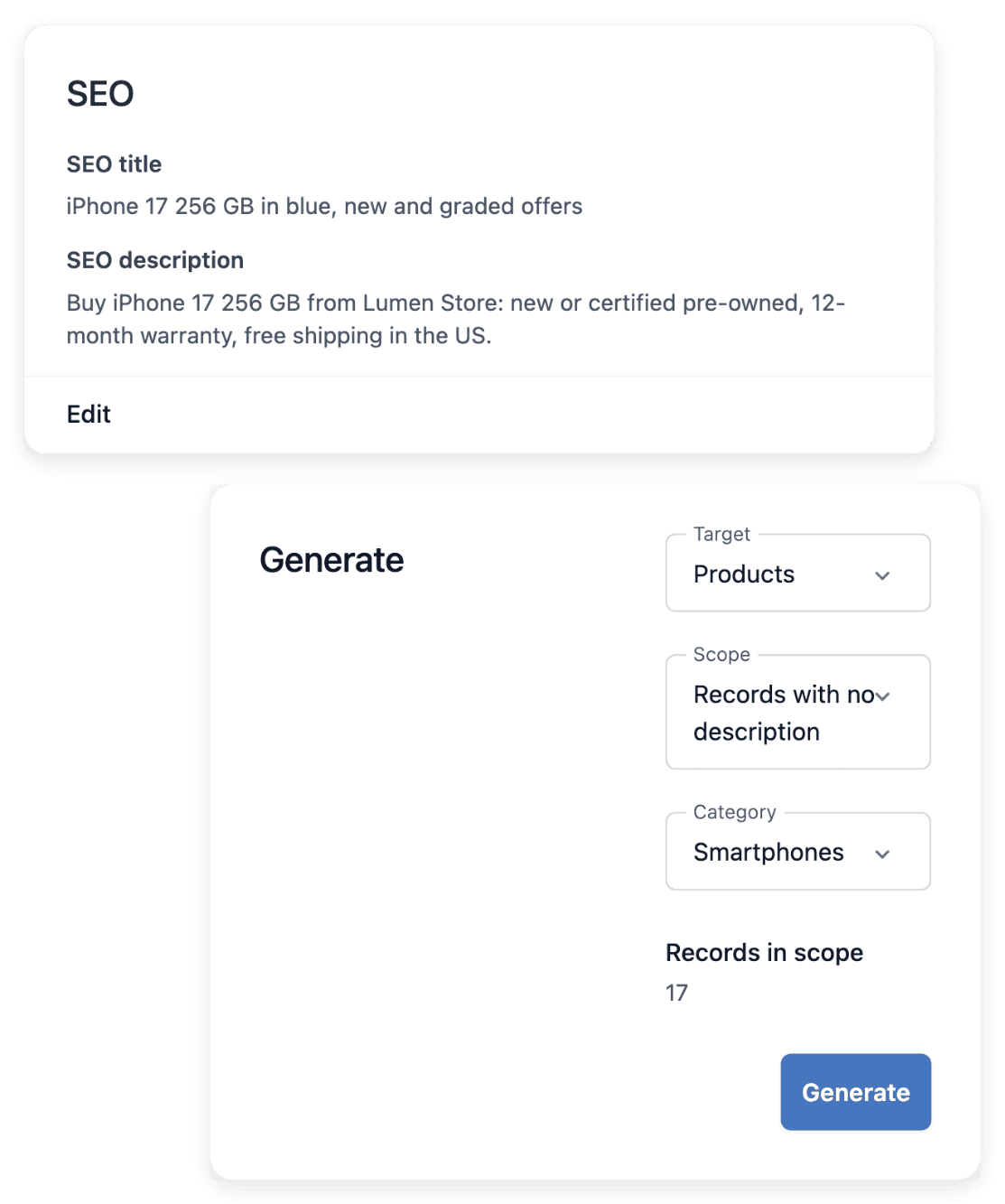
Before a product goes on sale, somebody has to check that its name, reference, description, category and photos are all there. Ultineo E-commerce keeps identity, description, brand, characteristics and images together on the product record, and you prepare a product as a draft before you put it on sale.
- Photos and wording that explain
A buyer cannot hold the item, so the pictures and the text have to answer in its place. From the product record, you add and reorder photos, choose the cover shown across the shop, and maintain the description and the search texts.
- One vocabulary, several hands
When several people prepare products, each of them should pick the same terms instead of writing their own. Brands, characteristics and their accepted answers are maintained in their own directories, and products select these entries instead of rebuilding the vocabulary every time.
Your team’s tasks, and the page for each
- Keep a growing range in order
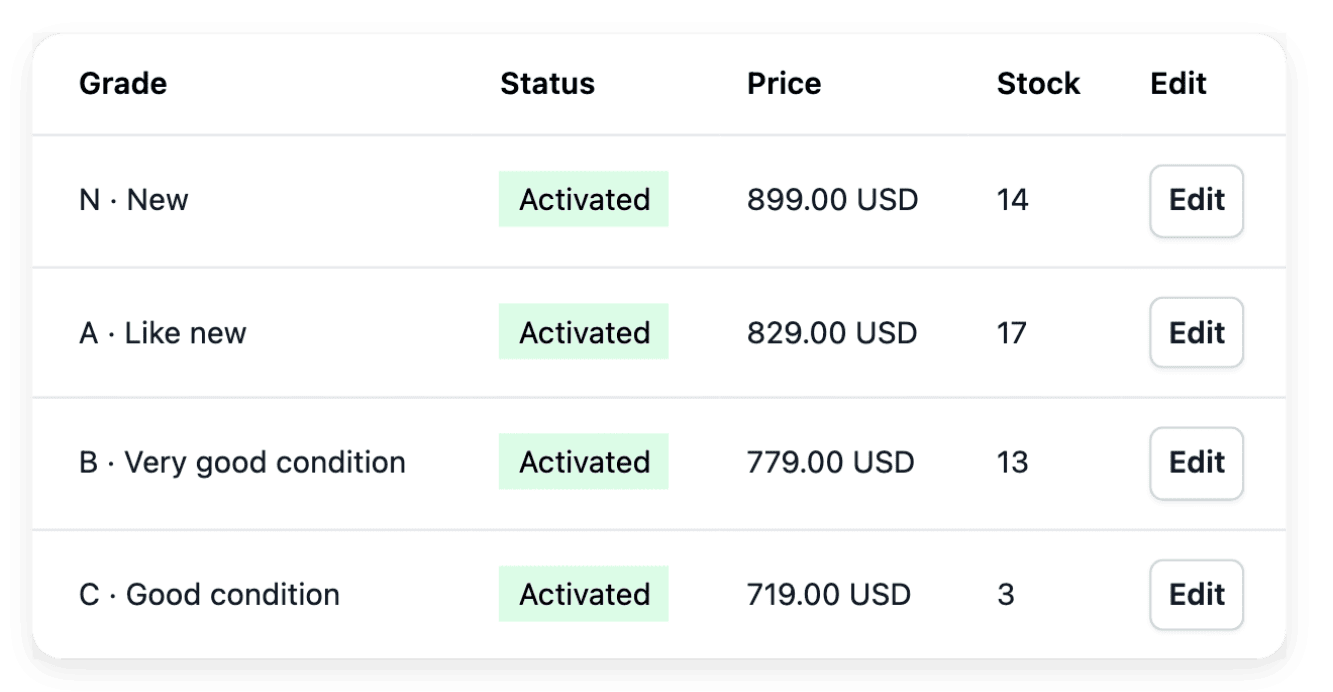
Define catalogue terms once, bring the versions of a reference together in a group and keep the quantity and the selling price of each version or condition grade.
- Translate product records
The language matrix of a product shows which wording is available, missing or outdated. You can launch a task that translates product names for your target languages, then review the result on the record.
- Fill in missing descriptions
Launch the AI tasks that write product descriptions and search texts for missing content. The supported workflow preserves your own wording, and you inspect each result on the product it belongs to.
- Send the catalogue to shopping services
Product details feed your storefront, your orders and your product feeds from the same record. Your team has one place to correct information, instead of a different description for every sales tool.
- Change many records at once
Use the catalogue import when the same preparation would mean opening many records, for products, categories, brands or groups. Then read the result line by line: created, updated, unchanged or refused.
- Describe products with comparable details
Define the name and the unit of a characteristic and the answers products may use, then select on the Characteristics tab of a product the value that describes this reference. The value belongs to that item: it is not inferred from the name of the wider product family.
Build the shelves and check what sits on each
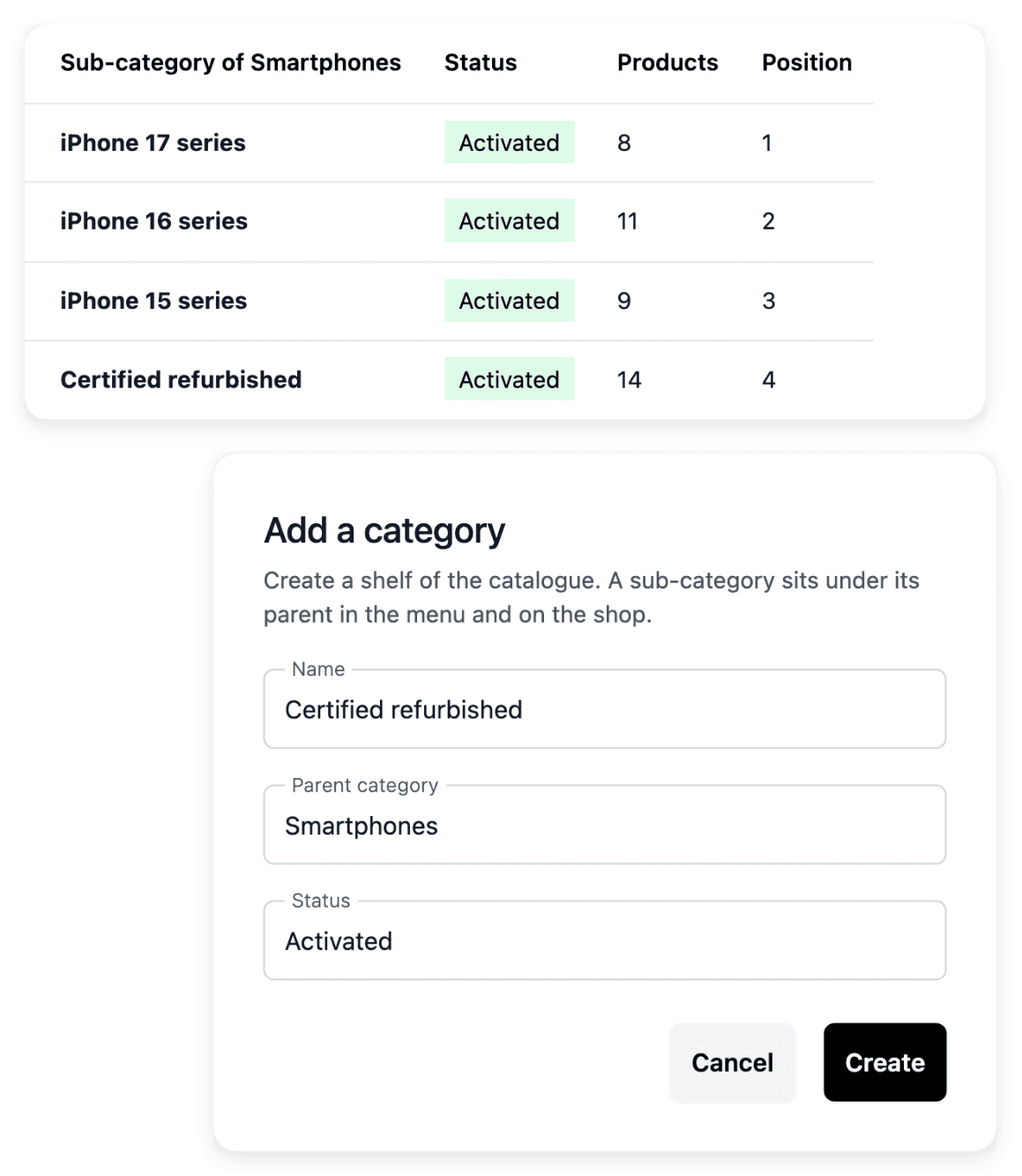
Create the categories and subcategories your range needs, with names that describe what customers expect to find, then select the appropriate category on each product. The record of a category brings together the products assigned to it and the subcategories below it: check that list to find misplaced references before you open the shop to customers. Each category also carries a description and search information that explain what belongs in the range.
A menu entry and the category assigned to a product are separate settings: the category tree supplies the structure and the content, and the category menu and the theme control their presentation. Avoid creating another category just to resolve a spelling difference.
Choose how the versions of a reference are shown
Once the versions of a reference are gathered in a group, you decide how shoppers explore them. The available presentations are pills, swatches, cards or lines, with the pricing information you choose: a concise capacity value can work as a pill, while another axis may need a different supported style. You also set the order of the axes in the group, so that customers meet the useful difference first.
The chosen appearance helps shoppers compare; the record of the selected product remains the source of its selling information and availability. When you add a new version, review the group: its membership, its option values and its ordering should agree.
The capabilities behind it
- Groups & variants
Product choices, prices and stock
- Products
Product records, images and categories
- Characteristics
Consistent attributes and values
- Product descriptions
Complete eligible missing descriptions
Go further
- Ultineo E-commerce
Give your team one catalogue to keep in order
Send your application to open a shop: our team reviews each one before an account is opened.
Questions
Yes. A new product is saved as a draft: your shop only sells it once you activate it. You then use its availability actions to put it on sale, pause it or withdraw it.
No. A brand describes the maker or the commercial identity; a category organizes products into shelves. You maintain the name and the logo of each brand once in the brand directory and attach that entry to the right products. The brand answers who makes the item, while its category and its characteristics explain what it is and how it differs from alternatives.
Not the file itself: the uploaded import file is not retained as a downloadable archive, so keep your own copy before uploading. The journal records the set, the counts, the operator and the time of each run. The details of refused lines are shown when the import is applied, and the history keeps the run summary.