Fill your shop from your ERP or a supplier feed
The API of Ultineo E-commerce lets your own tools fill your shop and read it back: an ERP sync or a supplier feed sends records in batches, then reads any single record to check what was saved. This guide follows a typical connection, from the first mapping to the sync.
What to settle before you connect
- A stable reference per record
Every later run recognizes a record by the key you sent the first time. The name is the key of a characteristic, a category or a product group, so sending a new name creates a new record rather than renaming the old one.
- A key and its holder
Once your shop is open, an administrator of its project creates the API key in the workspace, on the "API Access" tab. Keep it within the system that needs the connection.
- The data the API covers
The reference covers the catalogue, the sales history and vouchers; parcels, addresses and carriers are the API of Ultineo Logistics. Do not assume that every screen of the workspace has an equivalent endpoint.
A typical connection, in order
-
1
Map your keys A product is recognized by its SKU; a characteristic, a category or a product group by its name; a record of the sales history by external_id, your reference for that record.
-
2
Restrict the key When the key is created, choose "Restricted access" and grant only what the connection needs on each resource. A key set to "Write" cannot read: grant "Read and write" where the connection also reads records back.
-
3
Send a first dry run Send a first batch with dry_run set to true and read its report before anything is written. The guide "Import in batches" describes the dry run and the report.
-
4
Import in the recommended order Import the catalogue first: characteristics, then categories, then product groups, then products. Then come the sales history, customers before orders, and the vouchers.
-
5
Run the sync On each run, send the records again: one that is already in your shop is updated if something changed, or reported as unchanged, and is never created twice. An interrupted run can be replayed from the beginning.
-
6
Read back to check Read any single record back with a GET on its import path, a product by its SKU for example, to check what was saved. The page "Catalogue, orders and vouchers" goes through the resources one by one.
A product sent, then read back
Both examples come from the article "Catalog" of the reference and concern the same product. The lines holding only three dots mark where an example is cut.
Product import
curl https://api.ultineo.com/v1/product/import \
  -H "Authorization: Bearer sk-project-YOUR_KEY" \
  -H "Content-Type: application/json" \
  -d '{
    "items": [
      {
        "sku": "IP13-128-MID",
        ...
        "currency": "EUR",
        ...
        "grades": [
          { "grade": "very_good", "price": 459.00, "stock": 6 },
          { "grade": "good", "price": 419.00, "stock": 3 }
        ],
        ...
      }
    ]
  }'
The SKU is the key of the product, and each condition grade carries its own price and stock.
Product read back
{
  "code": 200,
  "title": "OK",
  "response": {
    "object": "product",
    "id": "prod_a81f3c6e0b2d49e7c5f0",
    "sku": "IP13-128-MID",
    "status": "activated",
    ...
    "price": "419.00",
    "price_compare": "729.00",
    "currency": "EUR",
    ...
    "stock": 9,
    ...
  }
}
Read back, price is 419.00, the lower of the two grade prices sent, and stock is 9, the 6 and 3 of the two grades.
What to watch in a sync
- Customer changes in the shop
A contact or address field of a customer may have been changed in your shop since your previous import. Send previous, the values you sent on that import with the same keys: a field that differs from it was changed in your shop since, and is kept.
- Price and stock with grades
When a product has condition grades, its price is the lowest grade price and its stock the sum of the stock of its grades: a top-level price or stock you send is not applied. Read the notice of the entry, which says so, and send price and stock on each grade.
- Actions stay in the workspace
The endpoints of the sales history do not trigger actions: cancelling an order, issuing a refund or contacting a carrier are done in your workspace. Brands and warranties are created there too, and an import only refers to them.
The articles behind this page
This page restates the following articles of the help center. They hold every field, every value and every answer.
Product pages to read next
- API access
Connect your systems through scoped shop access
- Products
Product records, images and categories
- Stock & condition grades
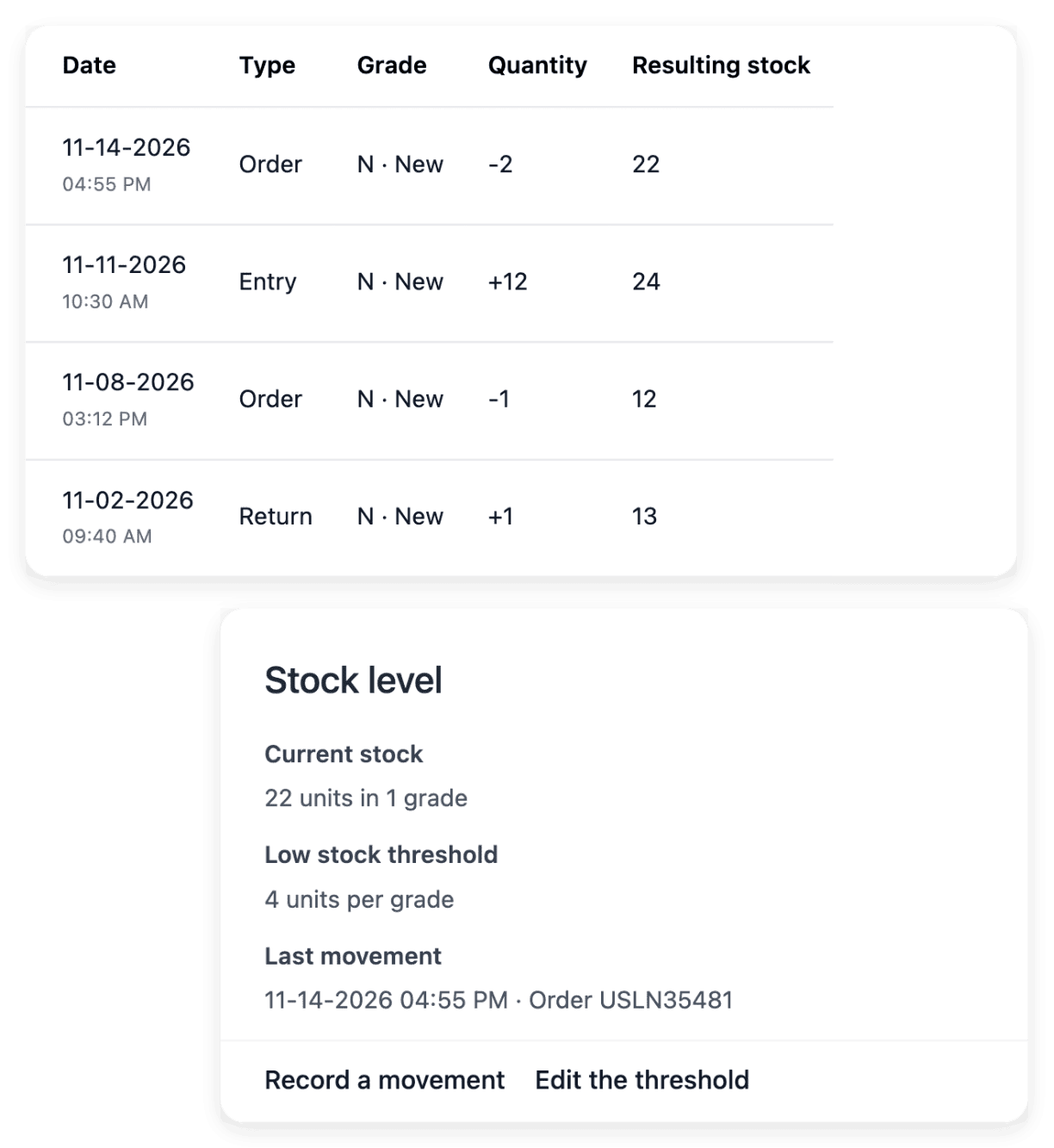
Quantities, movements and grades
- Customers
Customer records, addresses and notes
- Orders
Items, payments and shipments together
- Import & export
Make bulk catalogue changes with a readable result
Continue in this section
- Make your first API call
The address, the health check, the key in the header and how to read the answer of a first call.
- Manage keys and access
Who creates a key, what it may reach, when it expires and how to rename, disable or delete it.
- Import in batches
The contract every import shares: batches, the dry run, replays without duplicates and the report.
- Handle errors and limits
What each status of the API asks of your client, and what you can safely send again.
- Move an existing shop
Bring your catalogue, your sales history and your domain to a new shop, and check each step.
- AI inside your software
A reasoning step added to a screen of your own software, launched through the API and read back.
Open your shop, then connect your systems
Send your application to open a shop: our team reviews it and replies by e-mail.
Questions
For fields, yes: fields you leave out of an update keep their stored value. A child list you send is the whole set, though: on a product, grades or photos you left out are deactivated, so leave the list out when it did not change. The page "Catalogue, orders and vouchers" names these lists.
No. The order endpoints import a sales history and read one order back, by its external_id or by its identifier in your shop. The imported resources have no list, no search and no pagination.
No. The API provides building blocks, not an installed connector. Your technical team or your service provider builds and tests the exchange against the documented endpoints.
The API attaches photos that are already in your media; it does not upload files. Each entry of the media list of a product names, by its identifier, a file already uploaded to your media.