Solutions · Build custom software
Improve an application that is already in service
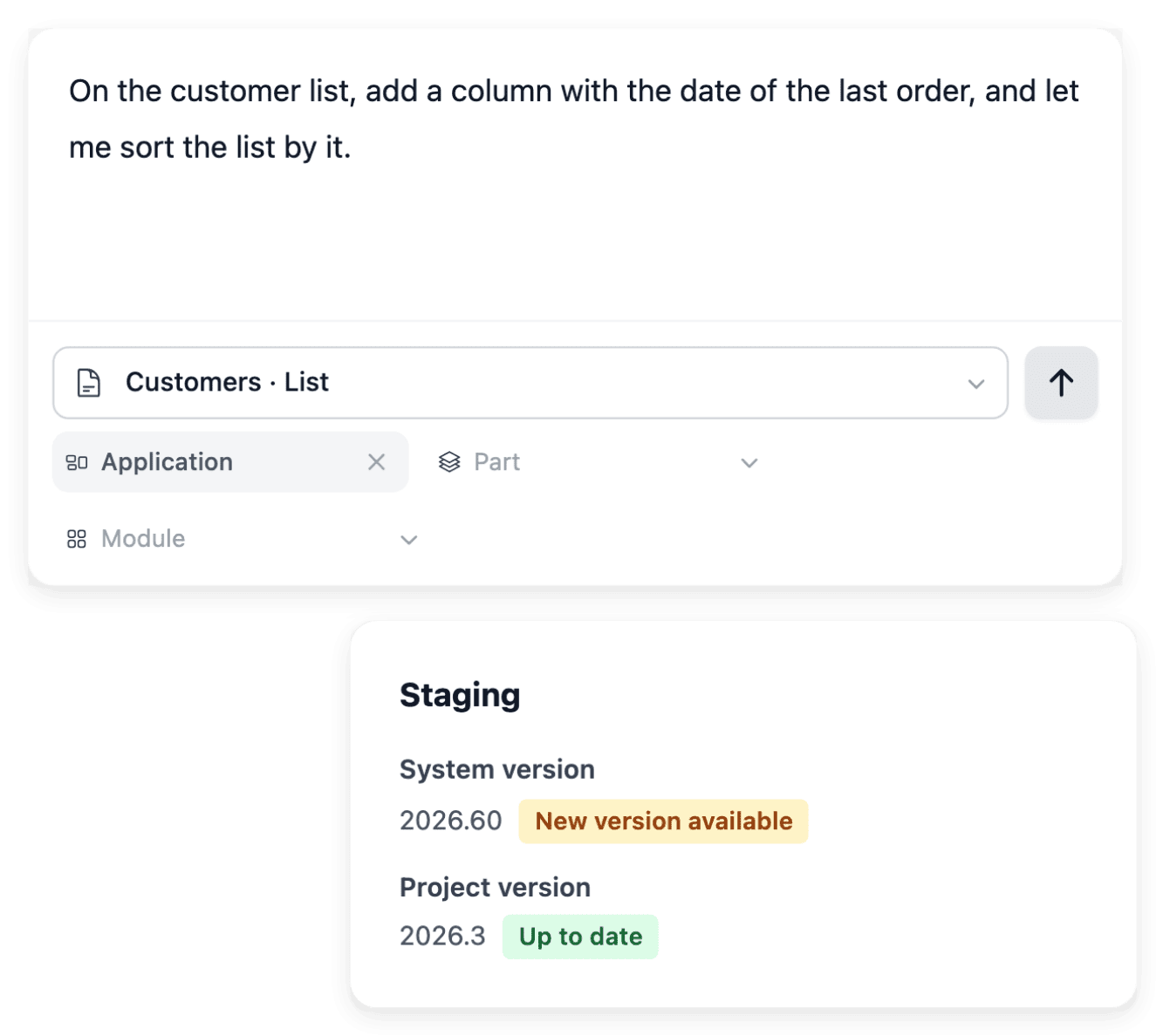
When an application built with Ultineo SaaS needs to change, you describe the situation in AI requests and attach the existing page. The request, its questions and its recorded result stay connected, and production keeps its version until you publish the one you tested.
What makes changing a live application hard
- A request nobody can verify
A vague instruction to improve a page gives nobody a way to tell when the work is done. In AI requests, you attach the existing page and describe what happens now, what should happen and an example the result can be checked against.
- Rules left to interpretation
A short description of a change often leaves several possible interpretations, and the missing rule surfaces only once the screen is built. Clarifications let you supply that rule: you answer the questions of a change request from its detail, so its follow-up contains both the original request and the missing information.
- Users at work meanwhile
People use the application every day, and a change they were not told about interrupts their work. Development receives the ongoing changes, where you review the result against the requested behavior, while production stays on the version intended for users.
From the page to change to the published version
-
1
Choose the existing page In AI requests, paste a known address of your project or search for the page by name. Check the selected page and its business area before describing the change.
-
2
Describe and send the change Explain the current behavior and the expected one, with an example. The arrow adds a pending row, and Send all submits the batch you reviewed.
-
3
Answer, then test in development Tasks brings together the project items that need your attention: open the request, read its details and answer any questions. When the work is ready, repeat the sequence of your example in development.
-
4
Publish the tested version Create the project version, deploy it to staging and complete the changed user journeys there. Publish it, then read the production version and check the journey on the live service.
Prepare, send and follow each change request
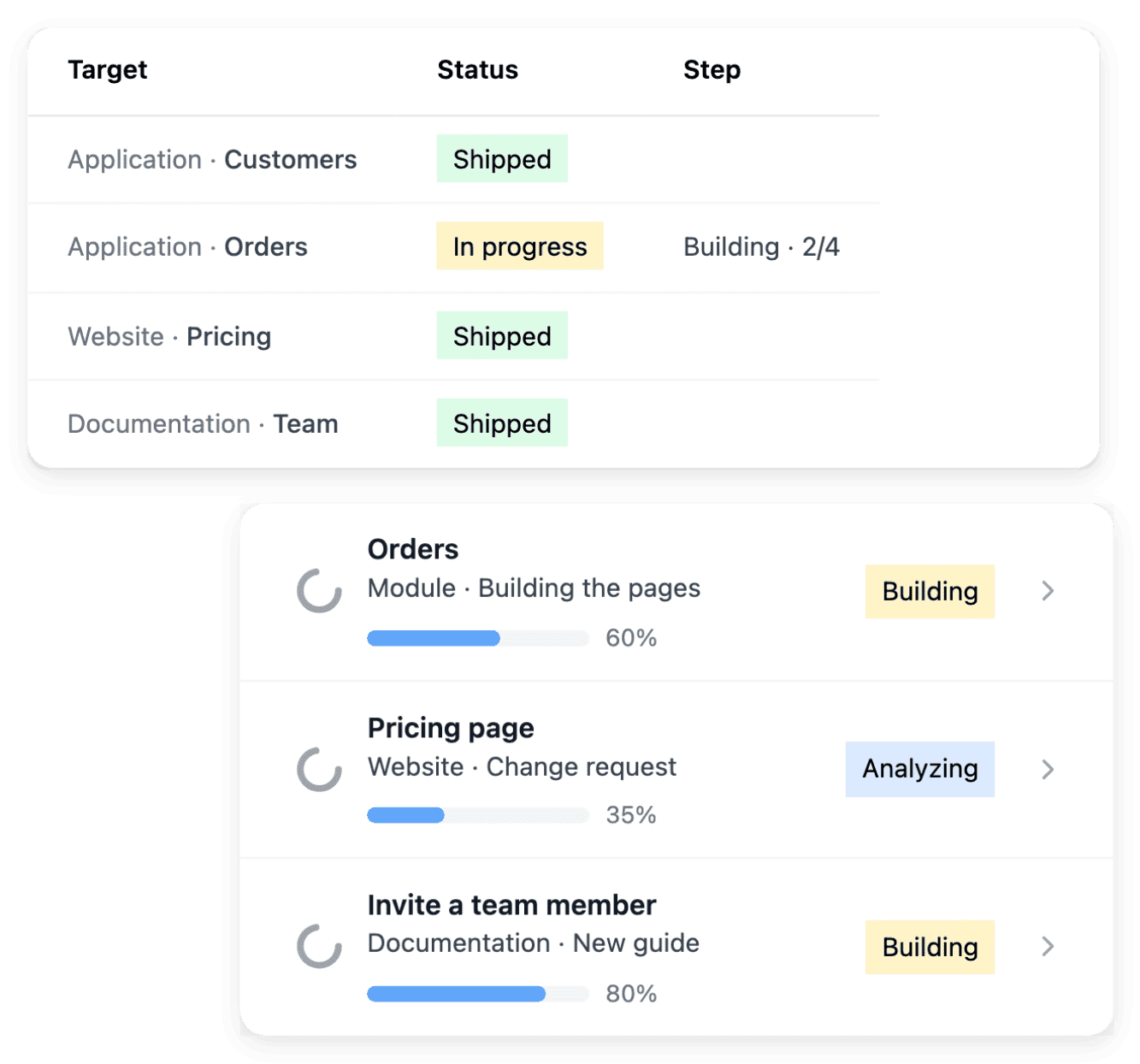
You may want to refine several actions within the same business area: prepare each request in the pending list, review the group and submit it together. Separate rows keep the individual changes understandable while retaining their common project context. Each submitted request then has its own detail and state: open it to understand the work, answer its questions and read the recorded result.
Sending a request does not mean that production has changed. The first item of a batch fixes its business area, and when only some requests were sent, the confirmation tells you which ones were recorded: retry the rows that remain rather than recreating the others.
Test the change in staging before it reaches production
Compare the working result with the original need, then create the project version intended for publication. A change to one page can affect the links or actions around it: staging lets you review that version through the full task before the production step.
Publication can wait on a prerequisite that the screen states: a version to create, staging to complete, required domains to verify or a deployment already in progress. A recorded request alone is not a finished publication: wait for the deployment to complete, then repeat the user task on the live service.

The capabilities behind it
- AI change requests
Describe a change in plain language, attach the existing page and follow it in AI requests.
- Versions and deployment
Follow the versions of your application and choose a tested release for the next environment.
- Clarifications
Answer the questions that make a project requirement or change request precise enough to build.
- Tasks and progress
Find what needs your attention, follow work in progress and consult the history of project actions.
- Development, staging and production
Use separate environments to build, test a selected version and run the application for users.
- Feedback and issues
Report a problem with useful context and keep a visible record of the feedback sent for your project.
- Roadmaps
Break project evolution into a visible sequence of phases and follow the scope of each roadmap.
See what else you can do
- Build custom software
Business software designed and built with you, from a first brief to an application in service.
- Coordinate an internal process
One application built around a request, an approval or a follow-up your team handles today.
- Open a customer portal
A custom application where your customers submit requests and your team reviews them in a back office.
Go further
- Related guides
- Ultineo SaaS
Give your next change a page, an example and a tested version
Send your application to join: our team reviews each one before a project is opened.
Questions
No, they follow two paths. Feedback records a bug, an improvement idea or a question, with its state and its conversation, while an AI change request attaches a requested change to a selected page. Report a problem with the page, the environment, the steps, what happened and what you expected; once a correction is available, verify the original steps in the relevant application version.
A new need with its own rules is not a page change: you describe it with “Request an evolution”, in the evolution view of the business area concerned. When the work involves several screens or actions, a roadmap describes the broader objective and the phases needed to reach it. The allowance of an offer counts business areas, not pages, so review whether the need extends an existing area or introduces another business responsibility.
No. This page is about an application built with Ultineo SaaS: an AI request targets a known page address that belongs to the available services of the selected project. A project is opened in Ultineo SaaS after our team has reviewed your application to join, and your software is then designed and built with you.