Developers · Integrations and tools
Connect outside services and know the state of each
Ultineo E-commerce gathers the outside services of a shop on one board, each with its status: payments, measurement, advertising, affiliation, e-mail and product feeds. Ultineo SaaS is a separate product: there, a software project declares the external services its application uses.
What you can rely on before you connect
- Your own provider accounts
You bring the details of an account you keep with each provider, and the required settings depend on that provider. No partner account is created from the shop.
- Saved is not active
A configured identifier does not prove an active service or campaign. The state of a connection is read separately from what is saved.
- Tracking waits for consent
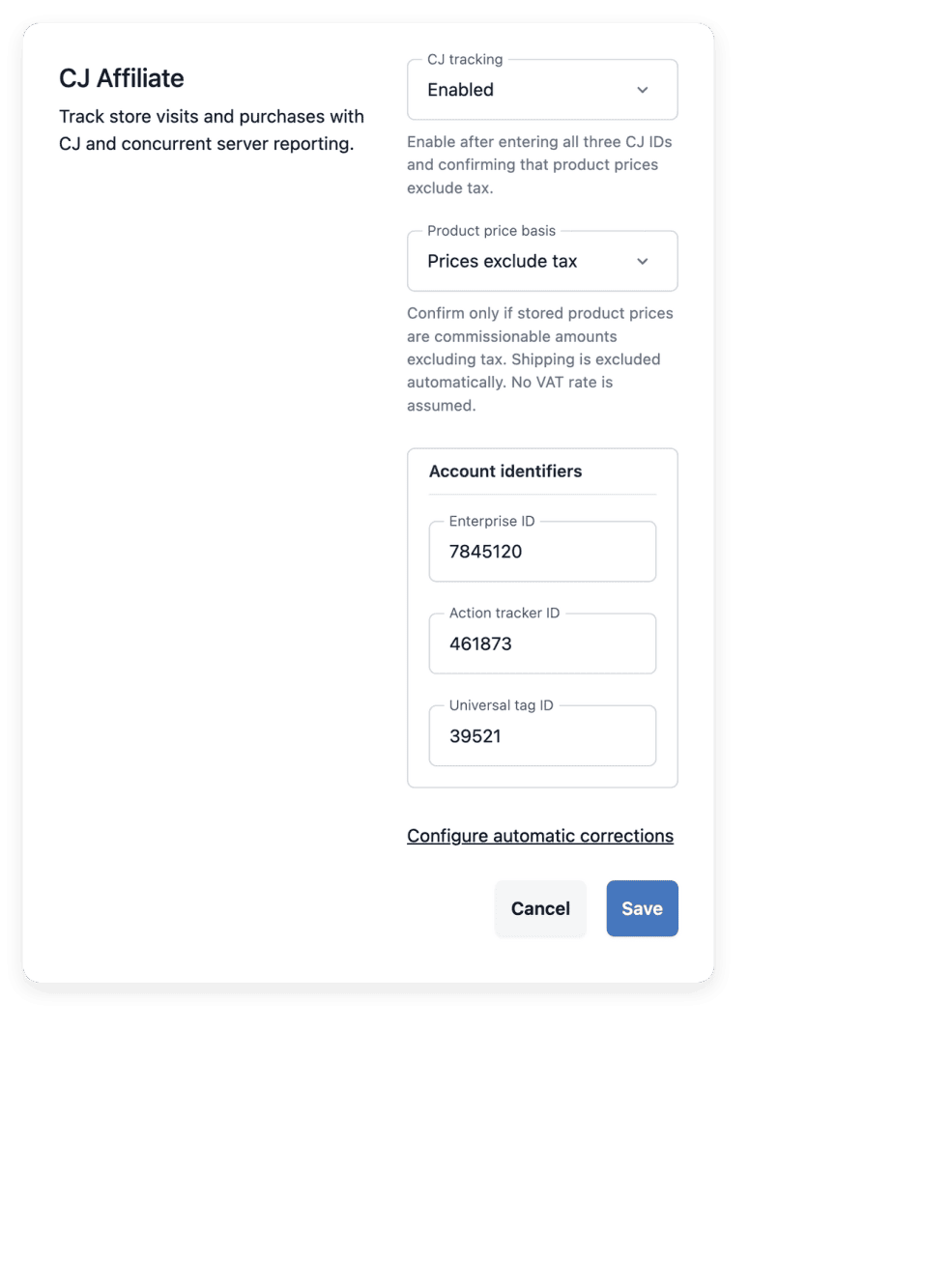
Google loads on the storefront only after a visitor accepts the required cookies. CJ Affiliate tracks visits and purchases once a visitor gives marketing consent.
Connect a service to your shop, step by step
-
1
Open the integrations board Open the main menu and, under Store builder, click Integrations. Each service has its own card with its status.
-
2
Choose the service On the board, find the card of the service: Google Analytics & Ads, CJ Affiliate, an advertising or affiliate service, Brevo, Payments or Product feeds. Have the identifiers of your own account ready before you open it.
-
3
Save its settings Click Configure on a card to open its side panel, then save your settings; payments and product feeds open on their own screen. When you close the panel, the page reloads and the cards show the new status.
-
4
Verify the actual result Check the relevant shop operation and the provider’s own reporting. Saving an ID does not check that Google receives your data: test a purchase in Google’s diagnostics.
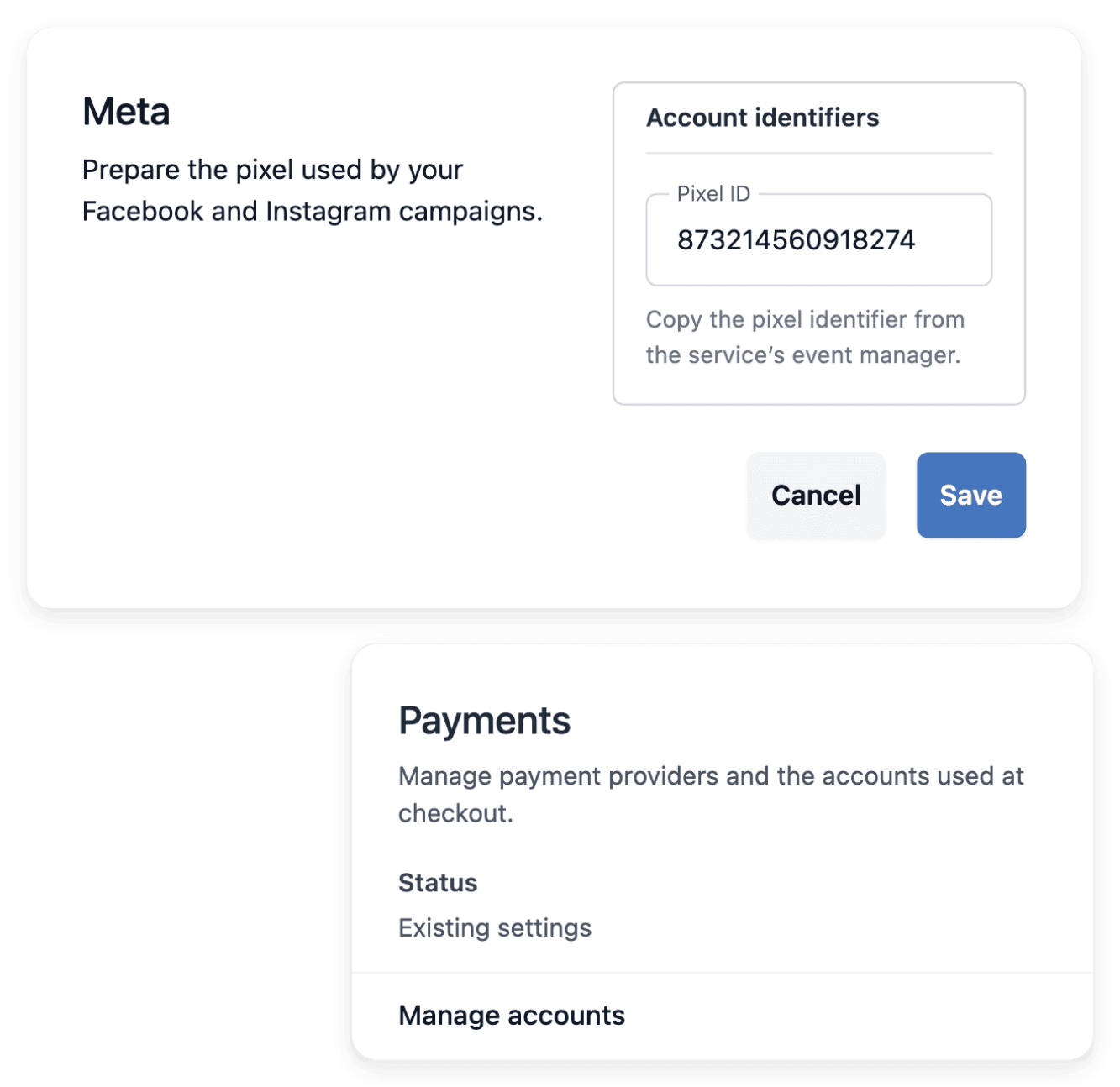
Find the right settings for each service on one board
The integration list includes Google measurement, Meta, TikTok, Taboola and Criteo, plus the Awin and CJ Affiliate partner settings. The same list gives access to the Brevo newsletter synchronization, to the Stripe, Adyen and PayPal payment accounts and to the product feeds, where those tools are available.
Google measurement and CJ Affiliate tracking can be switched on. The other advertising and affiliate entries store public identifiers as preparation: these services do not send events or set cookies on the storefront.
Check the state of a connection before relying on it
The status line of each card reads "Enabled", "Disabled", "Configured · inactive", "Not configured" or "Existing settings". "Enabled" means that Google measurement or CJ Affiliate tracking is switched on, "Configured · inactive" that identifiers are saved for an advertising or affiliate service, and "Existing settings" that the service is managed from its own screen in the workspace.
Enter public identifiers only: scripts, passwords and API tokens are refused. When a Google tag is saved, the message states that Google receipt has not been verified: a saved card is not a connected account.
Declare the outside services your application uses
In a software project built with Ultineo SaaS, an external connection describes how your application uses another service. You declare the service with its documentation and with the access details requested for test and for production. The page Software projects follows a connection from its declaration to the business areas that use it.
A declaration is not a working integration: a service name alone does not explain it, and a declared or activated connection does not replace the test of the complete exchange.
The articles behind this page
This page restates the following articles of the help center. They hold every field, every value and every answer.
Product pages to read next
-
Ultineo E-commerce
Integrations Connect supported shop services
-
Ultineo E-commerce
Payments Payment providers and transaction history
-
Ultineo E-commerce
Product feeds Product feeds for shopping services
-
Ultineo E-commerce
Newsletter Subscribers, consent and campaign drafts
-
Ultineo SaaS
External connections Describe the external service to connect, provide its documentation and associate it with the relevant business areas.
Continue in this section
- Product feeds
Product feeds for shopping services
- File imports and exports
Catalogue spreadsheets with a report for every line, and the other file exchanges of a shop.
- Domain names
Connect a domain you own to a shop or to a software project: ownership proof, DNS records, checks.
- Software projects
The project API option, external connections, environments and versions of a custom software project.
Connect your services once your shop or your project is open
Ultineo E-commerce and Ultineo SaaS are each opened after an application that our team reviews.
Questions
Stripe, Adyen or PayPal, each through your own account, connected in the payment settings of the shop. Each provider has its required live credentials and verification steps, and Adyen also requires the appropriate merchant account and live configuration. The provider’s availability, fees, approval requirements and terms apply, and a connection may be unavailable in a particular country or currency.
No. Google Tag Manager containers are not supported. The "Google Analytics & Ads" card takes a Google tag ID, which is a G-, GT- or AW- ID.
Ask the Ultineo team, which can assess the request: the page Developer help says what to send. Asking does not mean that the connector already exists.
No. For Google, coverage depends on the visitor’s consent and on the supported return path after payment, and refunds are not counted in that path. For CJ Affiliate, a server report keeps the purchase attributed when the browser tag cannot send it, and cancellations and order updates are not sent to CJ automatically.