Solutions · Open an online shop
Collect payments and read each one with its sale
Ultineo E-commerce lets you connect your shop’s own Stripe, Adyen or PayPal account and offer, at checkout, the payment methods you configured. Each payment then keeps its own recorded state, with the order and the customer behind it.
What makes collecting payments online hard
- Your own payment account
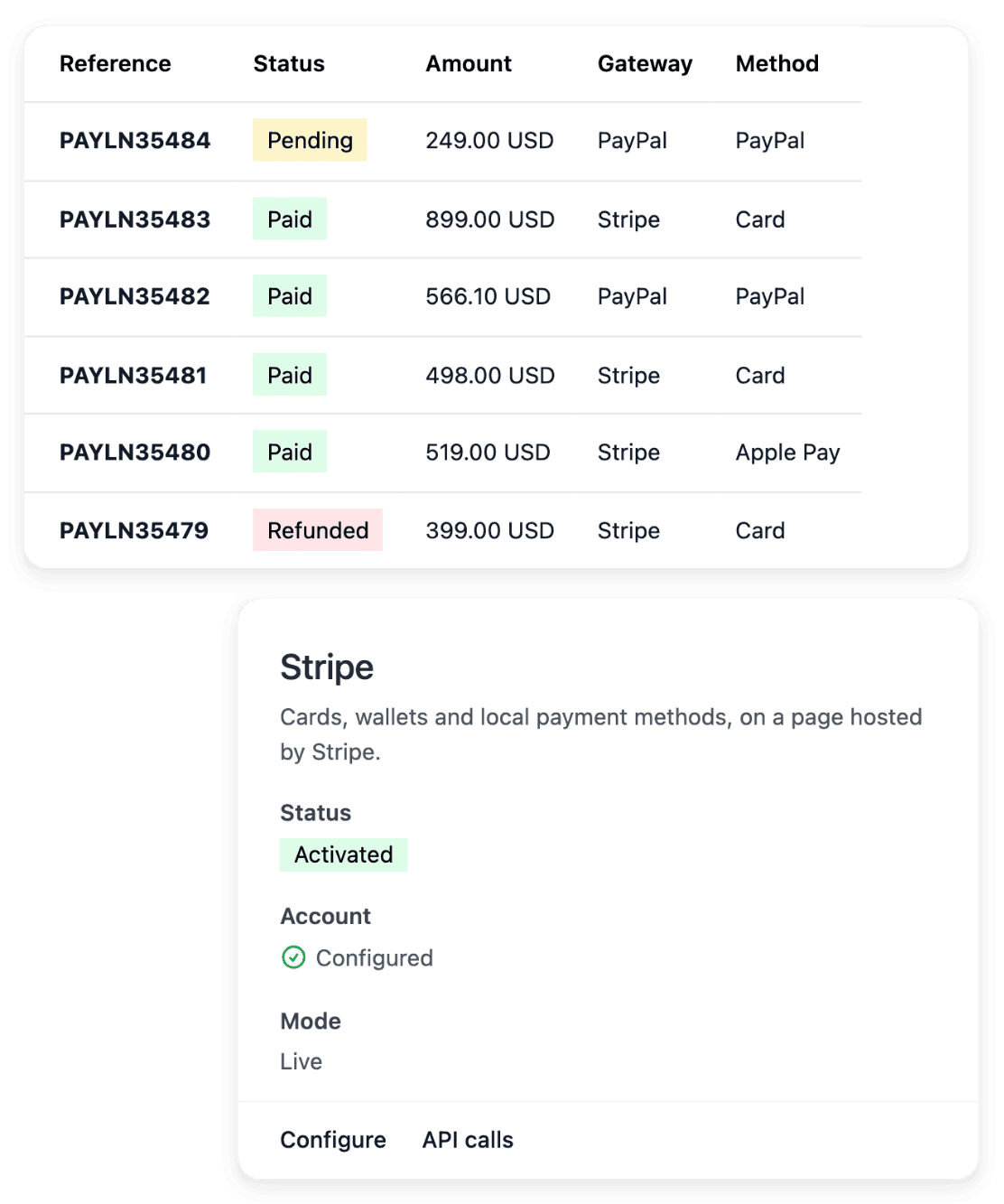
Money paid online is collected by a payment provider, under the contract you hold with it. In Ultineo E-commerce, you connect your own Stripe, Adyen or PayPal account in the payment settings of your shop.
- A request is not money
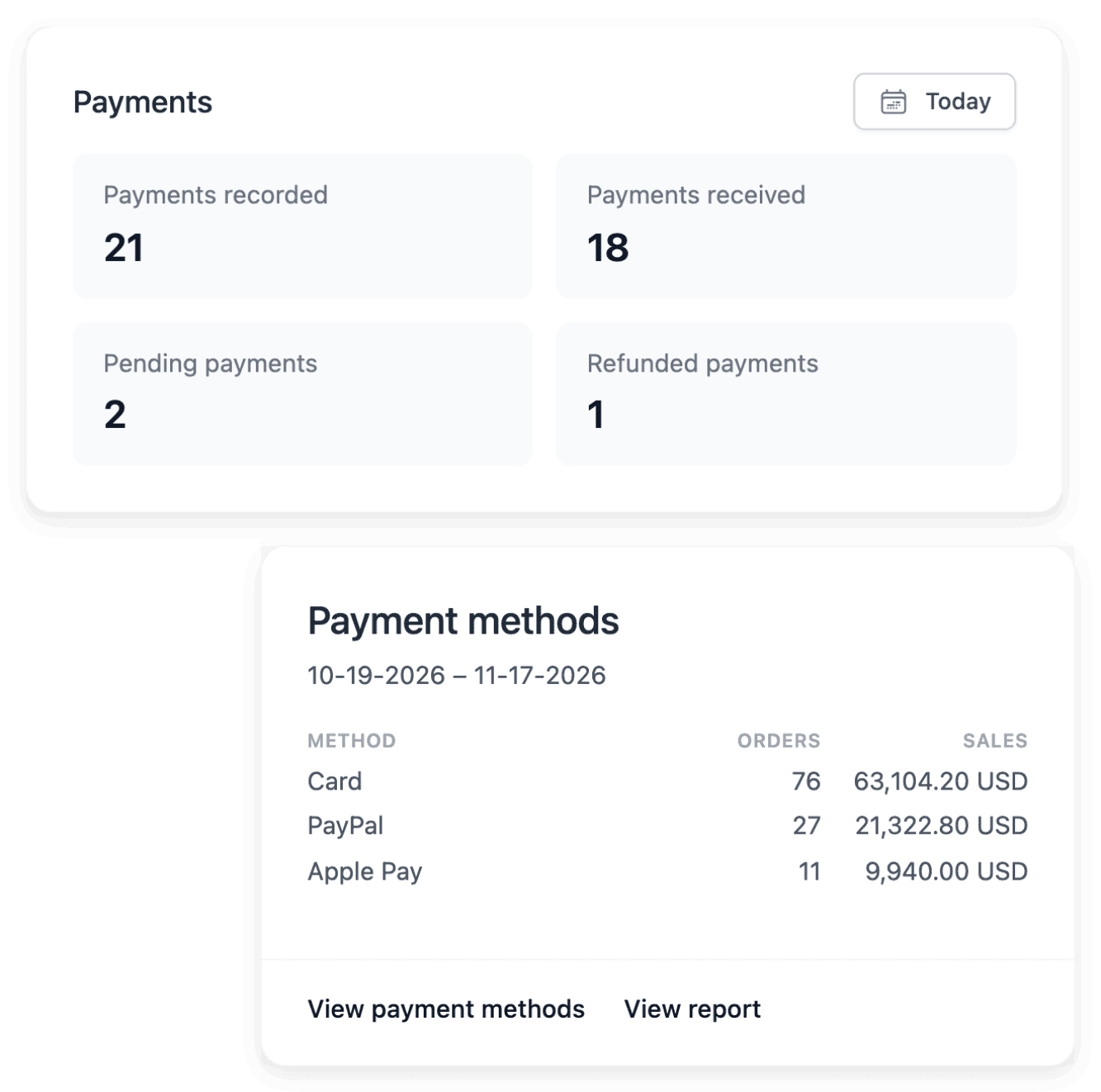
A buyer who reaches the payment step has asked to pay, and nothing is collected yet. Each payment has its own recorded state: an attempt, a pending operation and a completed payment are different outcomes.
- Each amount with its sale
When a buyer asks about an amount, you need the sale it belongs to, not an entry on a statement. From the payment register, you open the order and the customer related to each payment.
Four steps, from the payment account to the order
-
1
Connect your payment account In the payment settings of your shop, connect your own Stripe, Adyen or PayPal account, with the live credentials and the verification steps its provider requires. A saved setting alone does not prove that the account is ready to collect payments.
-
2
Review the buying path Inspect the checkout steps with a destination you cover and an available item. Check the wording and the payment choices offered, alongside the appearance of your shop.
-
3
Read the payment’s state In the payment directory, open the transaction associated with the order and confirm its amount and its customer. Inspect the recorded state and the gateway information: when a result remains uncertain, investigate it before you tell the buyer it succeeded.
-
4
Open the related order Go from the payment to its order. The order lists its payments and its shipments in their own tabs, each with its status, and you open the actions that fit its current state.
Follow each payment with the order behind it
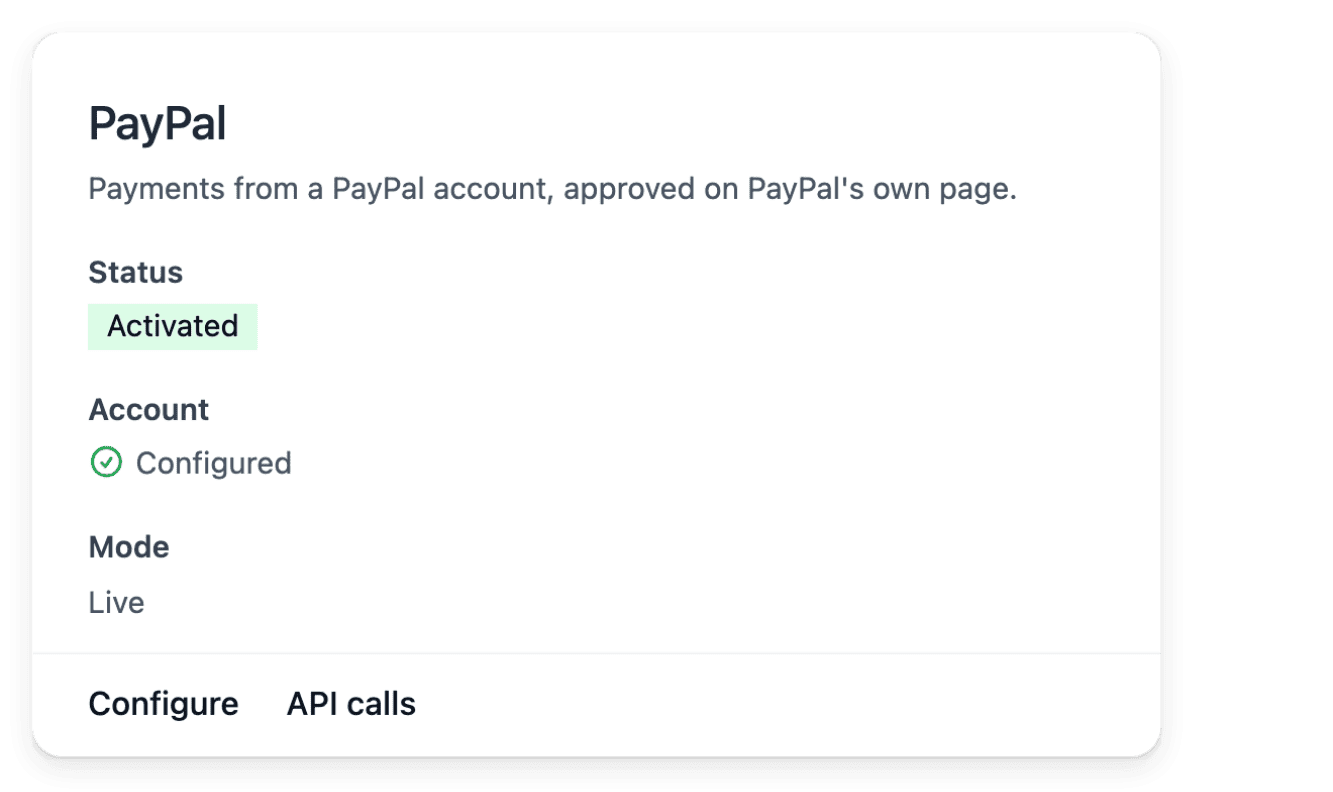
The payment register shows amounts, methods and states in one place. Open a payment to inspect its recorded amount and its state before you choose an applicable action, and keep it linked to its order and its gateway context: those references serve when you investigate a result with your provider. An order waiting for payment and a failed payment are different work for your team.
The recorded payment amount is protected: it is not selling information you can edit. Payment and shipment states are separate: for the parcel, inspect the linked order and its shipment.
Offer the payment methods you configured at checkout
Checkout takes the selected items through the order steps. The buyer’s destination and your shop settings determine the payment choices that can be offered, among the methods supported by the payment services you configured. When a basket reaches the payment step, Carts records it with its items, its customer and its quoted value, and shows whether it became an order.
Displaying a payment choice is separate from completing its transaction. A styled checkout does not create a delivery zone or activate a payment provider, so test the actual destination and the configured methods before you open a new market.
The capabilities behind it
See what else you can do
- Open an online shop
Build a shop with your look and your catalogue, follow its orders and put it online on your own domain.
- Move an existing shop
Bring your catalogue, your sales history and your domain to a new shop, and check each step.
- Manage a catalogue
Keep a growing range consistent: shared terms, grouped versions, stock per condition, changes by file.
Go further
- Related guides
- Ultineo E-commerce
Take your next payments with each one tied to its sale
Send your application to open a shop: it is reviewed by our team before an account is opened.
Questions
Those offered by the payment service you connect in the payment settings: Stripe, Adyen or PayPal, each through your own account. The provider’s availability, approval requirements and terms apply, and a connection may be unavailable in a particular country or currency. For the methods offered in a given country, read that provider’s list.
You cannot add a payment by hand: payments are recorded by the payment service linked to your shop. When a payment is still pending and you have received the money, open it, click "Confirm payment" and check the amount before you confirm. The payment is then marked as paid, and a receipt is sent to the customer by email when their address is known.
Yes. You start from the original payment: a full or partial refund stays linked to the same order, within the amount still refundable, and the payment’s refund view keeps those operations connected. A submitted request does not mean the money was returned, so consult the refund’s state and the provider’s outcome before you tell the buyer.