Developers · Integrations and tools
Change the catalogue in bulk by file, with a readable result
Ultineo E-commerce moves catalogue data in and out as spreadsheets, with an import report for every line. A shop also imports the shipments of its warehouse from a CSV file and exports its subscribers and its carts.
What you can rely on when you exchange files
- Every line is accounted for
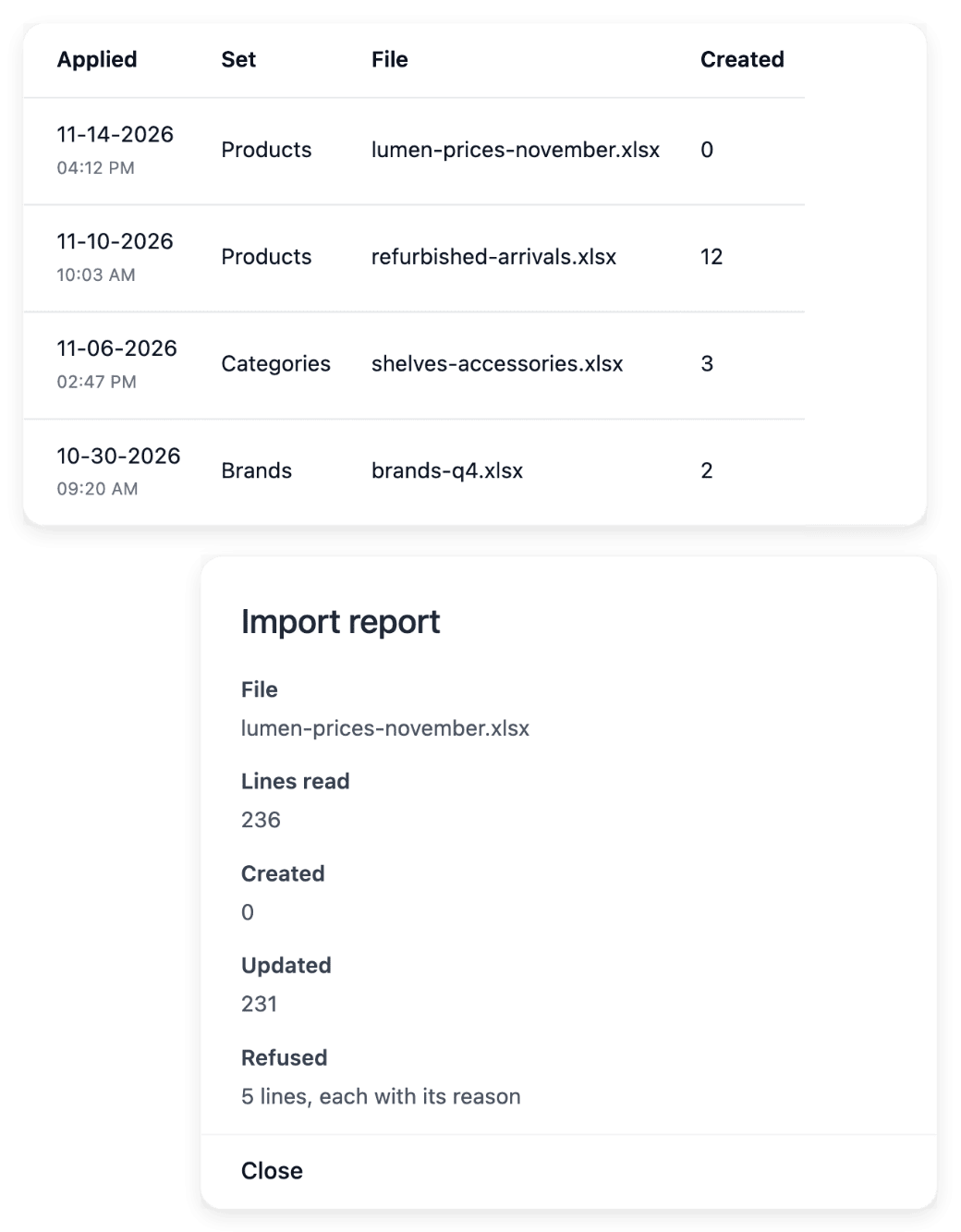
A catalogue import reports each line as created, updated, unchanged or refused. A file being accepted is not proof that every row changed.
- The same file twice
Importing the same shipments file twice ships nothing twice. Only paid orders are shipped.
- You keep the source
The file uploaded for a catalogue import is not retained as a downloadable archive. Keep your own copy before uploading.
Prepare a catalogue file and read its line-by-line result
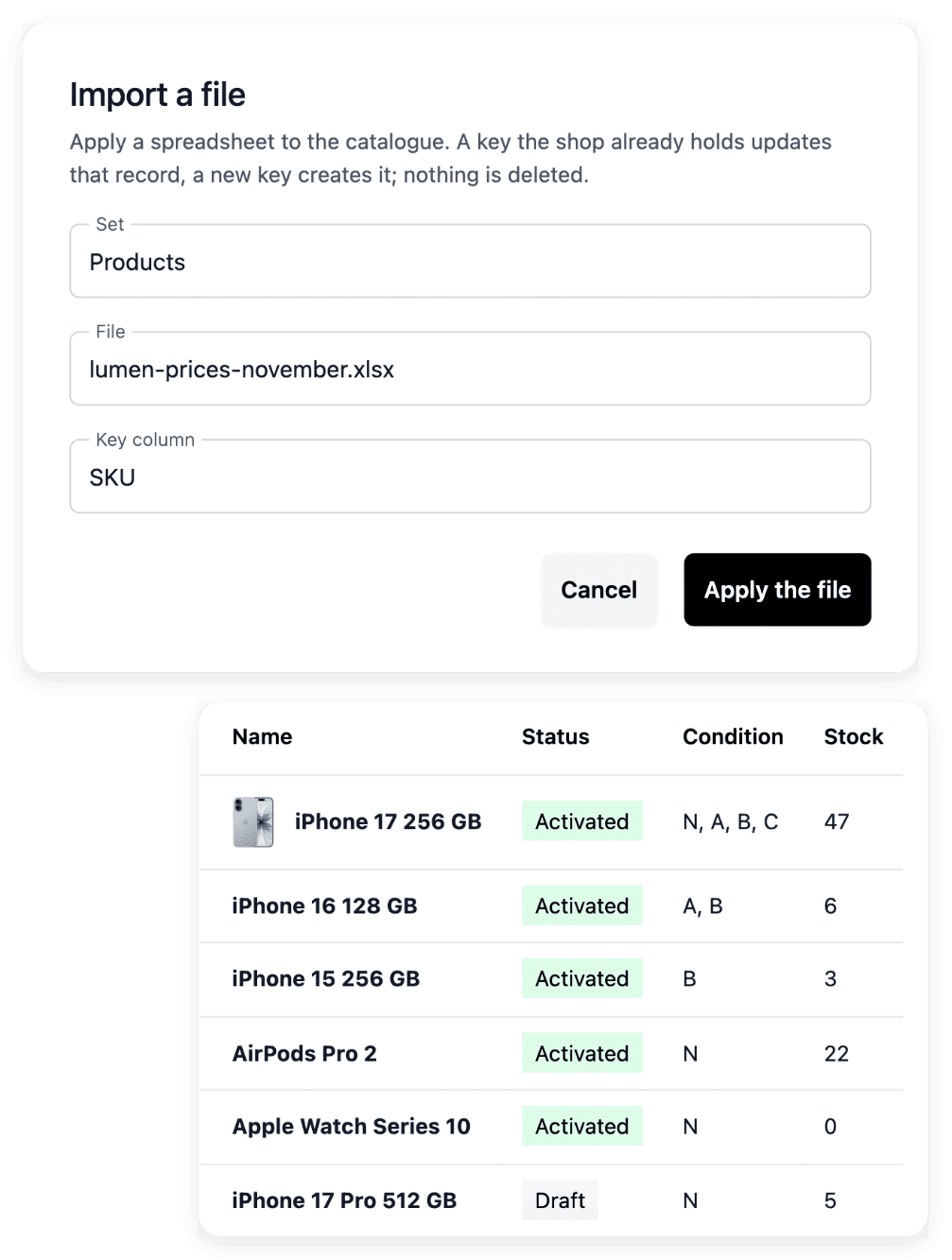
A catalogue file is prepared for the set you intend to change: products, categories, brands or product groups. Once the file is applied, each line comes back as created, updated, unchanged or refused, with the details of the refused lines.
Checking the columns, the references and any stock quantity before the import stays your work, as does correcting the refused lines in your source.
Find each catalogue import and export in the histories
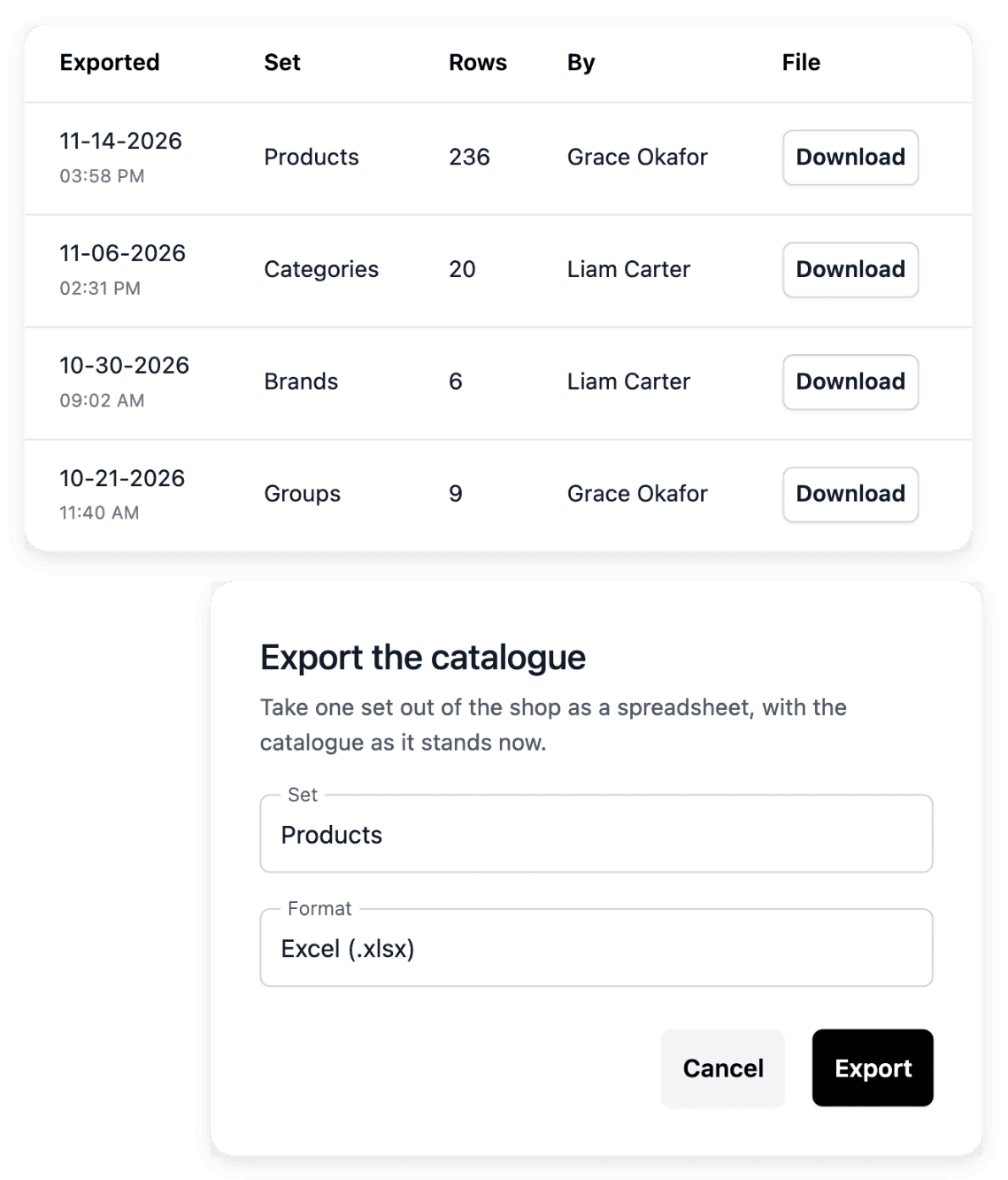
Every run is recorded with the set processed, its counts, its operator and its time. An export gives you the supported catalogue sets as a spreadsheet, to review them or to prepare the next file outside the application.
The history keeps the summary of a run, not the details of its refused lines, which are shown when the import is applied. An export is not a complete backup of the business: orders, settings and other records are not in it.
Exchange shipments, subscribers and carts as files
Import the CSV file of your warehouse to record many parcels at once: each paid order in the file is marked as shipped with its carrier and tracking number, and its buyer receives an e-mail. The newsletter exports the customers who are subscribed today as a CSV file, ready to import into a Brevo list. Carts are exported as spreadsheet files, with one row per cart or one row per product in a cart.
An unsubscribed customer is never in the subscribers file. Carts are written by the shop only: they are exported, and there is nothing to create or edit by hand.
The articles behind this page
This page restates the following articles of the help center. They hold every field, every value and every answer.
Product pages to read next
- Import & export
Make bulk catalogue changes with a readable result
- Shipments
Parcels, carriers and delivery progress
- Carts
Checkout baskets and email reminders
- Newsletter
Subscribers, consent and campaign drafts
- API access
Connect your systems through scoped shop access
Continue in this section
- Integrations
The services a shop connects, the state of each connection, and external connections of a software project.
- Product feeds
Product feeds for shopping services
- Domain names
Connect a domain you own to a shop or to a software project: ownership proof, DNS records, checks.
- Software projects
The project API option, external connections, environments and versions of a custom software project.
Exchange your first file once your shop is open
Ultineo E-commerce is opened after an application that our team reviews.
Questions
In this order: the order number, the carrier and the tracking number. Save the file as CSV UTF-8, under 2 MB and up to 1,000 lines. To mark parcels as delivered from a file instead, choose Deliveries in Content.
The result counts the parcels shipped, those already recorded and those refused. It also lists the lines to check, each with its reason.
Yes, and the file is rebuilt. For carts, the file itself is not kept: Download on a past export rebuilds it with the same filters, from the carts as they stand now. For subscribers, Download on the row of a past export builds it again from the answers of the day.
When your own tools, and not a person with a file, must fill the shop and read it back. The E-commerce API lets them do it, and the guide "Import in batches" describes its contract.