Sell every device in the condition it is really in
Ultineo E-commerce lets one reference carry several condition grades, each with its own selling price and its own stock, without losing its shared name, photos or specifications. Technical characteristics, warranties and returns stay attached to the products they concern.
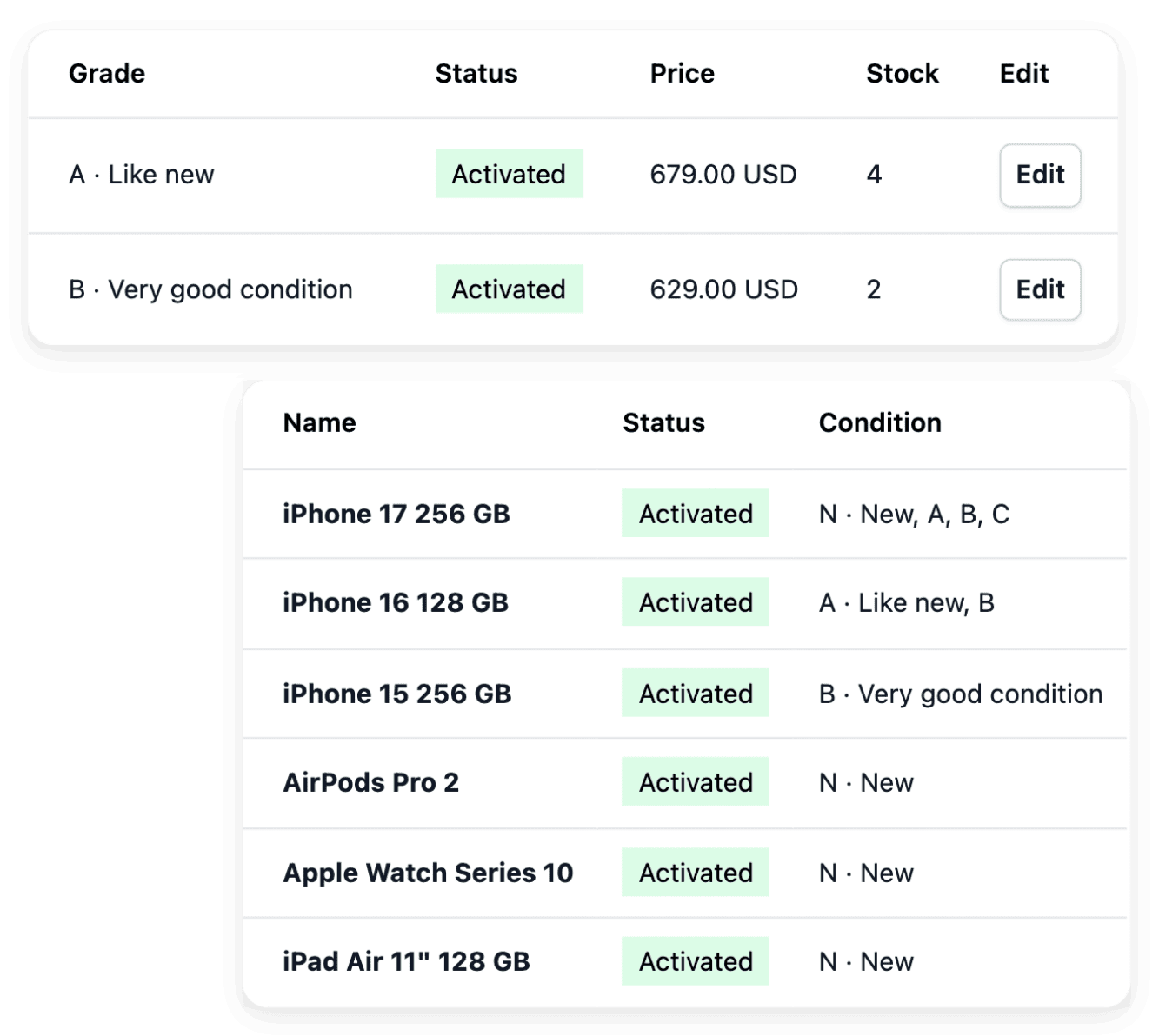
What selling new and refurbished devices involves
- Grades buyers must understand
A grade such as very good condition says nothing until your shop states what it covers: marks on the casing, the battery, the accessories in the box. You describe each condition grade in your own words, once, and that shared wording helps your team describe the same level consistently.
- One model, many versions
The same phone exists in several capacities, colors and conditions, and the buyer has to find the right one. In a product group, you choose the axes that tell the versions apart, a characteristic or the condition grade, put the most useful difference first and show the choices as pills, swatches, cards or lines.
- Returned devices to check
When a device comes back, you first make sure it is the one you sold, then you test it. You find a return by order, customer or serial number, and your own return stages, including the problem states that need attention, show where each item stands.
From the catalogue to after-sales, task by task
- Keep a large catalogue consistent
Brands, characteristics, groups and warranties are defined once in the catalogue settings, then selected on each product.
- Even out your product photos
Devices photographed one lot at a time rarely look alike. A focused AI task standardizes product photos, and you review the result on the record concerned.
- List devices on shopping services
Publish the products you select for shopping services, with their country, language and currency settings, and decide how unavailable items are handled.
- Sell devices abroad
Add the countries you can deliver to, then give shoppers the country and language selectors and the supported currency conversion on the storefront.
- Check a return, then refund
A returned device and money given back are two distinct events. Advance the return from its own record, then review the payment and the refund outcome separately.
- Handle a warranty request
A fault under cover starts with the buyer’s request, not in the warranty settings. Support, returns and refunds handle the after-sales case.
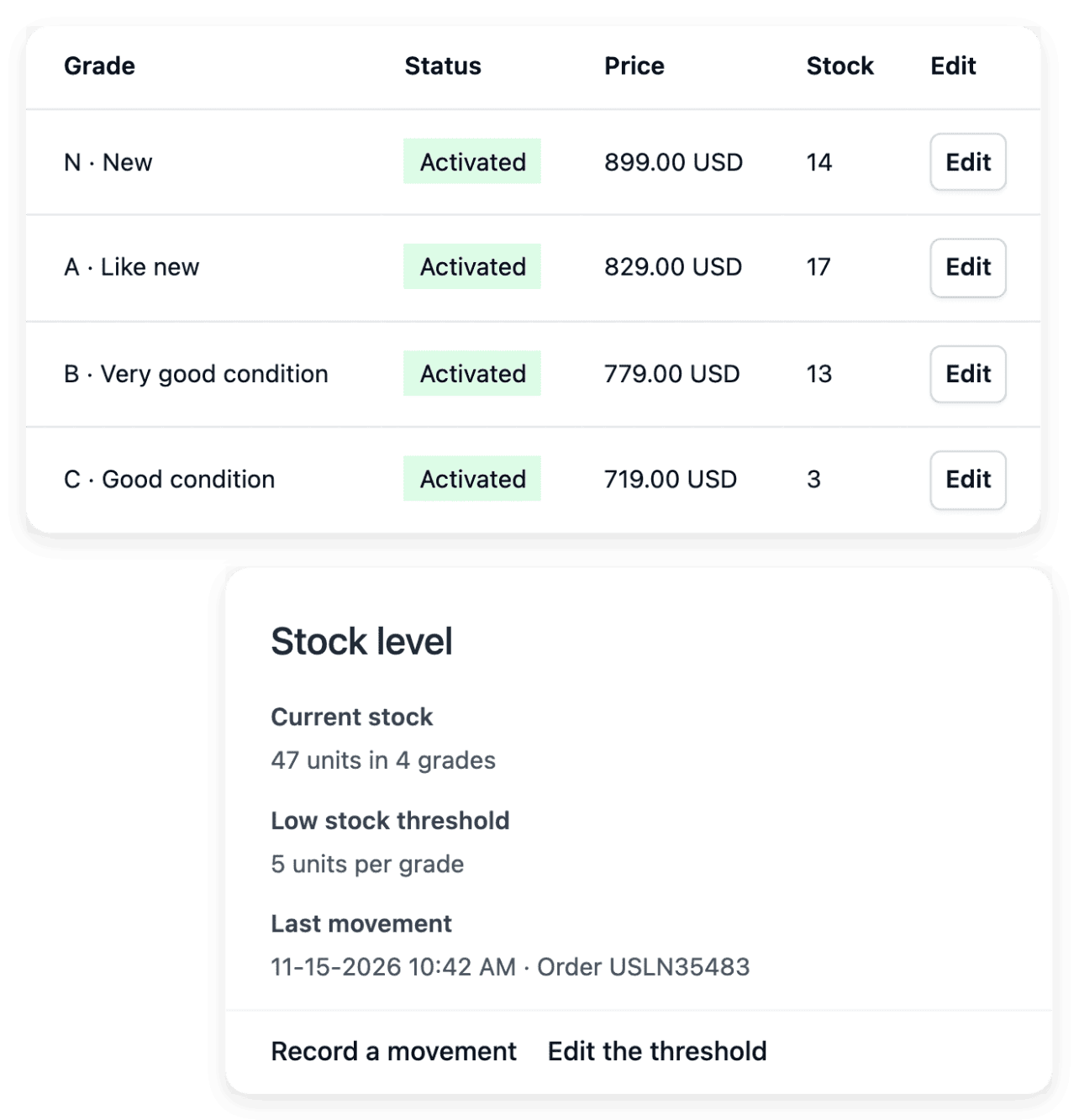
Give each condition its own price and stock
Read quantities beside the condition grades that customers can actually buy: like-new items and items in very good condition are separate available offers, even when they belong to the same product reference. Keep the corresponding selling prices with those grades, and review price and stock together on the product record. The movement history explains how each number changed through recorded entries, exits and adjustments.
Deciding which grade a device receives stays your work. When a physical count differs, adjust the stock of that offer instead of changing an unrelated one: a correction updates the recorded availability and does not change the selling price.
Describe every device with specifications buyers can compare
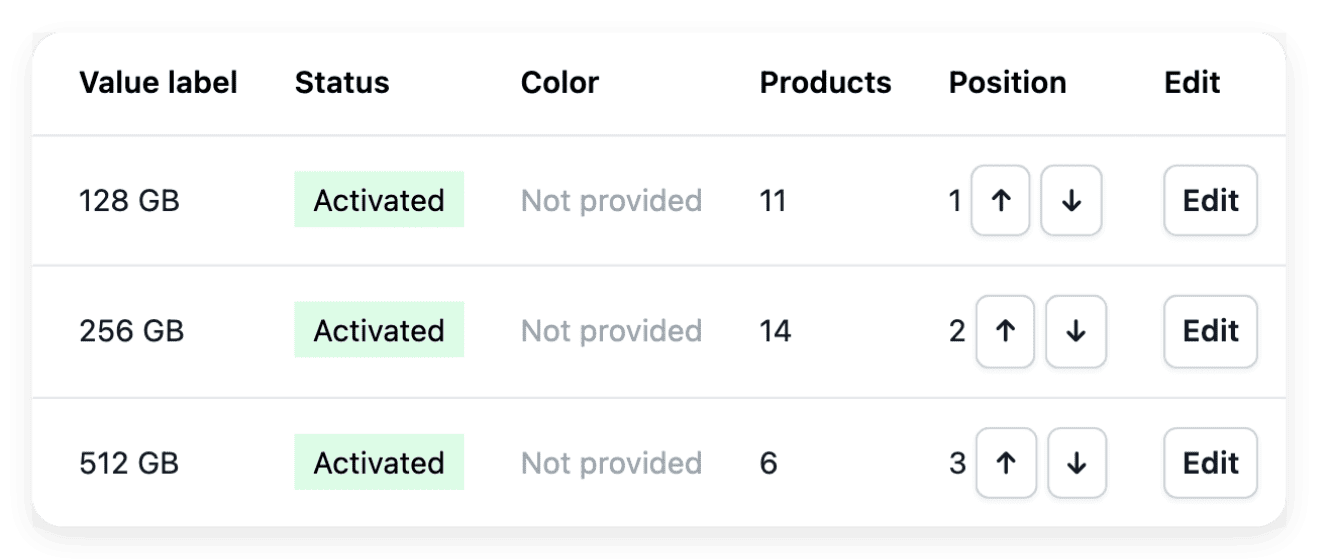
Define the name and the unit of each characteristic, then maintain the accepted answers products may use: capacity or color become consistent information instead of several spellings of the same property. On the characteristics tab of a product, you select the value that describes this reference. A short value can carry explanatory wording and a link to an existing shop page when buyers need the measurement explained.
A capacity belongs to the item it describes: do not infer it from the name of the wider product family, and review the assignment whenever you add a related version. A characteristic explains an item; it does not set its stock or its selling price.
Attach the right warranty to each product
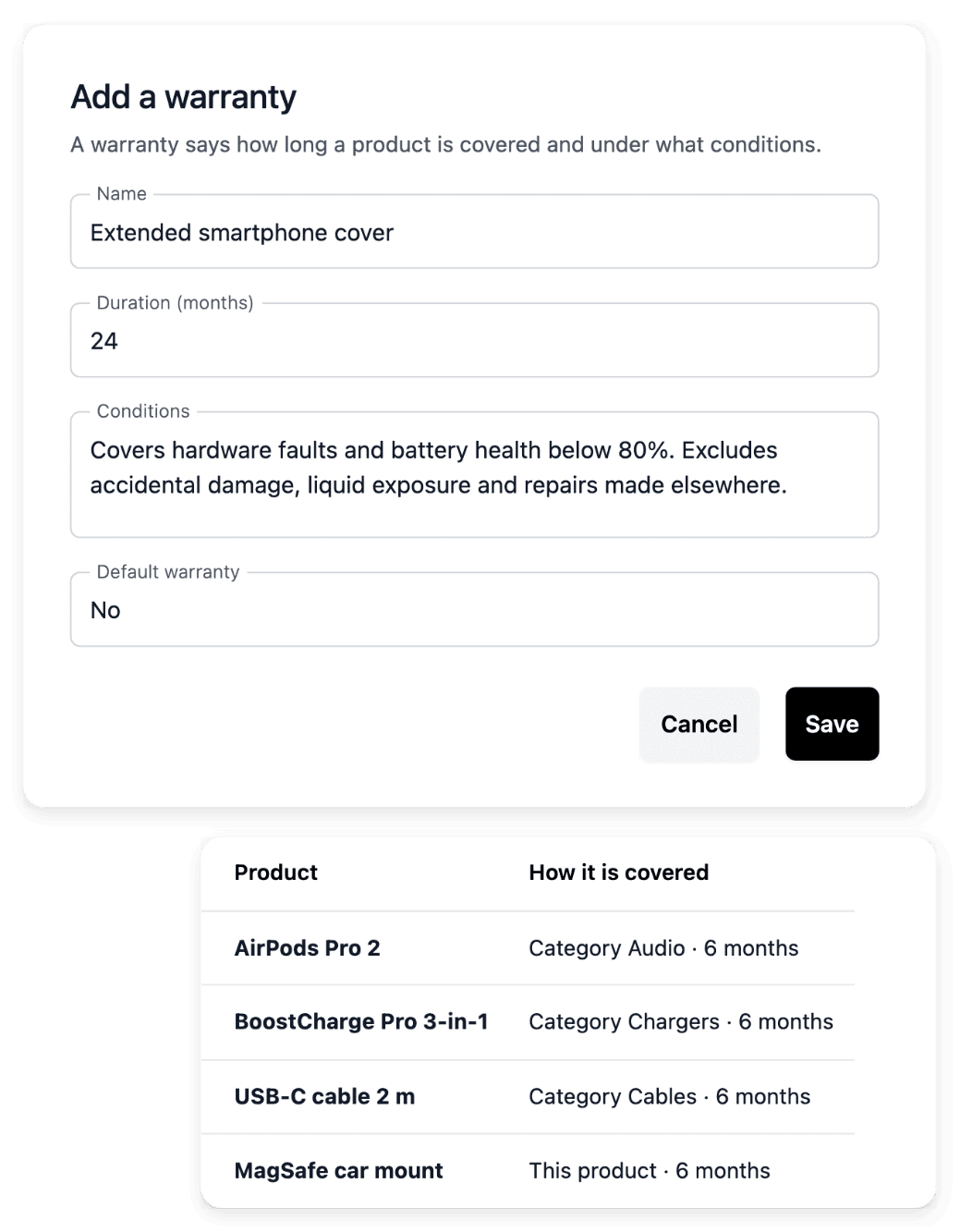
Keep the name of a cover, its duration in whole months and its conditions in one warranty record. Use a shop default for the usual cover, then associate a warranty with a category or an individual product where appropriate, so that the catalogue reuses a promise without rewriting it for every reference. When several warranties apply, the longest cover wins, and the warranty’s product view shows whether a cover comes from a direct assignment, the product’s family or the shop default.
Review the wording before you attach a warranty to products or make it the shop default, and check the resulting duration on the product. Changing a default or removing a direct assignment does not erase every other cover: the product follows the other cover settings that apply.
The capabilities behind it
- Stock & condition grades
Quantities, movements and grades
- Characteristics
Consistent attributes and values
- Warranties
Cover, duration and conditions
- Groups & variants
Product choices, prices and stock
- Products
Product records, images and categories
- Returns
Returned items and return stages
An example shop: Allo Allo
- 58 country versions
Each with its own address, its languages and the currency set for the country.
- 30 interface languages
Language versions of the shop interface. Its legal policies are not all translated.
- 1,525 product pages
Product pages listed in the sitemap of one country version of the shop.
Measured on the public shop.
Go further
Give every device a clear condition, price and warranty
Send your application to open your shop: our team reads it and replies by e-mail.
Questions
No. A group gathers products that already exist and organizes how their versions are chosen: it does not merge the stock or the price of one reference with another. Price, reference and stock remain attached to the individual product or offer, and you change the price of a version on its product.
Yes. You import the supported catalogue data from a file and inspect the result of each row, and the quantity movements of the applied changes are recorded in the stock history. Prices and quantities remain tied to the actual product or condition offer, so a bulk update does not leave an unexplained new balance.
Yes. Statistics has a dedicated breakdown by condition grade, alongside the product and country views, for the period you choose. Compare the mix behind a total: a change in volume can have a different meaning from a change in the value of each order.
Yes: Allo Allo, the example shop presented on this page, is public and sells refurbished phones, tablets and earphones. The figures shown are what anyone can count on the public shop, and no sales figure is given.