Software built around the way your business works
Ultineo SaaS, the Ultineo product for custom business applications, connects project definition, AI-assisted construction and day-to-day operation. You describe your users and their work, review the proposed scope, then publish the versions you have tested.
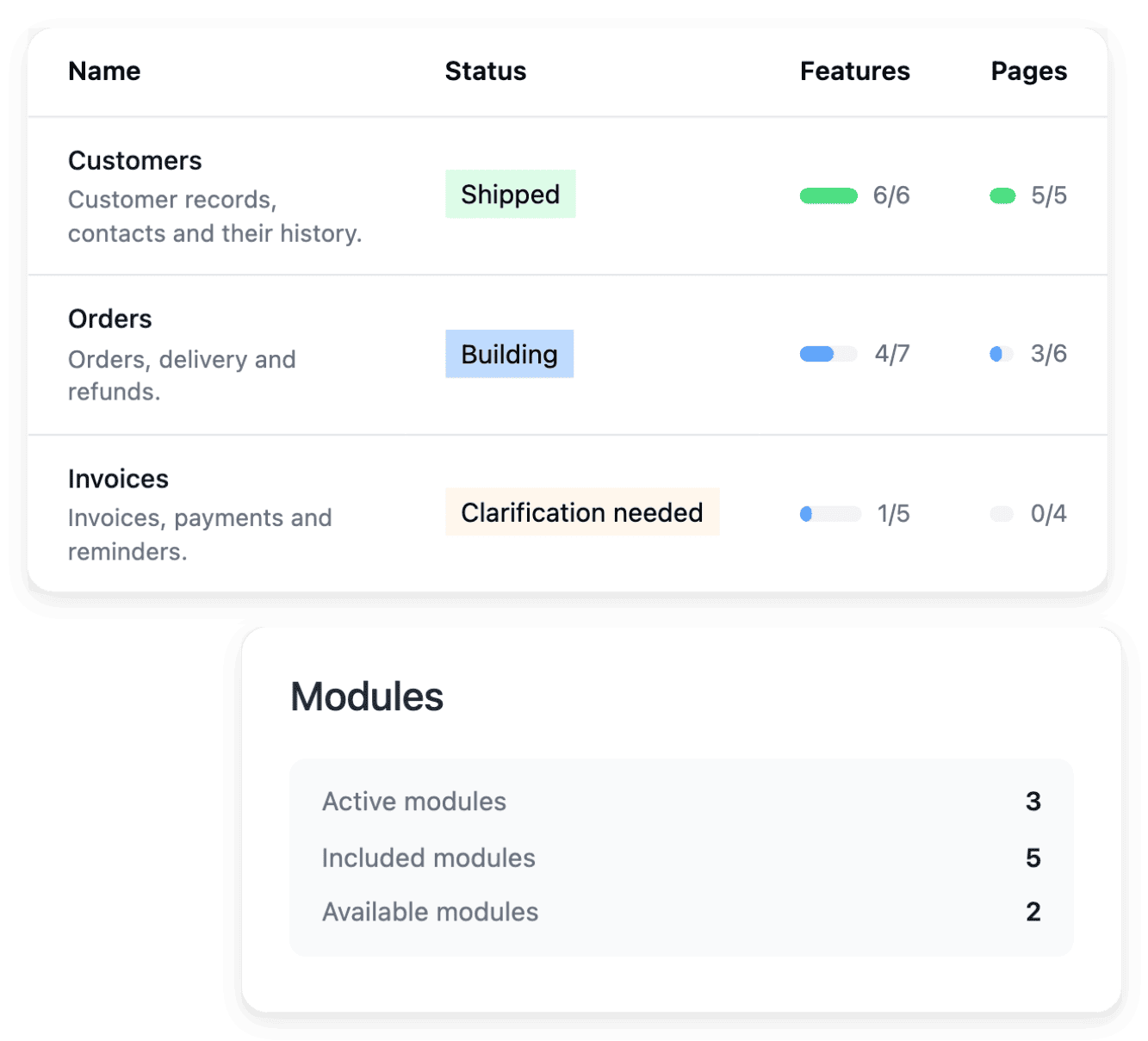
What stands in the way of custom software
- No developers on staff
Your business knows its work in detail, but nobody in it writes software or has ever written a technical specification. With Ultineo SaaS, your software is designed and built with you, and you can start with a business brief rather than a complete technical specification.
- A scope hard to judge
A list of screens says little about what the software will do for the people who use it, or about what it leaves out. The starting scope is discussed through business areas, functions and pages, so you review a concrete structure before following the construction.
- A service to keep running
Once your staff or your customers rely on the software, it has to be hosted, access has to be managed and changes must reach them without disturbing their work. From the project workspace, you inspect hosting, domains, account policy and costs, and you separate new development from the tested version you publish for users.
Go further into this use case
- Coordinate an internal process
One application built around a request, an approval or a follow-up your team handles today.
- Open a customer portal
A custom application where your customers submit requests and your team reviews them in a back office.
- Evolve an application
Change an application in service page by page, from a precise request to a version you have tested.
From your need to an application in service
-
1
Present your need Tell us about your business and describe what the application must manage, who will use it and what it replaces today. Our team replies by email.
-
2
Prepare the scope In the project workspace, review the proposed business areas and confirm the application offer and the hosting. Clarifications make important rules explicit before construction.
-
3
Build and review Follow the functions, the pages and the roadmaps while the application is built. Answer the questions in the item they concern and check the journeys in the development application.
-
4
Publish and operate Test the version on staging, publish it, then check the result on the live service. The hosting, usage, billing and access tools then let you follow how the project runs.
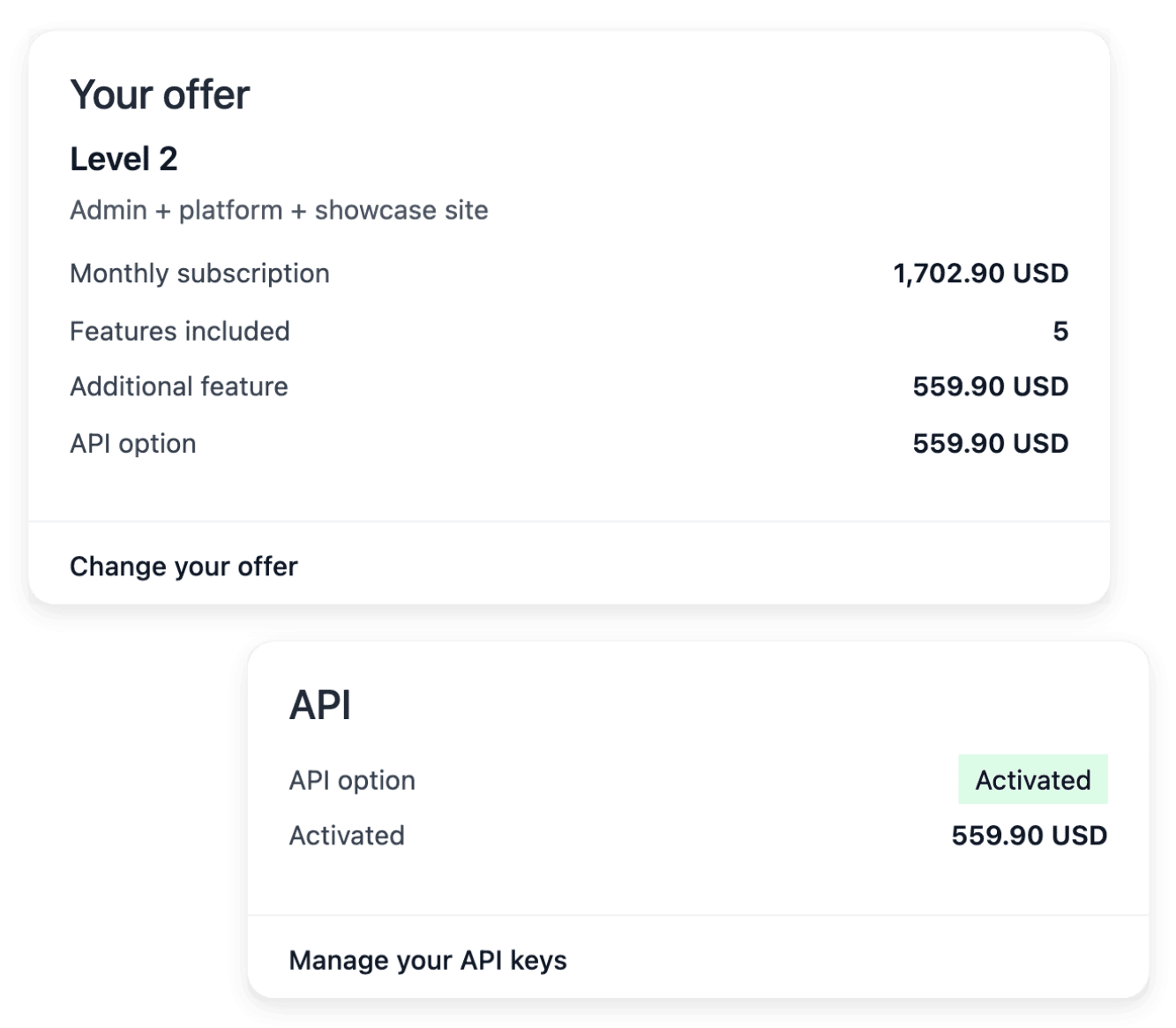
Organize the application around your business areas
A business area groups related work, such as customer management or scheduling, and its functions and pages describe how that work will be carried out in the application. Open an area to review its proposed scope, its functions and its page plans. The project keeps a structure that remains understandable as it grows.
Project offers include a number of business areas, and that allowance counts those areas rather than every page or function inside them. Your part is to say what the users of each area should achieve, with the rules and responsibilities that make its scope coherent.
Build, test and serve users in separate environments
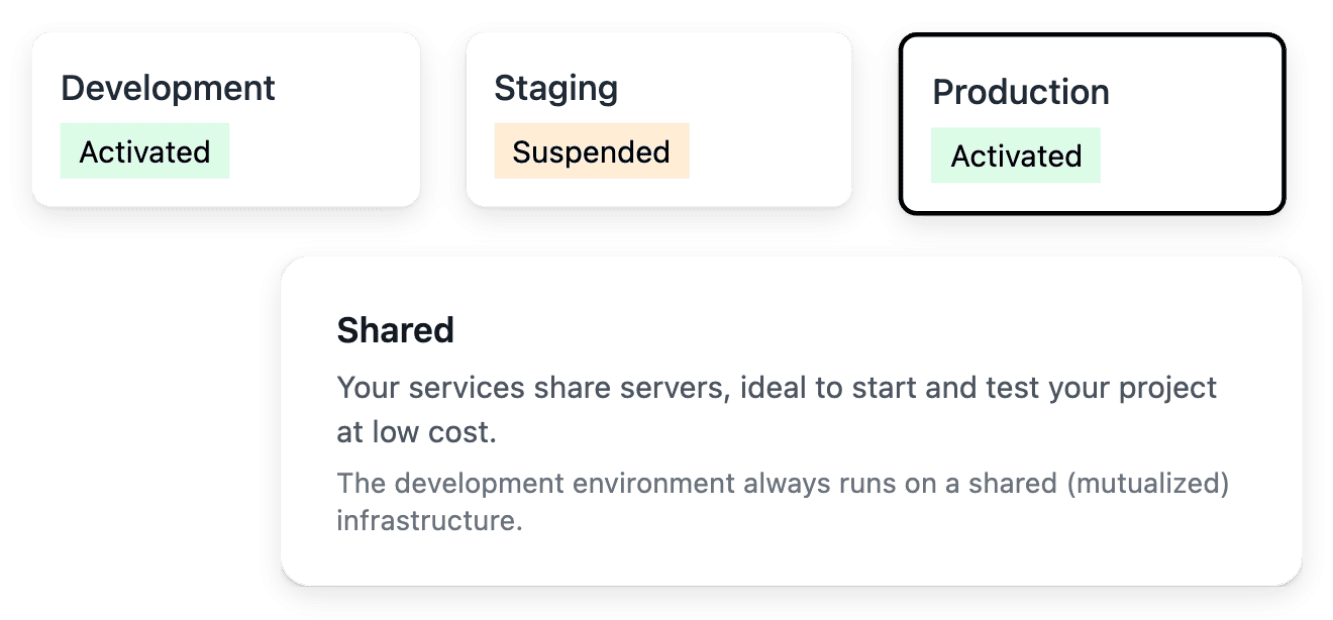
You use separate environments to build, to test a selected version and to run the application for users. Development receives ongoing work, staging is a place to review a release, and production serves the version you want your users to rely on. Each review keeps a clear context, and you can identify which version a user is actually seeing.
A successful test in development is only one step in publication: the same project can serve different versions across environments. Development and staging can be paused when they are not needed, and starting an environment does not select a new version.
Know what runs behind your application
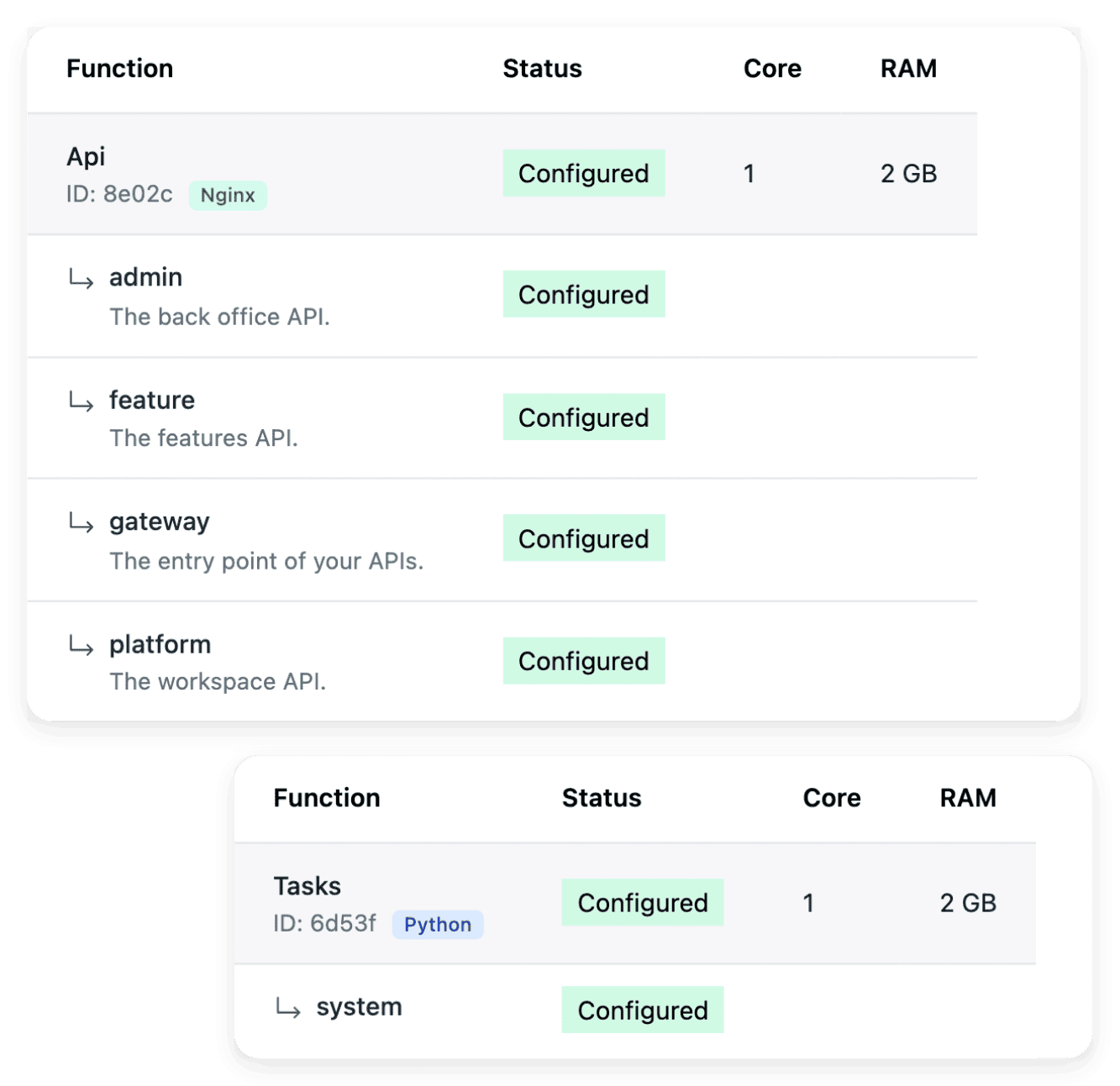
You identify the hosting location during project preparation: that location and the project requirements shape the available infrastructure. Infrastructure then presents the services needed for the selected project and environment, with server and network views that show the installed composition. A service state gives context when an environment is not available, so that you do not interpret every unavailable screen as an application defect.
Hosting has its own billing view: the production subscription and the running time of test environments are shown separately from the application subscription. Review the proposed resources and their price before treating a configuration as final.
The capabilities behind it
- Business areas
Organize the application around the areas of your business, then inspect the functionality and pages within each one.
- Development, staging and production
Use separate environments to build, test a selected version and run the application for users.
- Hosting and infrastructure
Inspect the hosting services, servers and network that support your project’s environments.
- Project preparation
Turn your idea into a clear brief, with the business context, users and practical constraints needed to start.
- Project offers
Review subscription, included business areas and optional extensions before confirming your project scope.
- Application and pages
Inspect the application structure, functions and individual pages, including their route, presentation and search metadata.
- Versions and deployment
Follow the versions of your application and choose a tested release for the next environment.
- AI change requests
Describe a change in plain language, attach the existing page and follow it in AI requests.
Go further
Give your software project a concrete starting point
Describe one important workflow, the people involved and the result you want: our team reviews each application before a project is opened.
Questions
A project starts from your business workflows and can cover a customer application, a back office, a public website and a documentation, according to the selected scope. When you apply, you say what you want to build: a tool for your teams, a portal or a service for your customers, a SaaS product to sell or a replacement for software you use today. The actual offer and definitions establish which parts are included.
No, they are separate surfaces with different purposes. The application supports the workflow, the website explains the product publicly and the documentation guides users through actions. Review each surface affected by a change, so that the public explanations and the practical guides remain consistent with the application.
No. Inclusion depends on the confirmed offer, the business areas in scope and the services selected. Use the pricing page to compare the public plans, then check the project offer before treating a capability as included.
No. A specific change to an existing page is prepared in AI requests, and a new business requirement is described in the evolution view of its business area. When your needs expand beyond the areas in scope, inspect the additional area and its offer before confirming. In every case the end of construction does not publish a version: you verify the result in development, then publish the version you tested in staging.
Projects are opened after a review, without self-service registration. Among the conditions, you have a defined business need, that is, what the application must manage and for whom, and your budget matches one of our published offers. In the project workspace, our team also reviews the presentation of the project, and preparation stops at that step if the team does not validate it.