Sell your range online, from the product page to the parcel
With Ultineo E-commerce, you present your range in complete product records, offer delivery choices that match each destination and follow every sale from its order to its payments and shipments. You then read what sells by product, country and payment method over the period you choose.
Three situations every online retailer knows
- A range that keeps changing
New arrivals come in, a series ends and some items are missing for a few weeks. You prepare a product as a draft, put it on sale, pause it or remove it from sale, and your storefront, your orders and your product feeds read the same record.
- Orders from several places
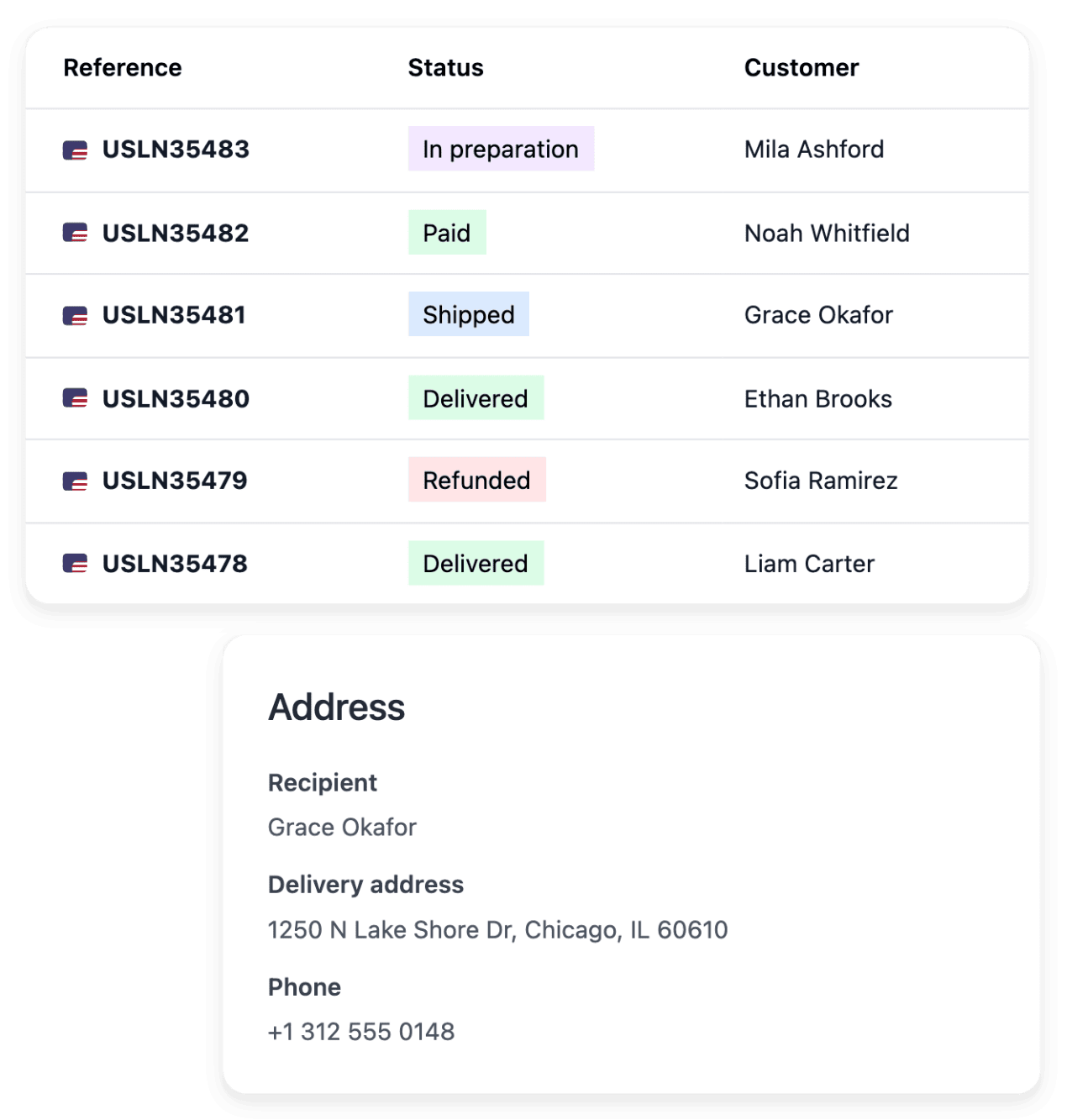
A sale does not always start on the website: some orders are taken by phone, at a counter or at a trade fair. The order book holds online orders and orders entered by hand, each with its customer, its items, its payments and its shipments.
- Items that come back
In retail, part of what you send comes back, for a change of mind, a fault or a wrong item. You define your own return stages and follow every returned item with its order and its customer, in a list that shows where each one stands.
Start from what you need to do
- Open your online shop
Choose the look of the shop, build its catalogue and put it online on its ready-made address or on your own domain.
- Get paid online
Connect your shop’s own Stripe, Adyen or PayPal account, then follow each payment with its order and its refund history.
- Sell in other countries
Choose which country versions of your shop are open for business, and prepare delivery, payment and content for each destination before you accept orders there.
- Win buyers and bring them back
Publish selected products for shopping services, prepare your promotions and keep in touch with the subscribers who gave their consent.
- Handle requests and refunds
Answer customer requests with their order in view, refund from the original payment and keep each carrier claim linked to its parcel.
- Complete your product content
Launch focused AI tasks that generate missing descriptions and search texts and translate content, then review each result on the product record.
Answer your buyers’ questions on the product page
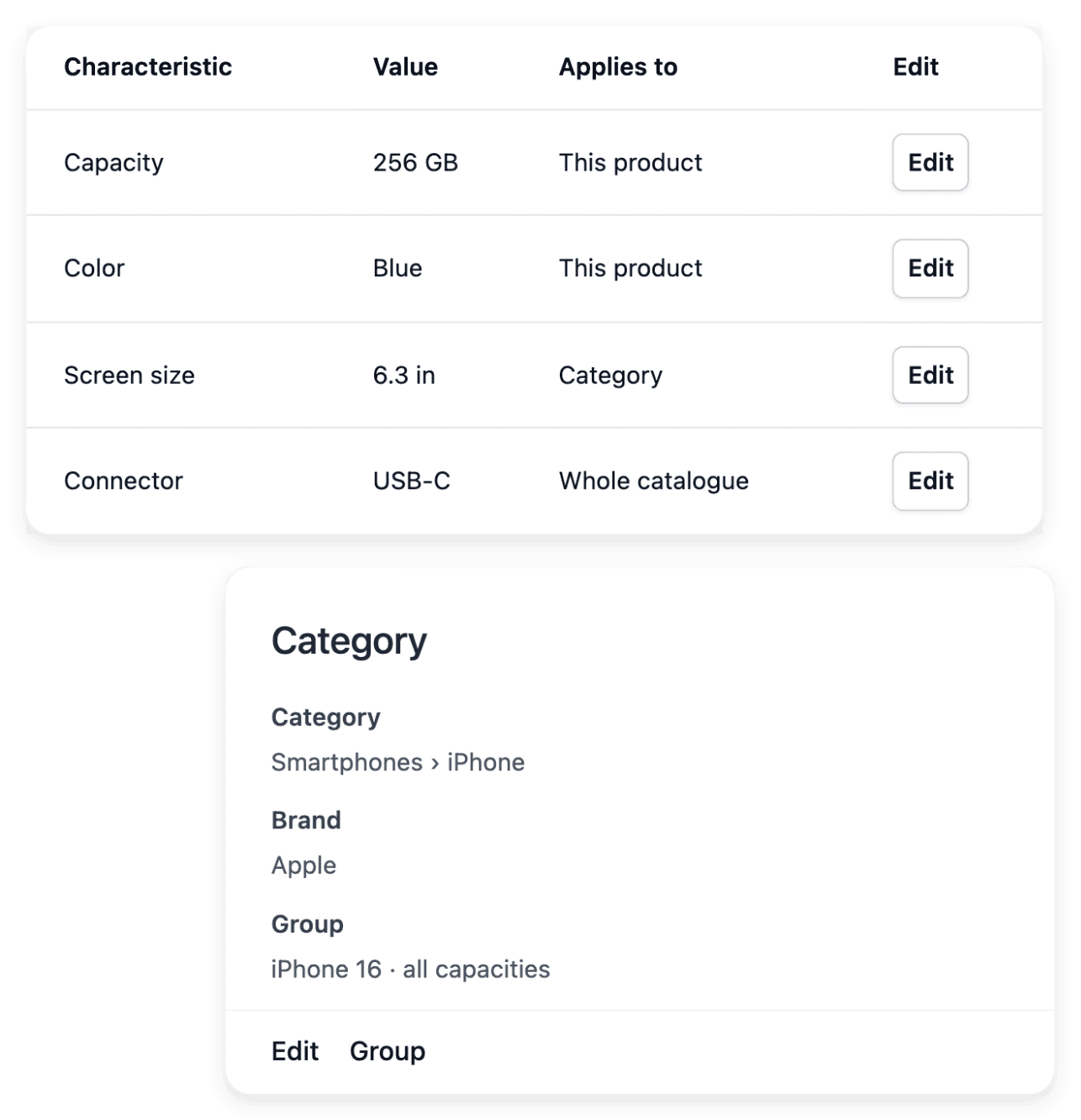
On the product record, combine the photos with the description, the accepted characteristic values and the warranty. Each piece answers a different question: what the item looks like, how it can be used, which version it is and what cover applies. You reuse brands, characteristic values and warranties across the range instead of creating a different vocabulary for each product.
Keeping the record true stays your work: when an image or a value changes, check that the name, the description and the reference still describe the same item before you rely on the shop presentation.
Offer delivery choices that match each destination
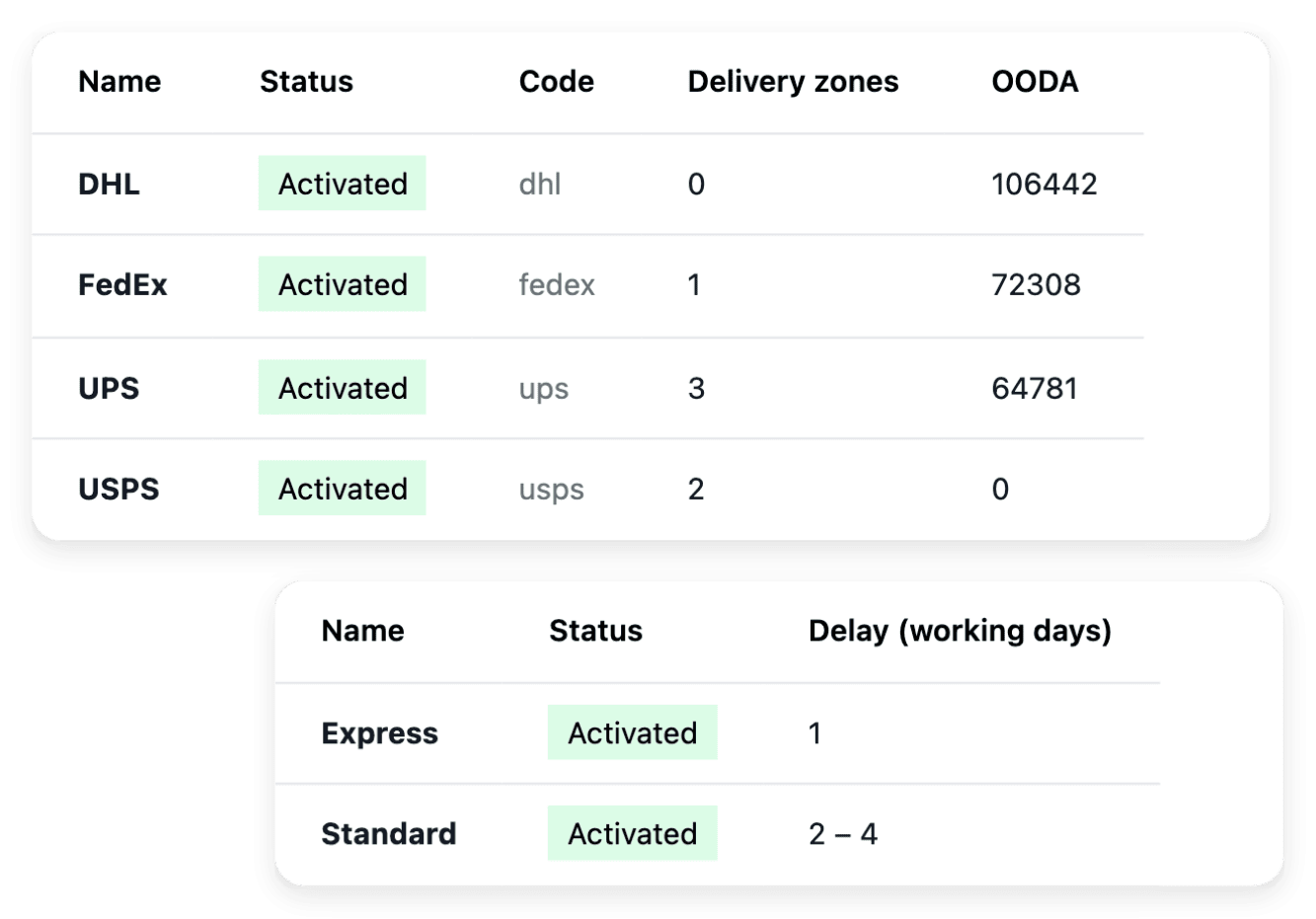
Keep your carriers with their names, codes and logos, then choose which countries each delivery zone covers and which carriers serve it. For each zone, you set the methods, rates and lead times offered to customers at checkout, with postal-code surcharges where relevant. Shipment records take over when a particular parcel is created.
Publication reports whether a country has delivery coverage, but it does not create it: the delivery settings own that setup. After a change, check the choices the checkout really offers for the zone.
See what sells, by product, country and promotion
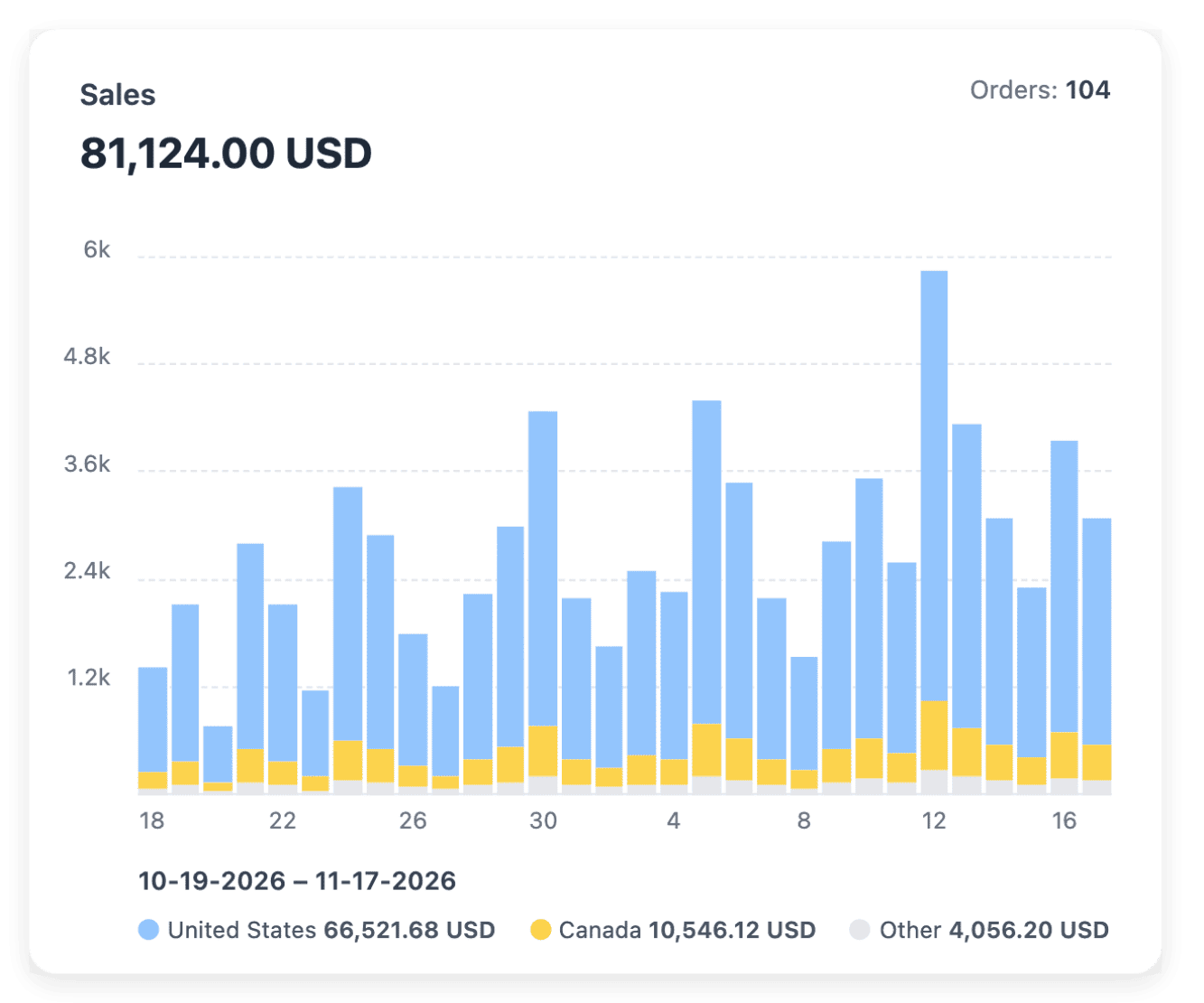
Choose the dates of your report and read orders, average order value, buyers and refunds over that same range. The product breakdown gives the sales ranking for the period, and further views break the results down by country, payment method, order status and discount code. Daily sales make the trend visible before you move into the detailed tables.
Statistics summarizes recorded sales without proving every marketing or operational cause. It does not count visits either: Audience studies them, and the two reports answer different questions.
Ready-made AI applications for shops and support teams
Ultineo Reasoning, a separate product, holds in its catalogue ready-made applications for online shops and for support teams. With them, a shop writes a product listing and its benefit bullets, replies to its reviews and writes abandoned-cart e-mails, and a support team routes incoming tickets to the right queue and writes the wrap-up summary of a call. Each trade page shows the tasks its applications handle, to run as they are or as steps of your chains.
Applications for this trade: E-commerce and online retail
Applications for this trade: Customer support and call centers
The capabilities behind it
- Products
Product records, images and categories
- Delivery settings
Carriers, delivery methods and rates
- Statistics
Sales reports by product and market
- Orders
Items, payments and shipments together
- Payments
Payment providers and transaction history
- Countries, languages & currencies
Sell across countries and languages
- Product feeds
Product feeds for shopping services
- Returns
Returned items and return stages
Go further
Bring your range, your orders and your buyers into one shop
Accounts are opened after a review: send your application, and our team reads it and replies by e-mail.
Questions
Yes. You set a low-stock threshold, the level below which a product is flagged for your attention, then you open the product and its recent movements before deciding how to respond. The flag gives visibility for your decision: it does not order from a supplier, and supplier purchasing is not part of the stock tool.
Yes. From Publication, you take the shop offline, then put it back online: its availability changes while its content is retained. Going back online is not immediate, so follow the state shown rather than treating the click as a confirmed opening.
Yes. Buyers have an account where they follow their orders and open requests linked to their purchases. Your team then answers each request with the order, the item and the full conversation in view.
No. Ultineo E-commerce and Ultineo Reasoning are two separate products, each with its own access and its own pricing page. A shop is opened after an application that our team reviews; access to Ultineo Reasoning is opened by our team after a first exchange about your trade and the jobs to hand over. Ultineo E-commerce keeps its own AI tasks for shop content, which you launch and review in your shop workspace.