Bring buyers in, bring them back, and show what worked
Ultineo E-commerce gives the people in charge of marketing a shop the tools of their week: product feeds, promotions, messages on the shop, a newsletter audience and reviews. Audience and Statistics then show the visits and the sales you report on.
Three goals your team answers for
- Bring new buyers in
People who do not know the shop yet compare products on other services before they visit it. Product feeds give each supported shopping or advertising service the range you choose, with one address for each published country.
- Bring past buyers back
The people who already ordered are the audience you know best, and the one you lose by staying silent. You manage promotions and their codes, the subscribers who agreed to your newsletter and a membership programme with its levels.
- Know what worked
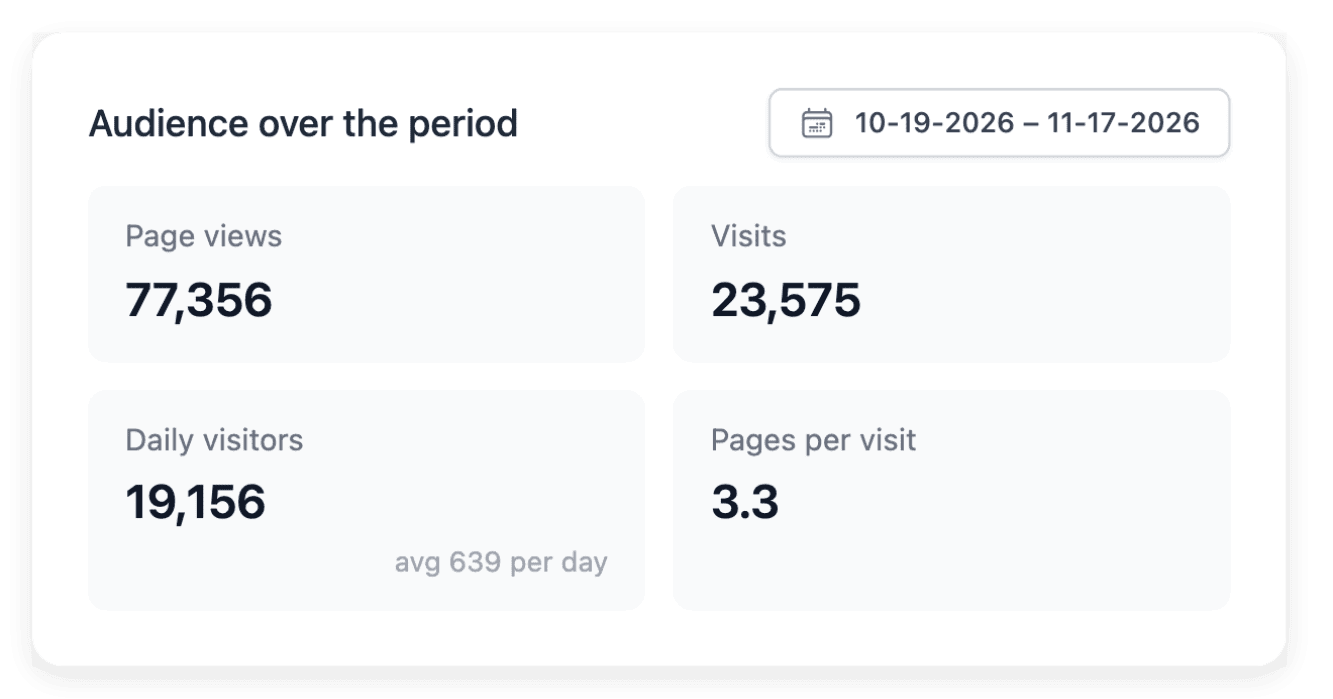
After each campaign, someone asks what it brought. Audience reports the visits with their sources and campaign names, and Statistics reports the sales of the same dates: two readings to set side by side, never to add up.
What fills your week, and where each task leads
- See the whole path
You are planning a season, or taking over the marketing of the shop. One page follows the path in four steps, from the product feed to the offer, the message and the figures.
- Publish a product feed
A shopping or advertising service asks for your catalogue as a file. See how to choose the range, read the feed before the service does and give each country and language its own address.
- Run a promotion
A seasonal offer, a launch or a code for one audience: every offer needs rules before it needs a banner. See how to set its benefit, scope, dates and codes, then announce it and read its uses.
- Win the second order
After a first order, someone has to give the buyer a reason to return. See what offers, a newsletter audience, a membership programme and published reviews each bring to that.
- See where visits come from
Search, another website, a campaign or an email: the source tells you which effort brought the visit. Audience lists sources, referring sites and campaigns, with the pages and products visitors look at.
- Show your press coverage
An article about the shop is worth showing to the people who visit it. Press articles keeps each mention with its publication, its date, its quotation and its logo, ready to place in a press band on your pages.
Read a campaign period’s sales, down to each code
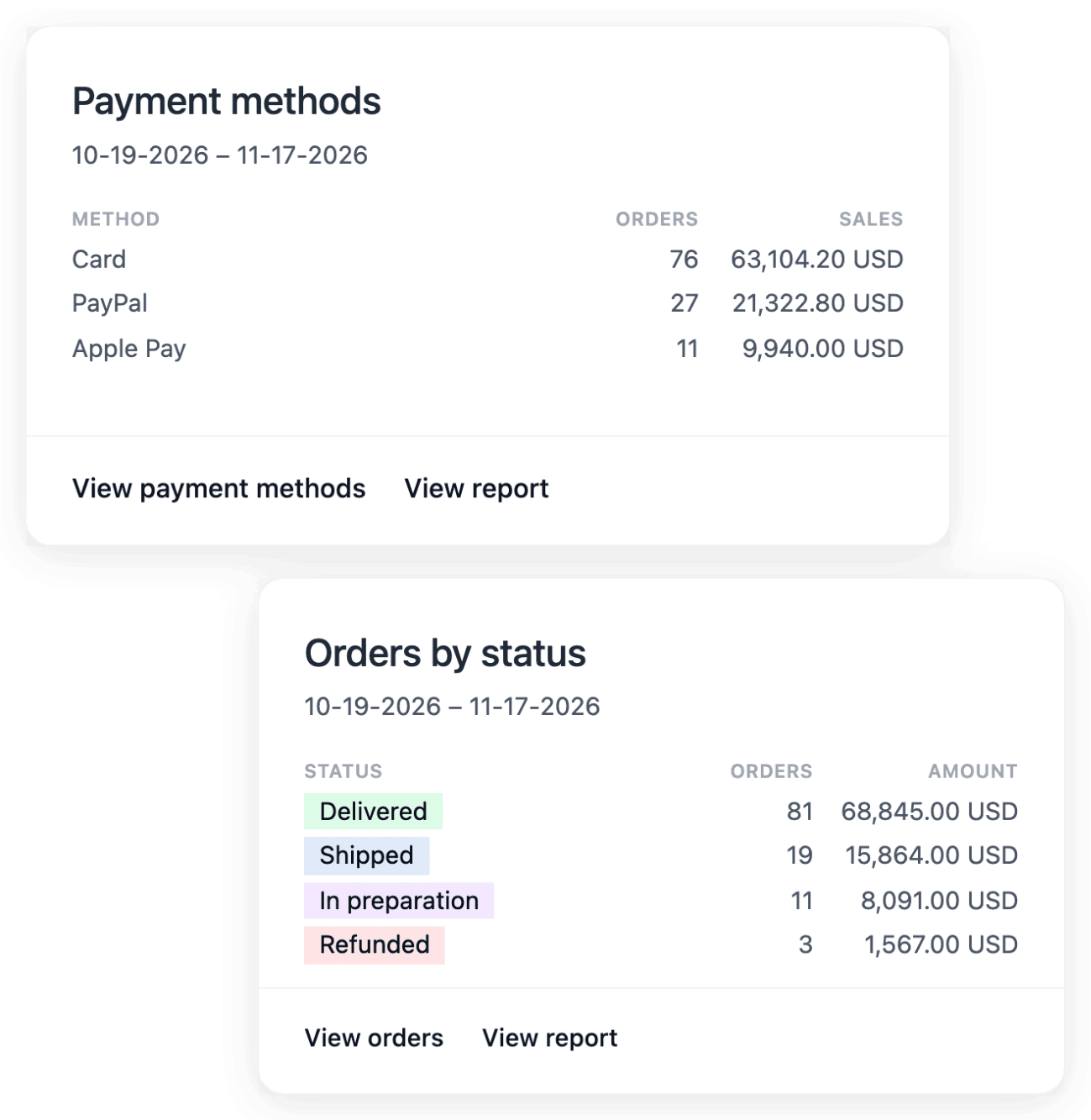
Choose the dates of your campaign in Statistics and read orders, average order value, buyers and refunds over that range. The discount view shows the codes recorded on the orders of the period, and the product, country and payment method breakdowns show what makes up the total. To compare with the days before the campaign, apply one period, note its key figures, then apply the other.
Statistics records what was sold over the period; it does not prove which marketing action caused each order. A change in volume also has a different meaning from a change in the value of each order, so read the mix behind a total before you report it.
Send messages your customers recognize as yours
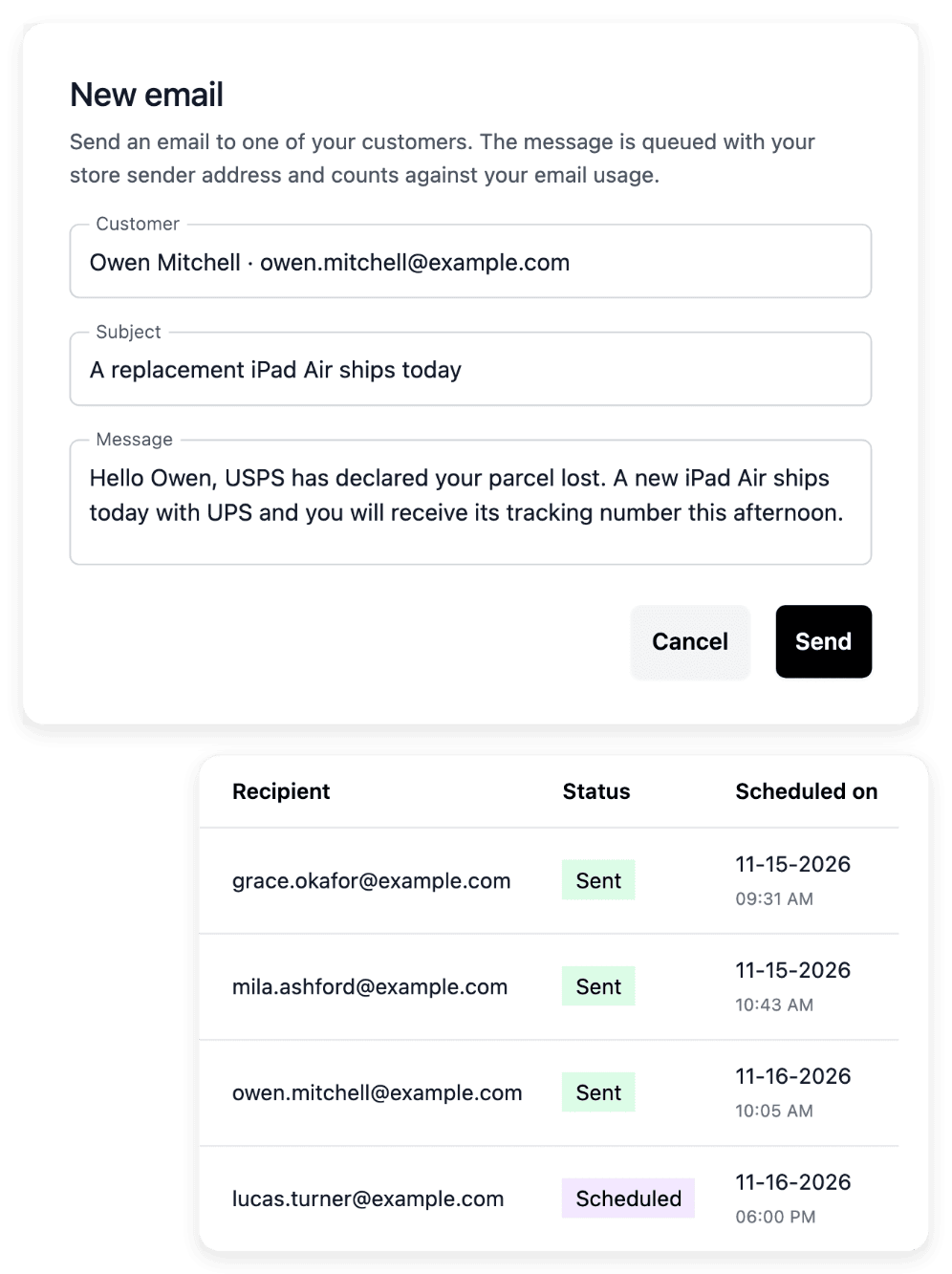
In Communication, you configure the shop’s sending address and follow its verification and domain-authentication instructions, so that customers recognize the shop when a message arrives. Emails and SMS use the shop’s fixed branded layout, and each channel keeps its own sending history. For SMS, you request a sender name and read which identity is actually used.
These are individual messages, written to one customer at a time: a newsletter campaign is prepared in Newsletter and sent from your own mailing tool. A sent message does not prove that it was read, and a requested sender name can still be awaiting validation.
The capabilities behind it
- Statistics
Sales reports by product and market
- Communication
Customer emails and SMS
- Product feeds
Product feeds for shopping services
- Promo codes
Codes, validity dates and usage limits
- Callouts
Banners, badges and product messages
- Newsletter
Subscribers, consent and campaign drafts
- Reviews
Ratings, comments and buyer photos
- Audience
Visitors, pages and product interest
Go further
Plan the offer, announce it, then read what it brought
Tell us about your shop project: every application is reviewed by our team before an account is opened.
Questions
No. Promotions and their codes define an offer; they are not a campaign automation service. Newsletter prepares an audience and campaign drafts, and the send is a separate step in your own mailing tool. A product feed hands over your range, while advertising is activated in the external service.
Emails and SMS are separate metered services, each with its own unit prices and consumption. Usage & service costs shows the quantities, the unit prices and the costs of the period you choose, and the price of each metered operation is on the E-commerce pricing page.
No. The audience is measured without cookies, and robots, visitors who block measurement or send a Do Not Track signal, and your own previews are not counted. A country in Audience is the storefront the page was viewed on, not the place where the visitor is.