Solutions · Handle after-sales
Tell every buyer where their return and their refund stand
In Ultineo E-commerce, a return is opened from the buyer’s request and moves one step at a time, and the buyer sees each new status on their account. The refund is a separate operation on the original payment, with its own status to read before you announce it.
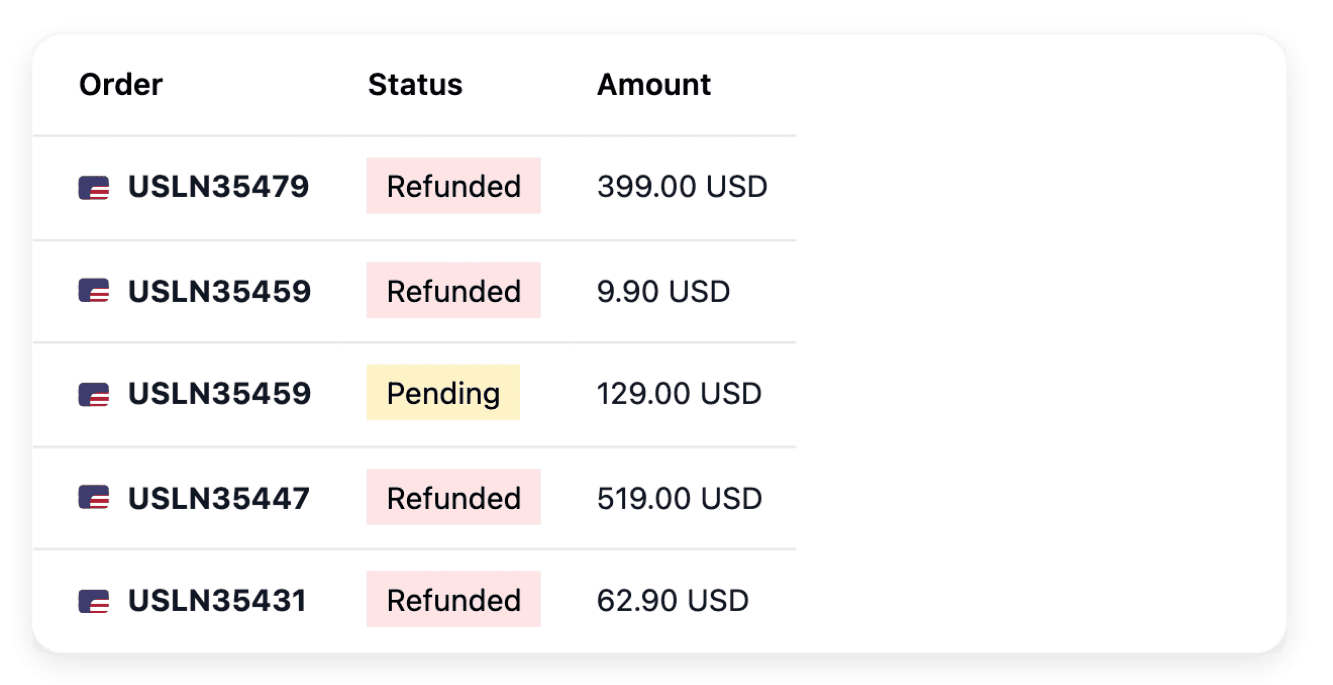
What makes returns and refunds hard to follow
- Returns with no stated reason
A parcel that comes back with no request and no reason leaves your team guessing what to do with it. In Ultineo E-commerce, a return starts from the support request the customer opens from their account, and it receives its type when you open it.
- A buyer left without news
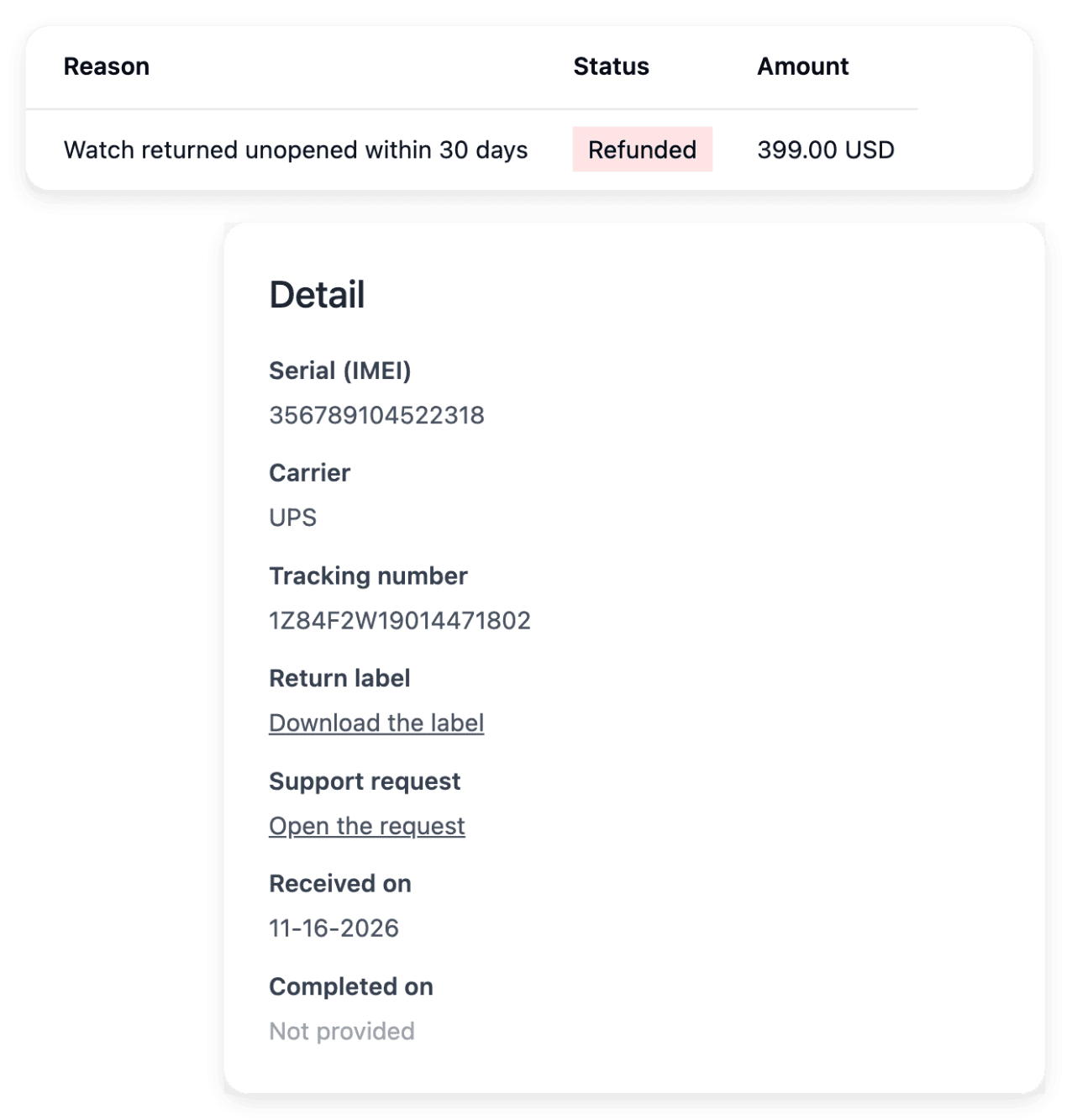
A buyer who sends an item back wants to know whether the return is accepted, expected or received. Each step you confirm shows as a new status on the customer’s account and, once the return waits for the parcel, the carrier, the tracking number and the return label you recorded can be read there too.
- Requested is not refunded
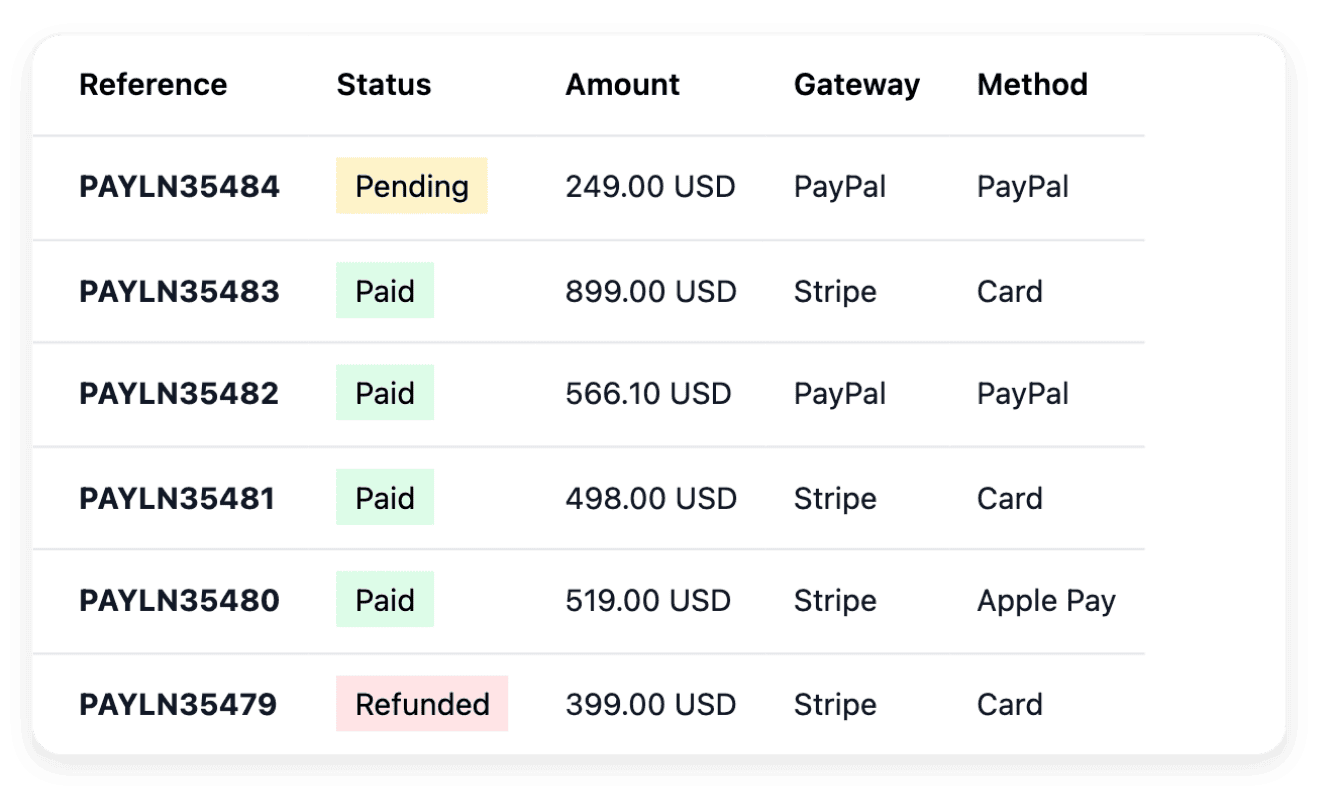
A refund you asked for is not yet money the buyer has received. The Refunds tab of the payment lists each refund with its status: you tell the buyer when the refund is confirmed, not when you asked for it.
From the buyer’s request to a confirmed refund
-
1
Open the return In Support, open the customer’s request and open a return from it, with the type that matches the reason you agreed with the buyer. This is possible when the request can lead to a return and none is open for it yet.
-
2
Validate and give the label In Returns, validate the return, then edit it to fill in the carrier, the tracking number and the return label you provide, as a PDF. Then move it to the step where it waits for the parcel.
-
3
Receive and complete it When the parcel is back, check the item, mark the parcel received, then complete the return. If it never arrives, declare an incident instead.
-
4
Refund from the payment In Payments, open the original payment and click Refund, then choose a full, partial or withheld refund. Read its status on the Refunds tab of the payment before you write to the buyer.
Move each return forward one confirmed step at a time
A return keeps the type chosen when it was opened: withdrawal, warranty, wrong item or other. In its overview, one button names the next step, and you click it a second time to confirm. In the list of returns, you search by order, customer or serial number and filter by stage.
A step cannot be walked back from this screen: confirm it once it has really happened. When you declare an incident because the parcel never arrived, the return leaves its steps for good.
Refund in full, in part or with an amount withheld
Open the payment in Payments to inspect its recorded amount and the refunds already made, then click Refund. A full refund takes a reason, a partial refund takes the amount to refund, and a withheld refund gives back everything except the amount you withhold. Each of them stays within what is still refundable on that payment.
Cancelling an order does not give the money back: the refund is its own operation on the payment. What you withhold, the return shipping for example, is what your terms of sale provide for, and that decision stays yours.
The capabilities behind it
- Returns
Returned items and return stages
- Refunds
Full or partial payment refunds
- Support
Requests with order and customer context
- Payments
Payment providers and transaction history
- Warranties
Cover, duration and conditions
See what else you can do
- Handle after-sales
Follow returns, refunds, delivery incidents and buyer requests, each one with its order.
- Delivery incidents
Record each lost, damaged or refused parcel with its shipment, its references and the carrier’s answers.
- Customer support
Answer each buyer request with its order, item and history, and publish a help center buyers read first.
Go further
- Ultineo E-commerce
Give each returned item and each refund its own record
Apply to open your shop: each application is reviewed by our team before an account is opened.
Questions
Yes, a label that you provide: on the return, you choose it among your documents or upload it as a PDF. The customer reads it on their account once the return waits for the parcel. Decide beforehand who buys the label and, when the parcel crosses a border, ask your carrier or a qualified adviser how a returned parcel is declared at customs.
Read the history of the refund and follow the verification or the correction it calls for, rather than assuming success or sending the refund again blindly. Until its status is confirmed, tell the buyer that the refund has been requested, not that the money is back. The payment keeps its link to the order and to the payment provider: use those references to examine the result with the provider configured for your shop.
Check the resulting duration on the product. The warranty views show whether its cover comes from a direct assignment, its family or the shop default, and when several warranties apply, the longest cover wins. A recorded cover describes a promise and settles no claim by itself: you read its conditions, then handle the case in the return, opened with the warranty type.