Developers · Integrations and tools
Give your shop or your software an address people recognize
Connect a domain you already own to a shop run with Ultineo E-commerce or to the public services of a software project built with Ultineo SaaS. The two products are separate, and each shows its own ownership and DNS steps.
What you can rely on for your domain
- You make the DNS changes
The screen shows the records to add, and you add them yourself in the account of your domain provider. Connecting a domain buys nothing and changes no setting at your registrar for you.
- Two separate checks
A TXT record proves that the domain is yours. An address record then points the name at the shop or at a service, and each is checked on its own.
- A check you can run again
For a shop, each verification reads the present ownership and address records, not a saved answer. Run it again after a change: it tells a completed connection from a change still waiting to take effect.
From a declared domain to a working address
-
1
Declare the domain For a shop, open Publication, click Manage on the Domain card and enter the domain name. For a software project, open the domain tools of the project and add a new domain.
-
2
Add the ownership record At your domain provider, add the TXT record shown, with its name and value. Use the value that belongs to this domain and this project, not one copied from elsewhere.
-
3
Verify the ownership Come back to the screen and click Verify. The domain is verified when the expected record is found.
-
4
Point the address A shop adds the A record shown once the domain is verified. A project chooses the verified domain for a service, enters a subdomain, adds the DNS records displayed and checks them.
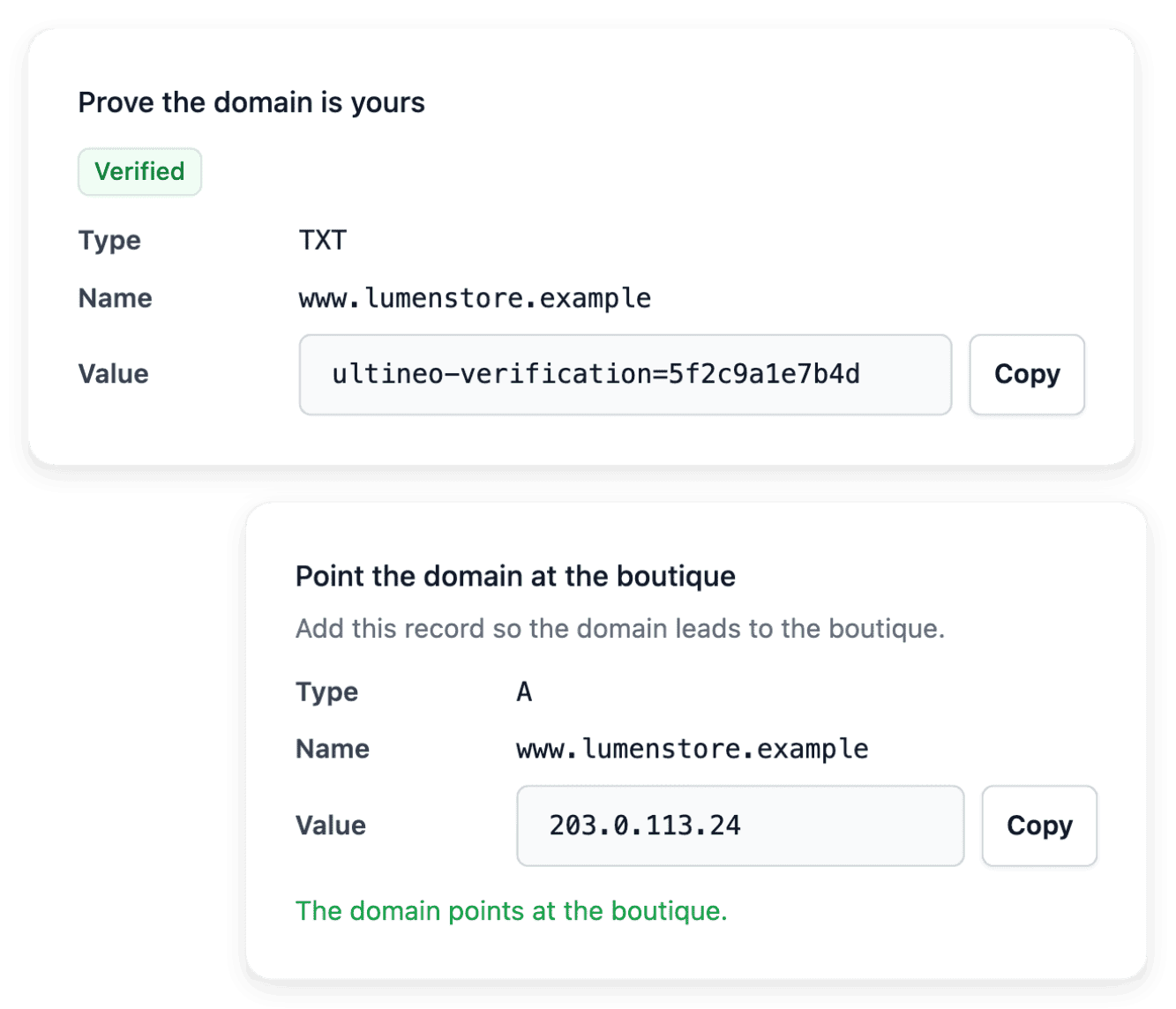
Connect a domain you already own to your shop
Declare the domain in Publication and follow the ownership and DNS steps shown for it. Proving the domain records that it is yours: it does not put the shop online on it yet, and the development address keeps answering in the meantime.
A shop serves one final personal address at a time: declaring a new domain replaces the previous one. Entering a new domain name also starts the proof over.
Give each public service of a project the right address
In a software project, the application, the public website and the documentation can use the addresses defined for those services. Check which service a domain should serve before declaring it, then use the name, type and value displayed for that service.
The website and the documentation can use different hostnames of one domain. A successful website check does not establish that the documentation hostname is connected, and the ownership TXT record is not the address target.
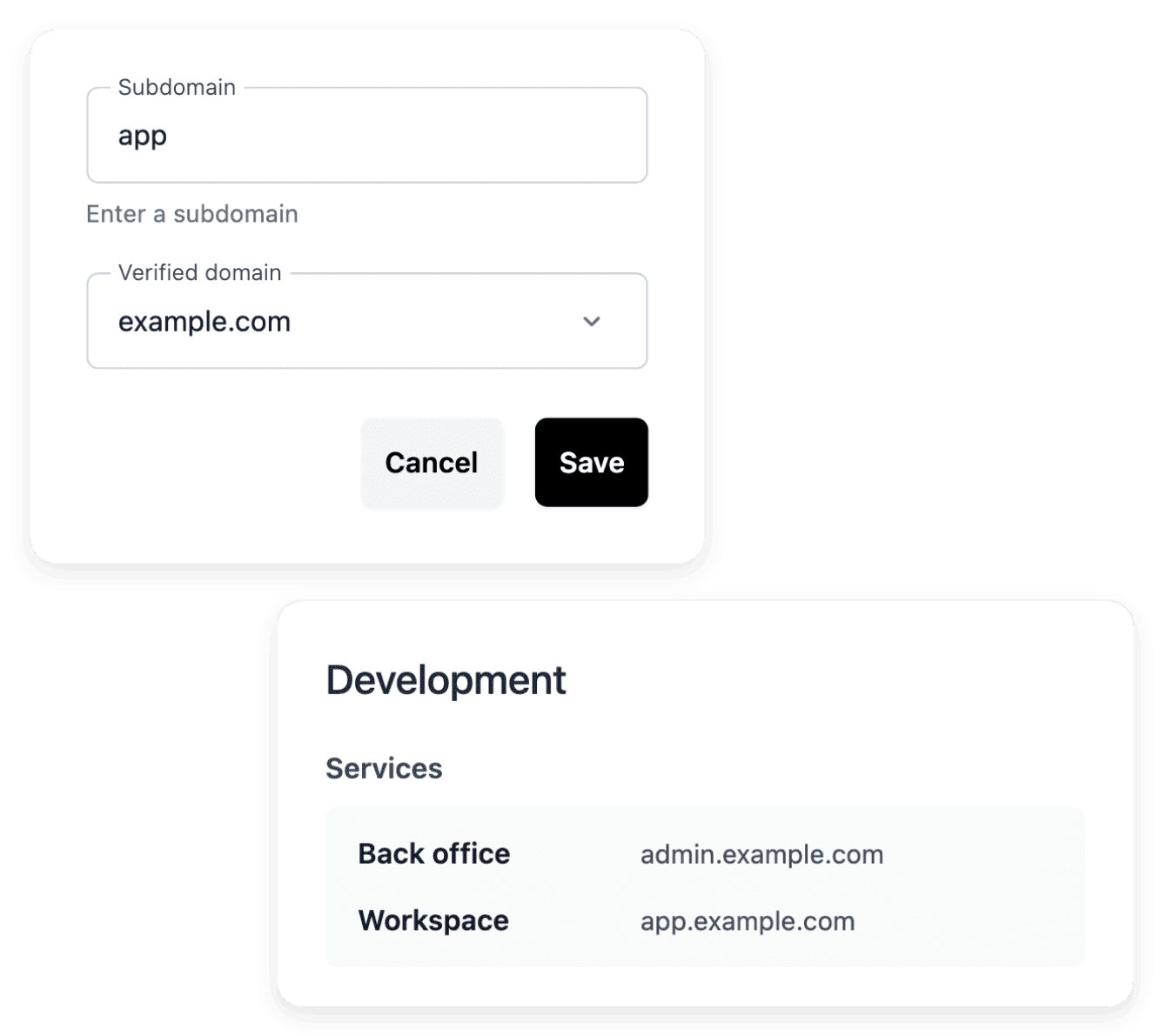
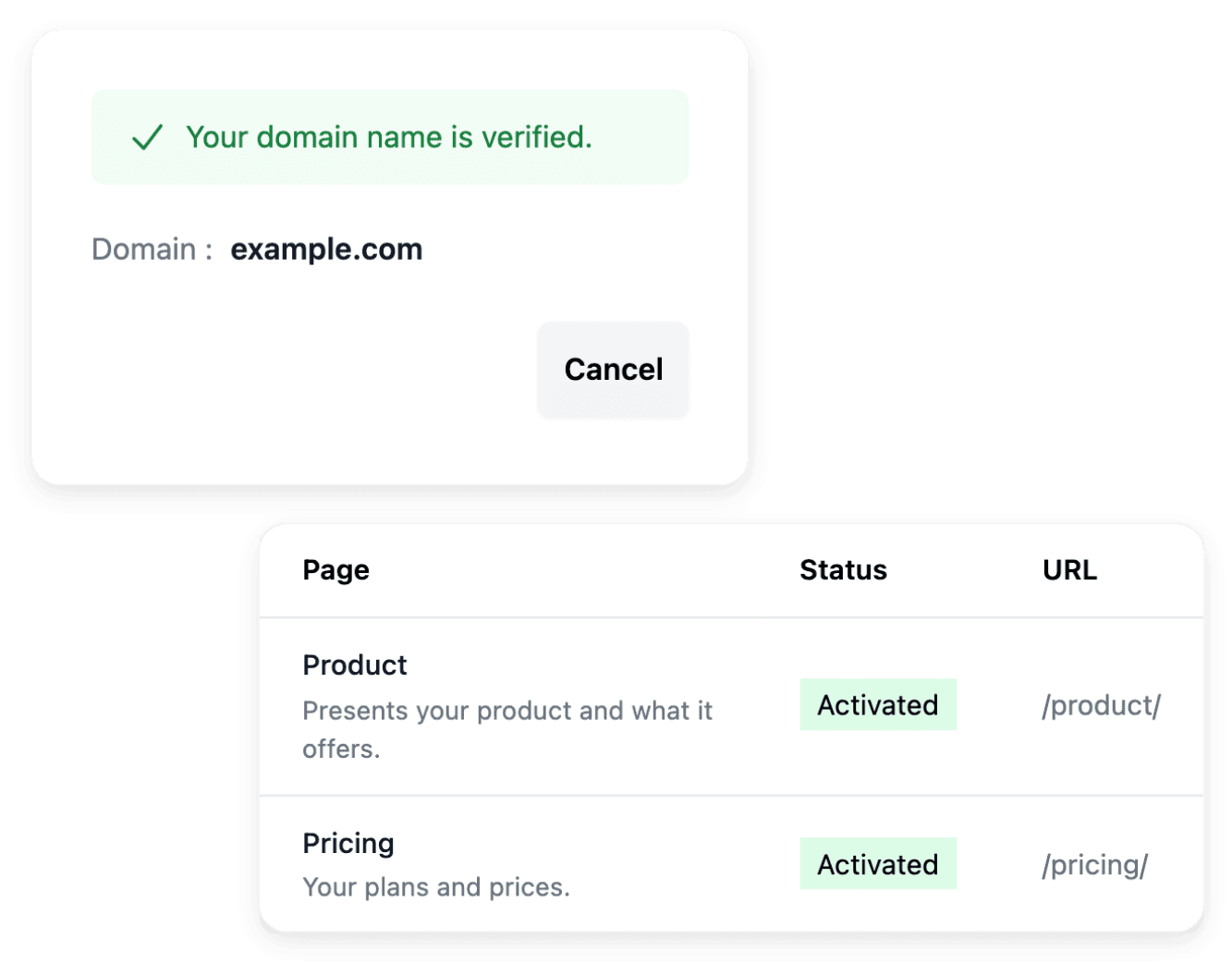
Check the service that answers behind the name
After the check, open the service at its public address: the check gives the state of the connection, and the page that opens shows which service really answers. After a change of address, go through the links of the website and of the documentation, and the entry point of the application.
Copy the values from the current configuration of your project. An example domain or the IP of another service does not establish the required DNS destination.
The articles behind this page
This page restates the following articles of the help center. They hold every field, every value and every answer.
Product pages to read next
-
Ultineo E-commerce
Domain names Connect your own domain
-
Ultineo SaaS
Domain names Connect the project’s public services to the addresses you want your users to recognize.
-
Ultineo SaaS
Public website Present your application with a public showcase site whose pages explain the product, offer and contact path.
-
Ultineo SaaS
Product documentation Give users practical guides that explain the application’s journeys and help them complete their tasks.
Continue in this section
- Integrations
The services a shop connects, the state of each connection, and external connections of a software project.
- Product feeds
Product feeds for shopping services
- File imports and exports
Catalogue spreadsheets with a report for every line, and the other file exchanges of a shop.
- Software projects
The project API option, external connections, environments and versions of a custom software project.
Connect your domain once your shop or your project is open
Each product is opened after an application that our team reviews: Ultineo E-commerce for a shop, Ultineo SaaS for a software project.
Questions
No. For a shop, obtain the domain from the provider you choose, then connect it in Publication. A personal domain is not required to begin: a shop can start with its provided address. For a software project, you declare a domain you already control.
A DNS change may not be visible yet. For a shop, when the record is not found yet, wait and click Verify again. For a project, compare the record exactly and allow propagation, then repeat the check.
No. The domain supplies an address, and the publication settings decide the countries served. Delivery coverage is another setting to review.
A secondary domain you no longer need can be deleted: it leaves the project and you can declare it again later. The primary domain can’t be removed, nor can a domain that still carries a production host: point that service at another domain first.