Stock & condition grades
Know what you can sell, in every condition
See the quantity available for each condition grade, alongside its price. Follow recorded movements and correct a balance after a physical count.
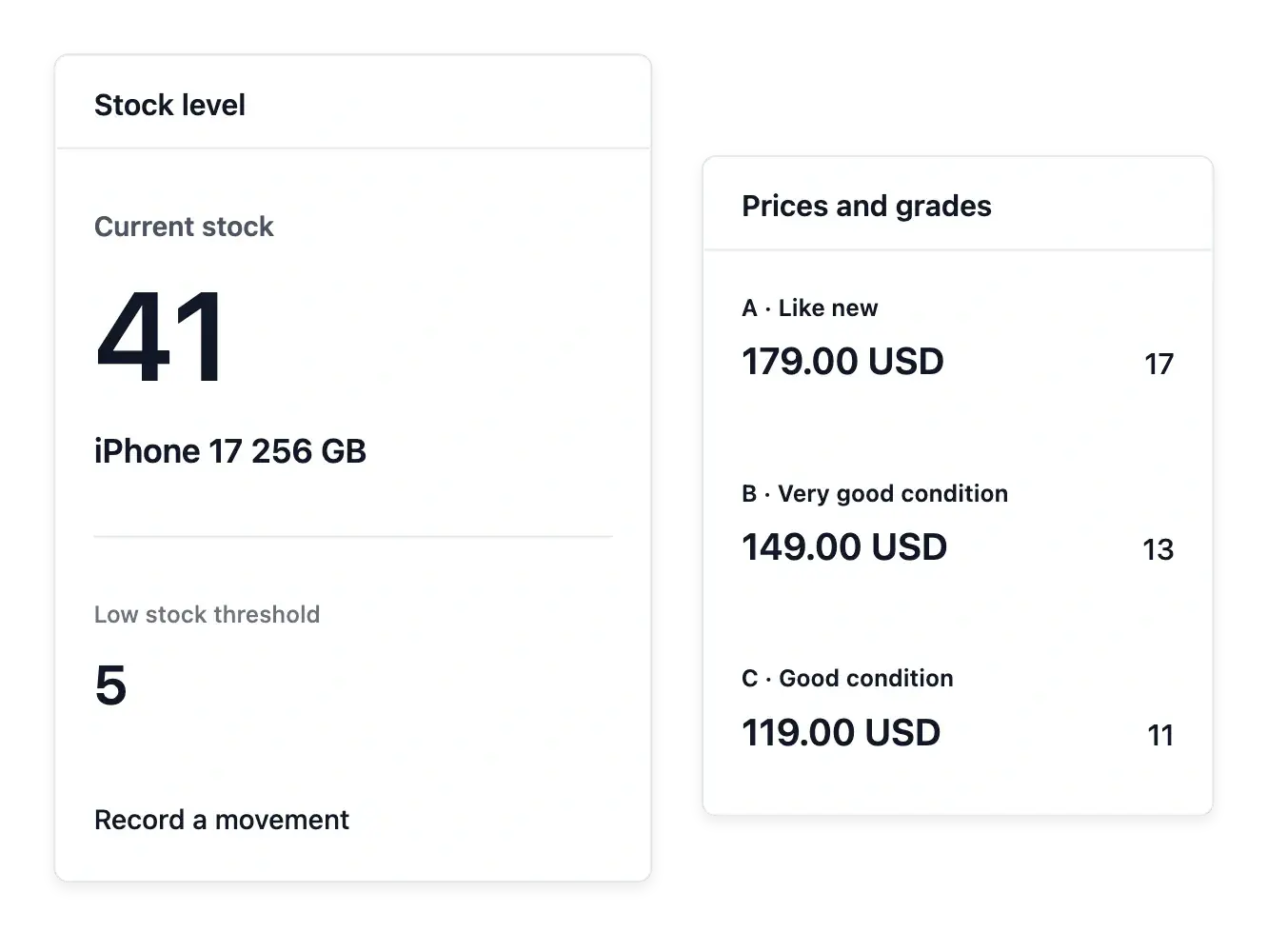
Know what remains available to sell
- Stock per offer
Keep the quantity and selling price for each version or condition grade.
- Movement history
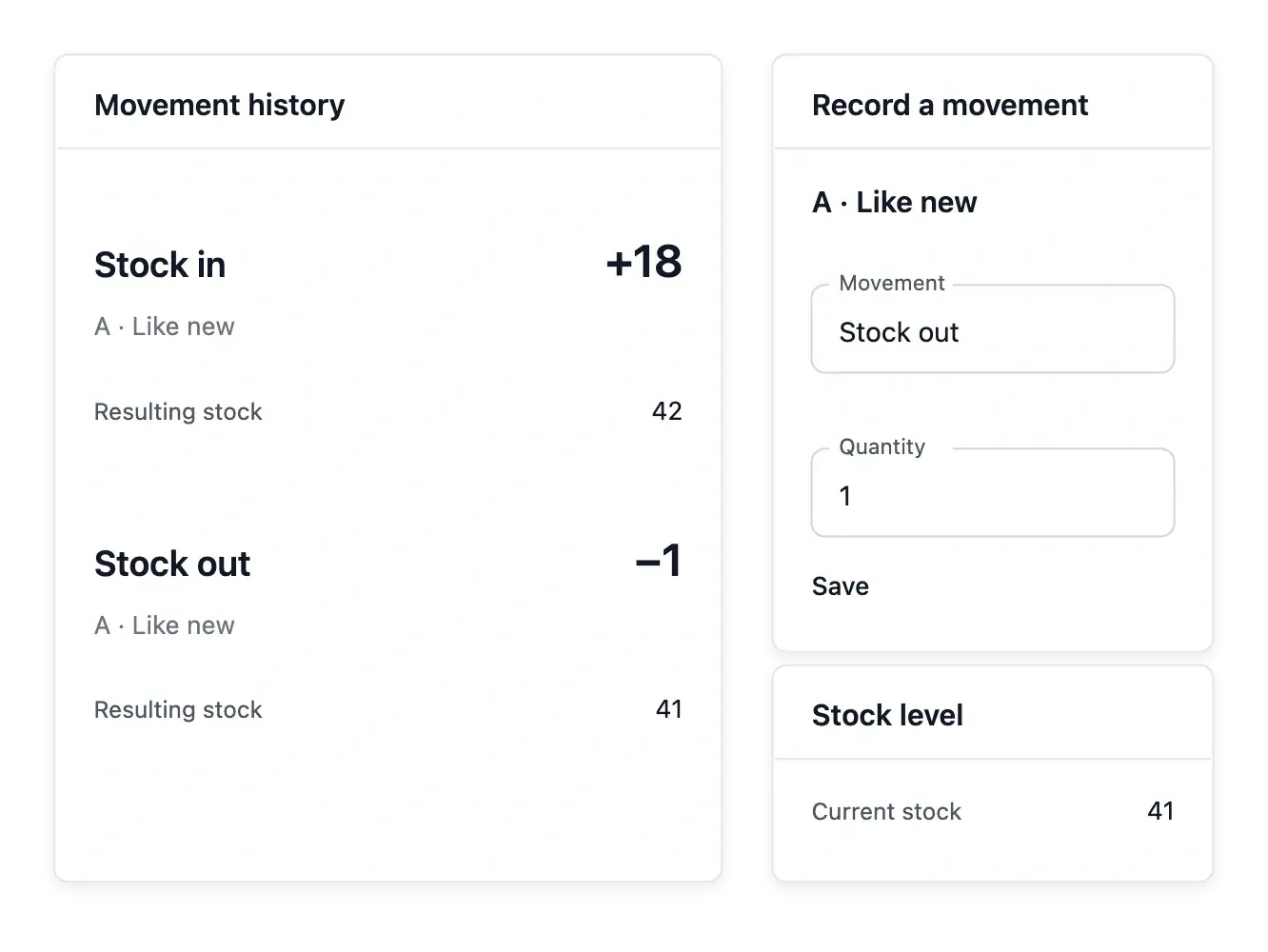
Read what came in or went out and adjust a quantity after a count.
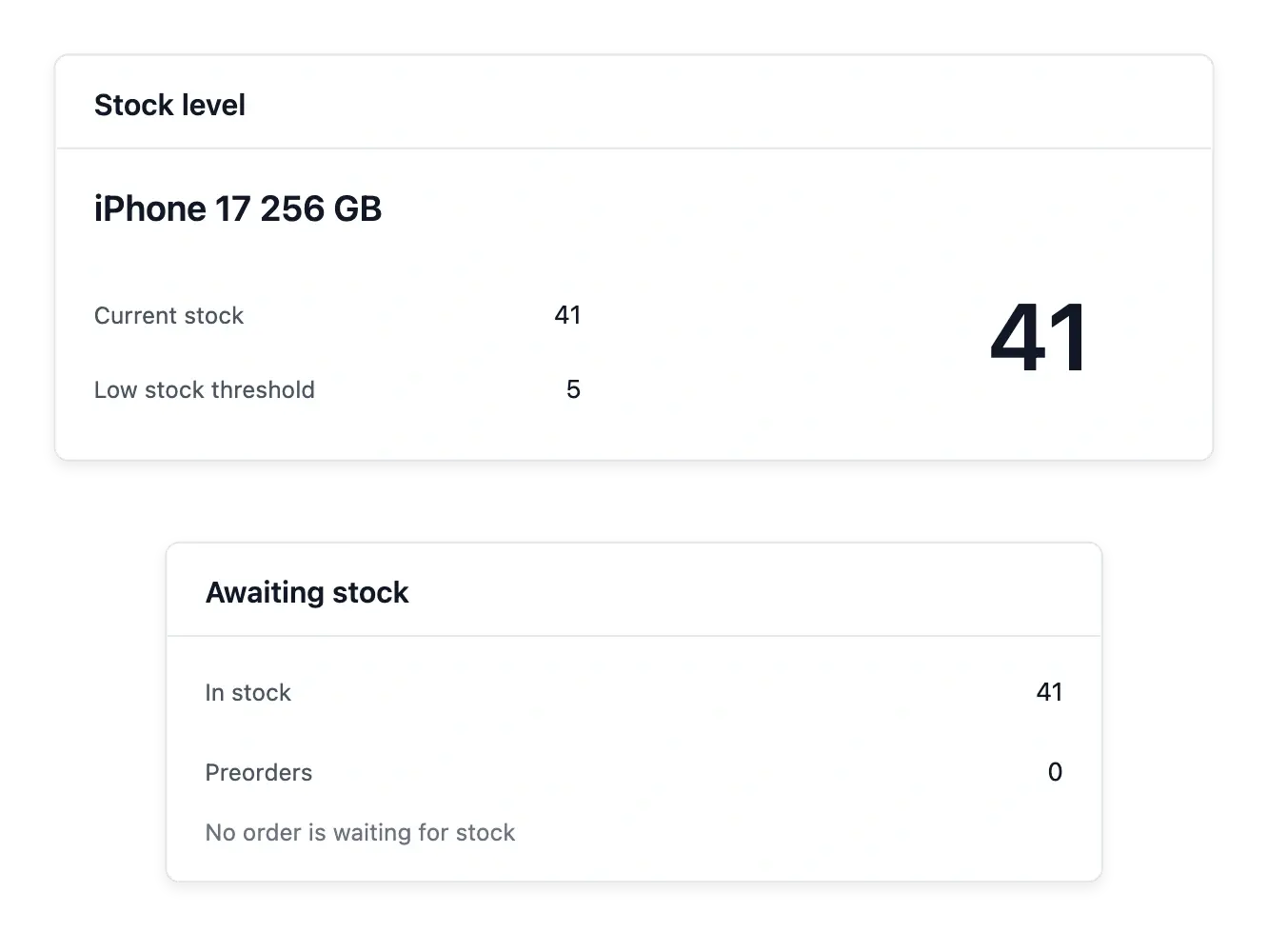
- Low-stock thresholds
Choose the level below which a product needs your attention.
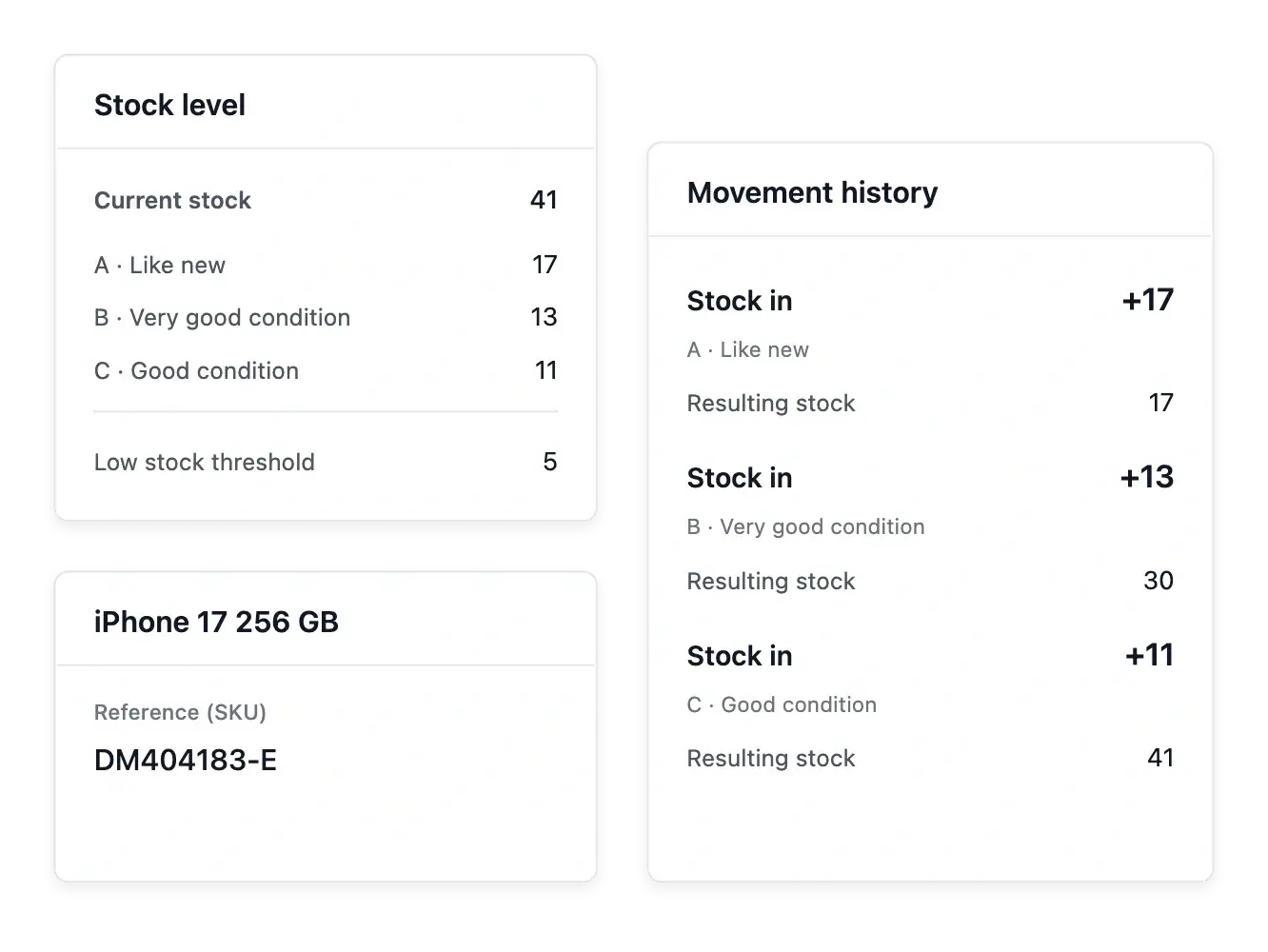
Track quantities with their explanation
Follow the quantity for each offer or condition grade alongside its selling information. The current number answers what is available; movement history helps explain how that number changed through recorded entries, exits and adjustments.
After counting your goods, correct the recorded quantity when needed and keep the movement trail. Spreadsheet changes also belong in that history, so bulk catalogue work does not leave an unexplained new balance.
Make the condition behind the quantity visible
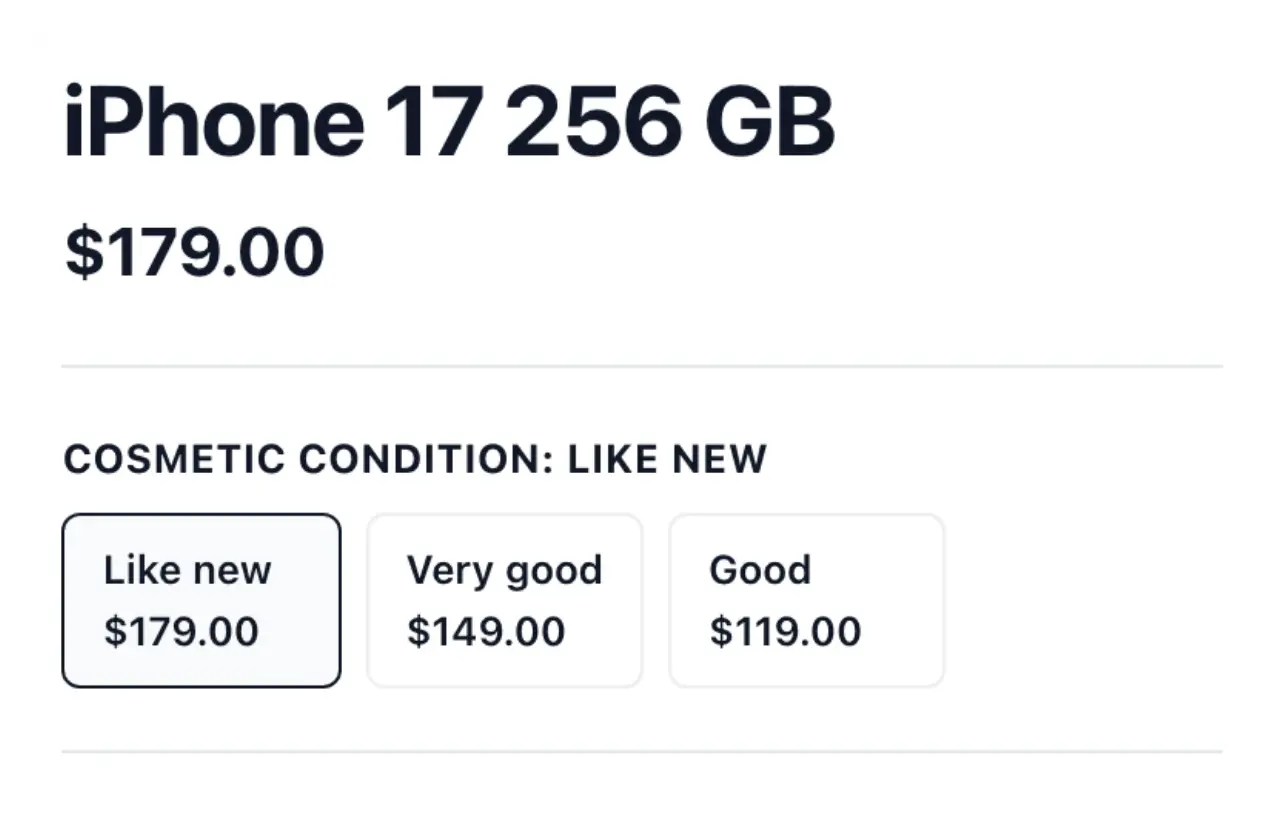
Read quantities beside the condition grades that customers can actually buy. Seventeen like-new items and thirteen items in very good condition are separate available offers, even when they belong to the same product reference.
Keep the corresponding selling prices with those grades. When the physical count differs, adjust the relevant stock and consult its movement history rather than changing an unrelated offer.
Spot products that need attention
Set a low-stock threshold to flag an item before its quantity becomes a surprise. Review the catalogue's low-stock information and open the product to understand its recent movements before deciding how to respond.
Use stock visibility to prepare your own replenishment decisions. Quantities can be divided between your shop's warehouses and moved between them with a recorded transfer; the stock tools do not create supplier purchase orders or accounting valuation.
Record a correction you can trace later
After a physical count, record an adjustment for the relevant offer. The stock tab keeps recorded entries, exits and adjustments so your team can inspect how a balance changed.
Use that history when investigating a discrepancy. A correction updates the recorded availability; it does not create a supplier purchase order or change the selling price.
Keep growth connected to available goods
Maintain quantities and a readable history as your catalogue and sales develop.
Questions about Stock & condition grades
Yes. Selling versions or condition grades can carry their own quantity.
Yes. Use the quantity adjustment and consult the movement history afterward.
Yes. Catalogue exchange records the quantity movements associated with applied changes.
Yes. Set the level below which the product is flagged for attention.
Yes. Add your locations in the Warehouse tab of Products, then read each warehouse's quantity by grade on the product's Stock tab and transfer stock between activated warehouses.
No. It provides visibility for your decision; supplier purchasing is not part of this stock tool.