Vibe coding
Build a business application around the work you do
Ultineo Studio, the vibe coding line of Ultineo, connects project definition, AI-assisted construction and day-to-day operation. Describe your users and workflows, follow page changes in Studio and publish reviewed versions through development, staging and production.
A clear project from the first brief to the live service
- Define the business outcome
Start with the people, information and decisions behind the task. Review the proposed business areas and page behavior so the build has a scope you can understand and a result you can check.
- Make changes in context
Select an existing page by its known URL or name and describe what should improve. Studio keeps the request, questions and recorded result connected while you follow the work.
- Operate with visible context
Inspect hosting, domains, account policy and costs from the project workspace. Separate new development from the tested version you publish for users.
Start with your team’s everyday work
Bring the process your team already knows: the people involved, the information they exchange and the decisions they make. Ultineo Studio gives that context a place in the project.
The starting scope can then be discussed through business areas, functions and pages. You can review a concrete structure before following the construction.
Keep improvements close to the application
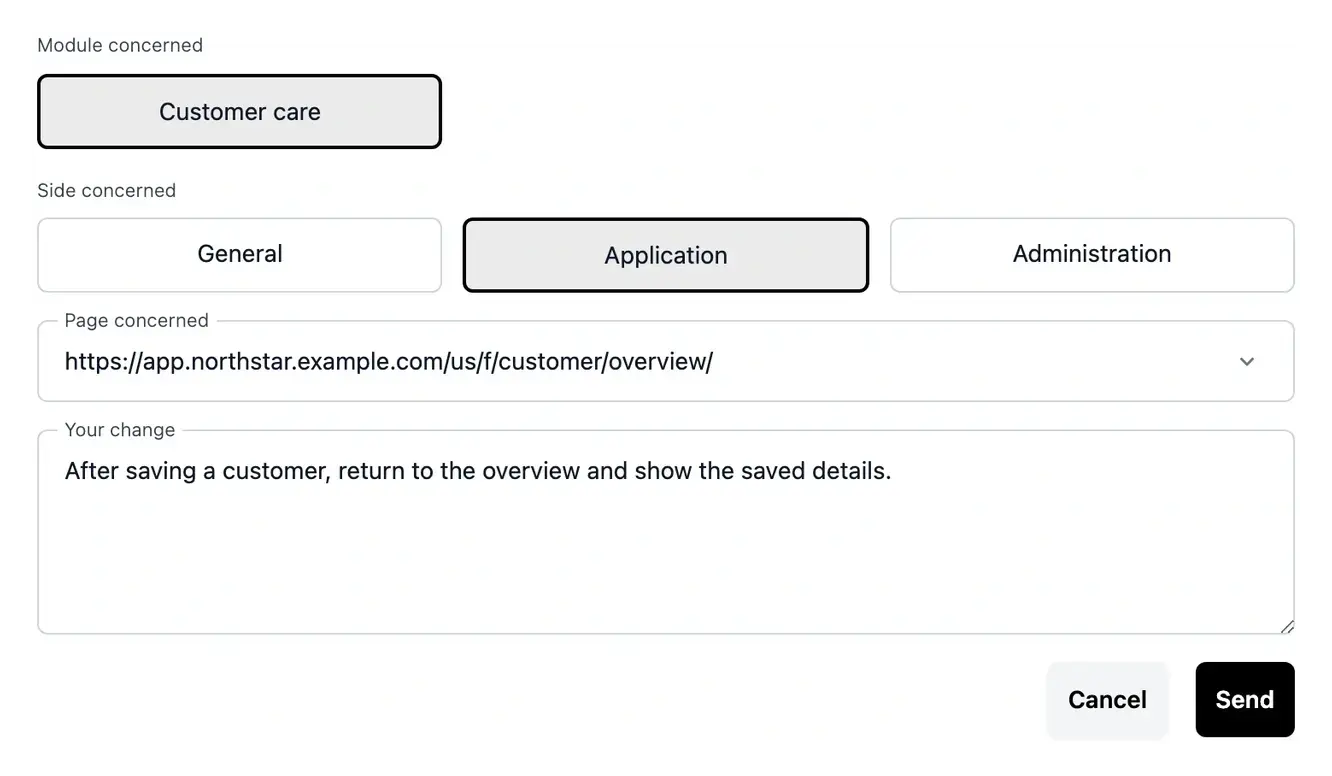
When a screen needs to change, describe the situation in Studio and attach the existing page. The request and its follow-up stay connected to the place where your users work.
Clarifications and task history help you understand what still needs your input. A precise example makes the resulting change easier to verify.
Prepare the version people will use
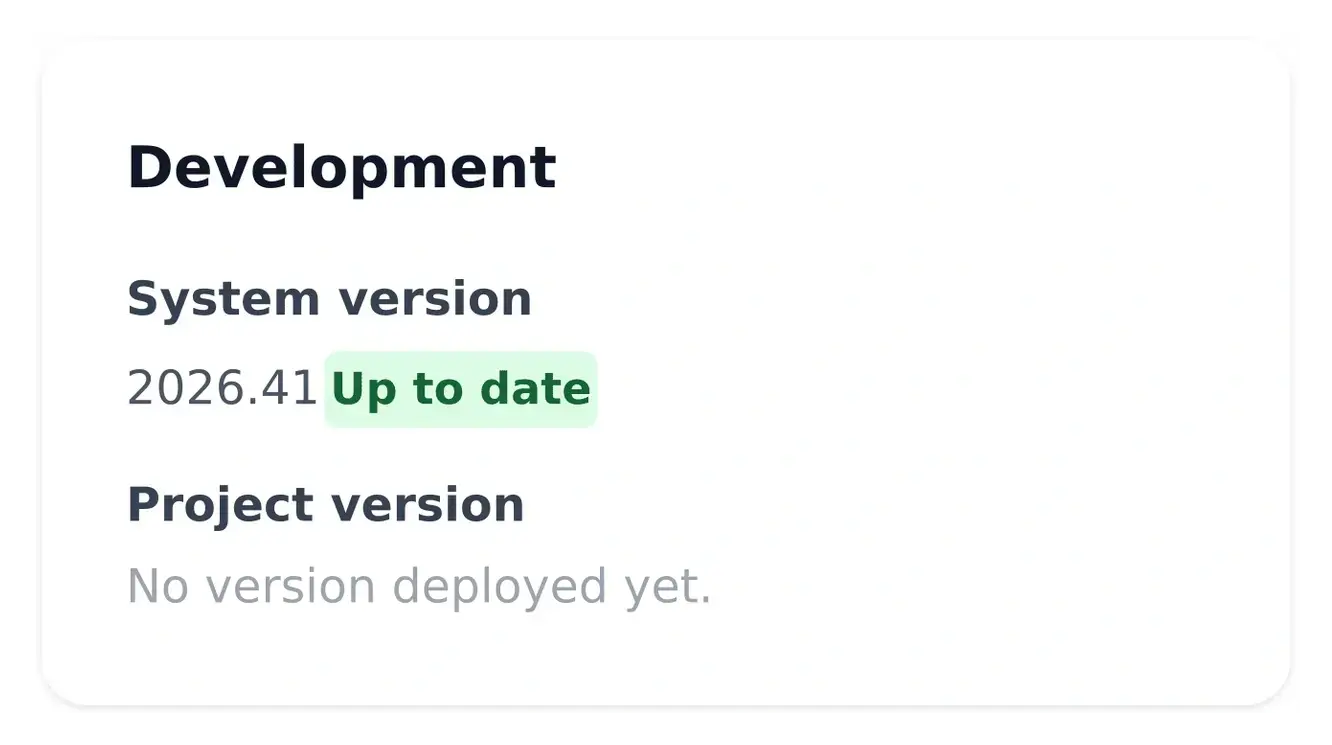
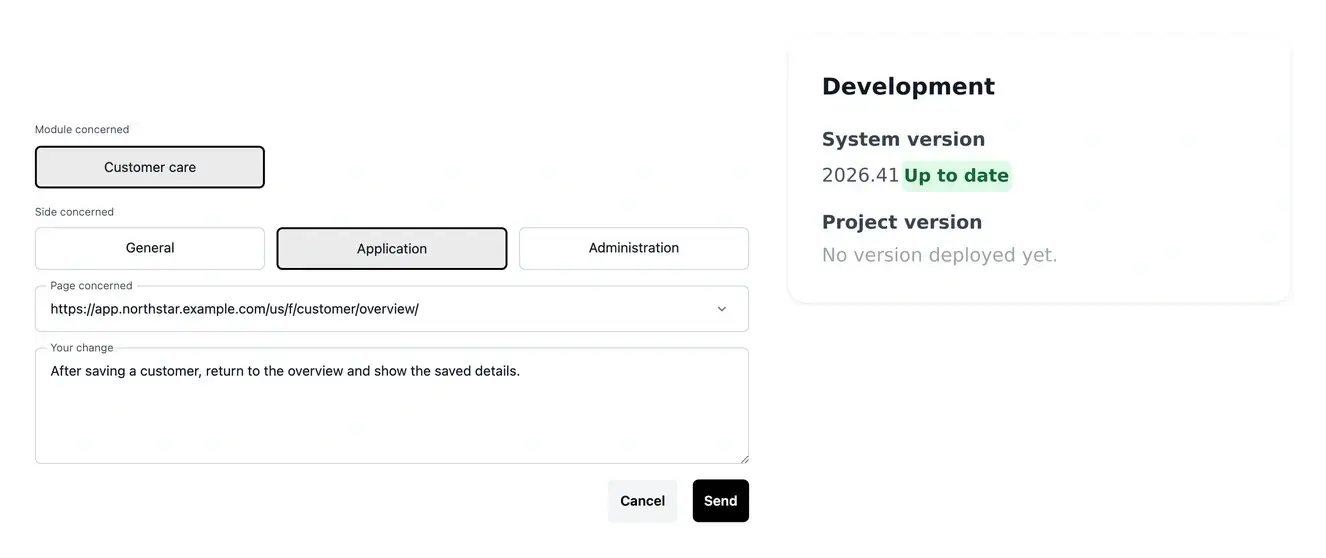
Follow the application’s versions through development, staging and production. Check the relevant version and environment when reviewing a change.
The website and practical documentation complete the user journey: one explains the product publicly, the other helps people use it. Their domains and services remain identifiable in the project.
Coordinate an internal process
If a request moves between documents, email and several tools, describe the journey and responsibilities you want to bring together. The project can then define the functions and pages needed for that agreed process.
Four connected stages in the project’s life
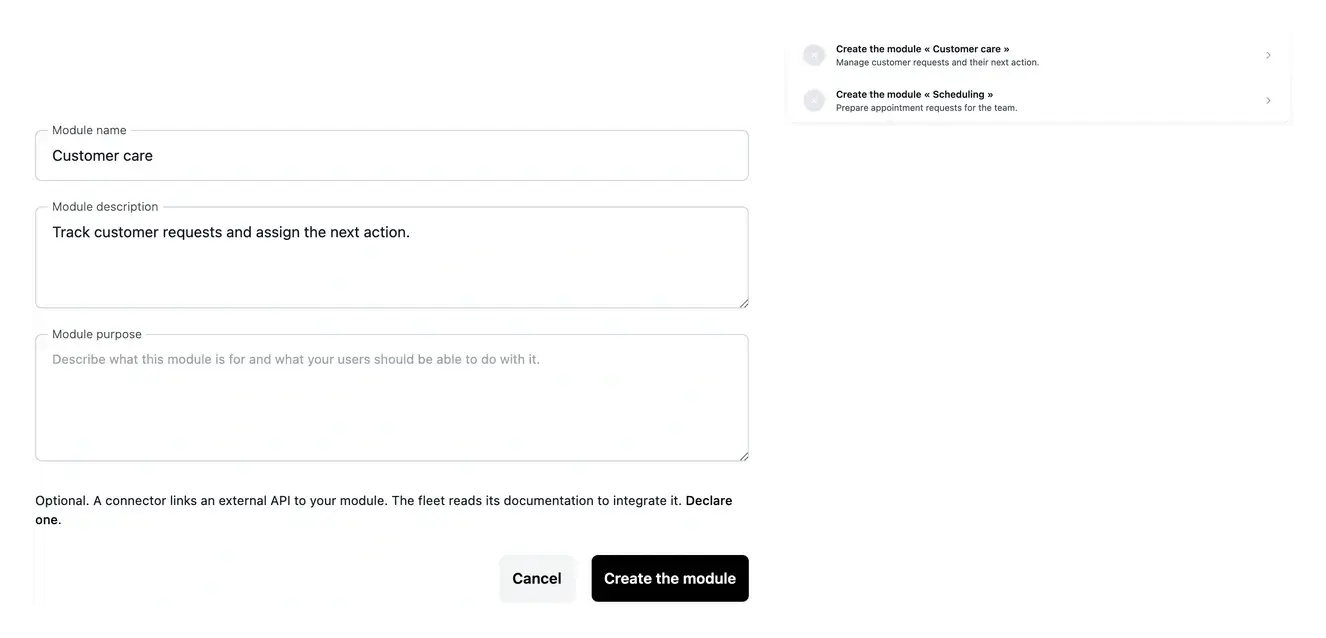
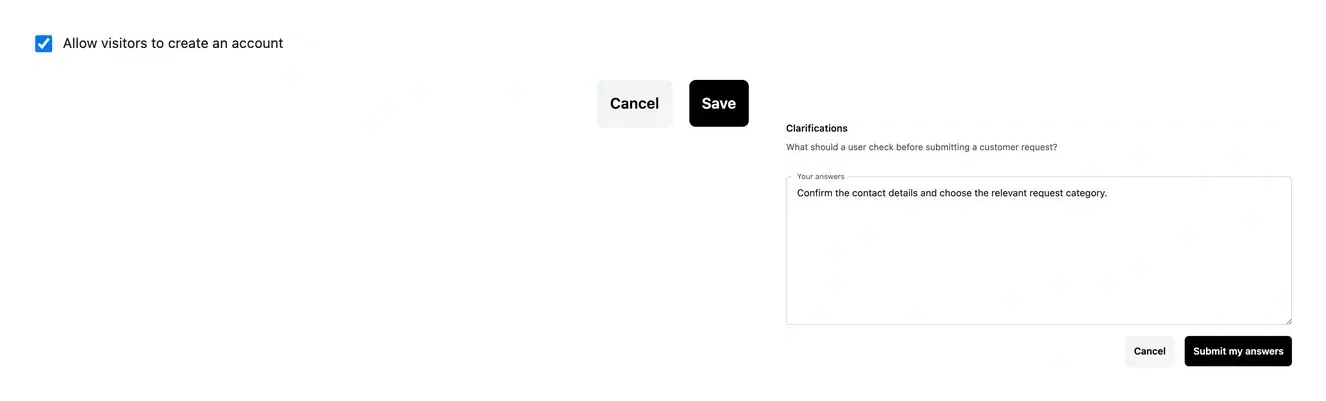
Prepare the scope. Present the need, review business areas and confirm the application offer and hosting. Clarifications make important rules explicit before construction.
Prepare a customer service
Explain what customers submit, what your team reviews and which result they should receive. Distinguish self-service steps from approvals, including how accounts should be opened.
Build and review. Follow functions, pages and roadmaps; use Studio for targeted improvements. Check the working application and resolve questions in the item concerned.
Evolve an existing application
Bring the page and an example of the behavior to change. A precise request is easier to review than a general instruction to redesign everything, and the publication process keeps the result connected to a tested version.
Publish and operate. Test a release on staging, verify its production state and follow the service afterwards. Hosting usage, invoices, access and public content stay in their respective project contexts.
Give your project a concrete starting point
Describe one important workflow, the people involved and the result you want. Review the scope and complete offer before construction.
Questions before starting a project
The project starts from business workflows and can cover a customer application, back office, public website and documentation according to the selected scope. The actual offer and definitions establish which parts are included.
Explain the users, actions, expected outcomes and important exceptions. Relevant documents and existing-service references help clarify the need. You can start with a business brief rather than a complete technical specification.
Describe the targeted change in Studio or the corresponding project tools. Follow the questions and result, test development and publish the reviewed version through the deployment stages.
Application setup and subscription, hosting and any optional extensions have separate roles. Use public pricing to compare levels, then confirm the actual project offer, hosting composition and payment recap.
Ultineo Studio groups its capabilities in four families: preparation, construction, publication and operation. Each capability page explains its use cases and links to a dedicated practical guide for the corresponding task.