Warranties
Make every product’s cover clear
Maintain duration and conditions in reusable warranty records. Apply the right cover at shop, category or product level and check the resulting promise.
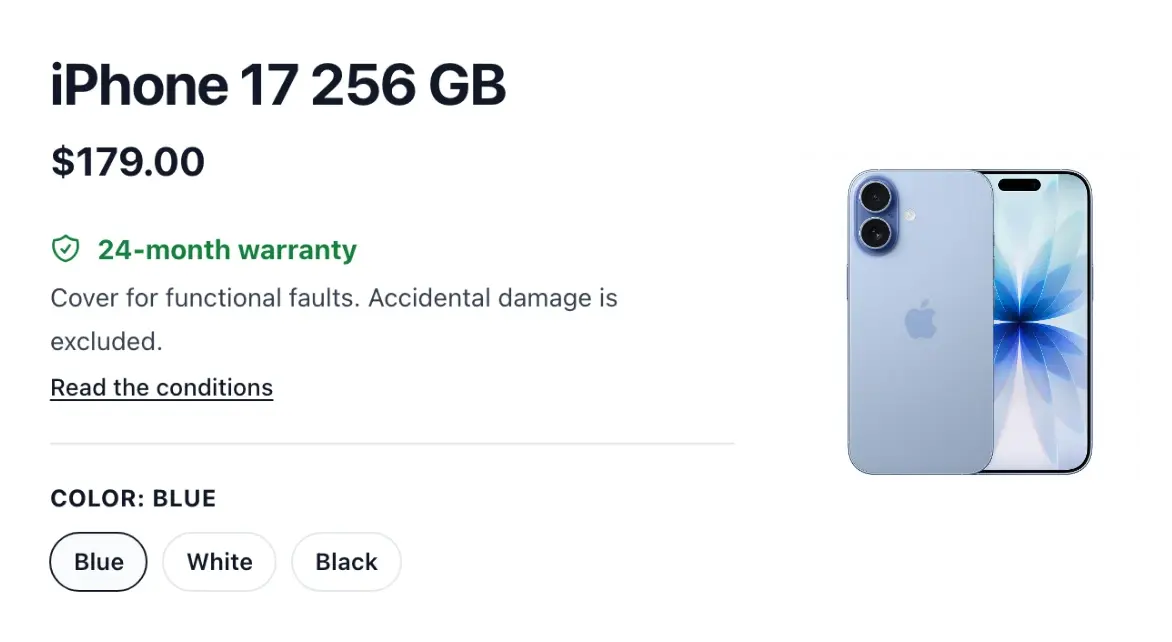
Make your shop's cover understandable
- Clear terms
Record a warranty’s name, duration in months and conditions.
- Shop and product cover
Set default cover and assign warranties to selected products.
- Know what applies
See whether cover comes from the product, its family or the shop default.
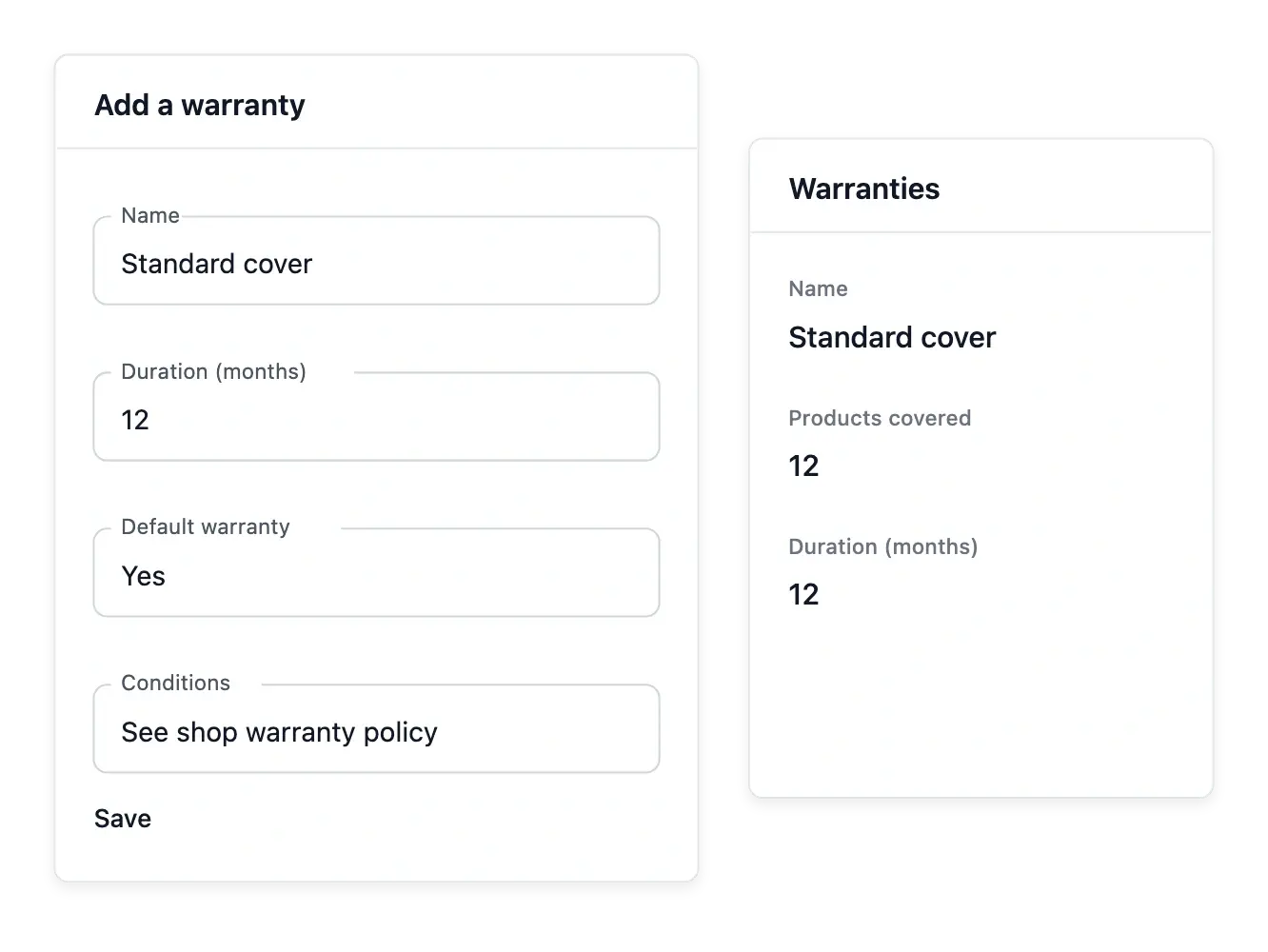
Describe the promise attached to products
Create a warranty with a name, duration in months and your own conditions. A maintained record is easier to apply consistently than a promise copied into many descriptions and forgotten when the policy changes.
Choose a default for the shop or assign cover to selected products. The warranty's product view shows the items concerned and whether their cover comes from a direct assignment, their family or the shop default.
Write conditions alongside the duration
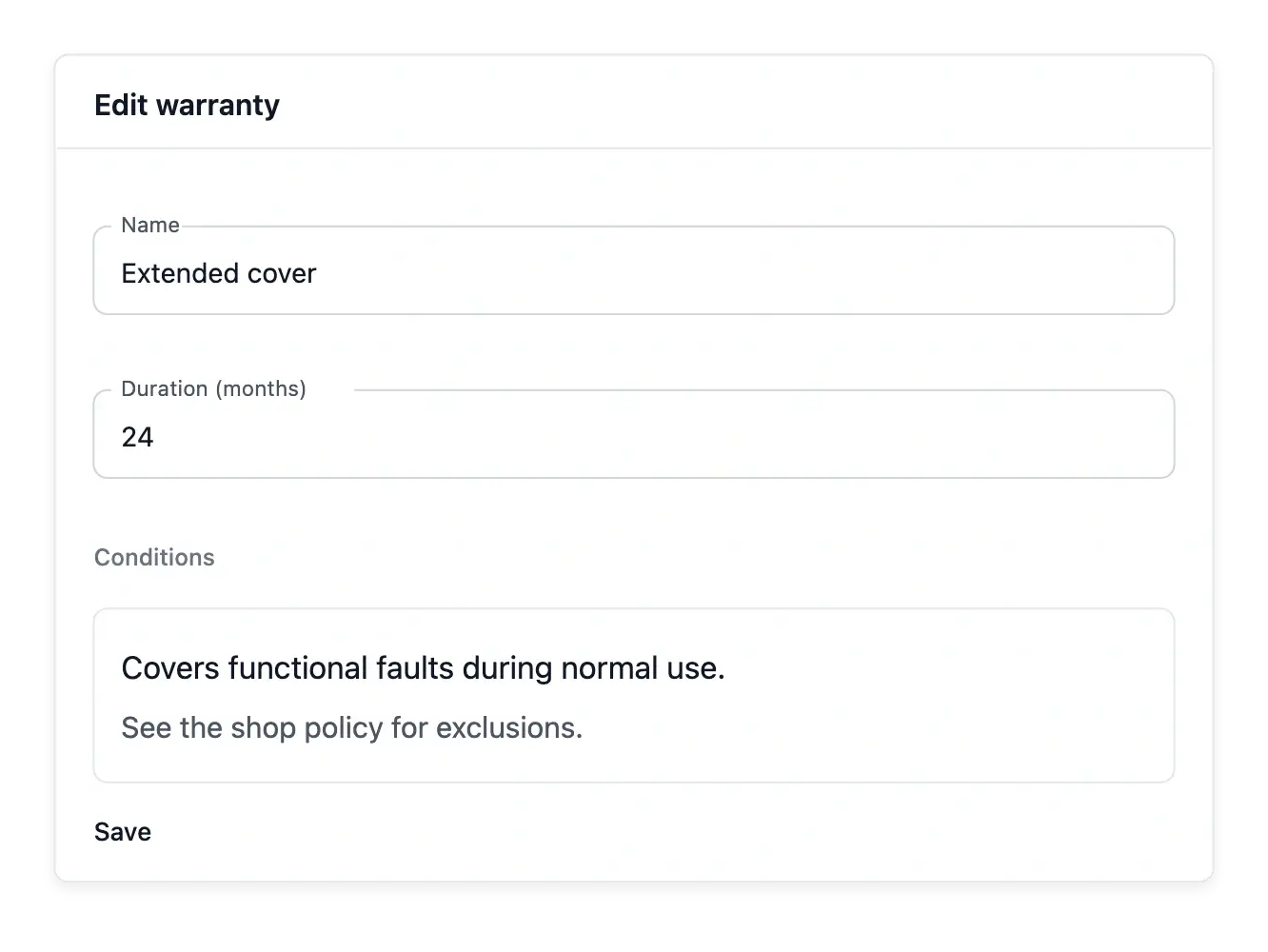
Keep the coverage name, duration in whole months and conditions in the same warranty record. The duration makes the promise comparable; the conditions explain what the named cover includes.
Review that wording before attaching the warranty to products or using it as the shop default. A named cover describes a promise; it does not automatically open or resolve a customer claim.
Understand which recorded cover applies
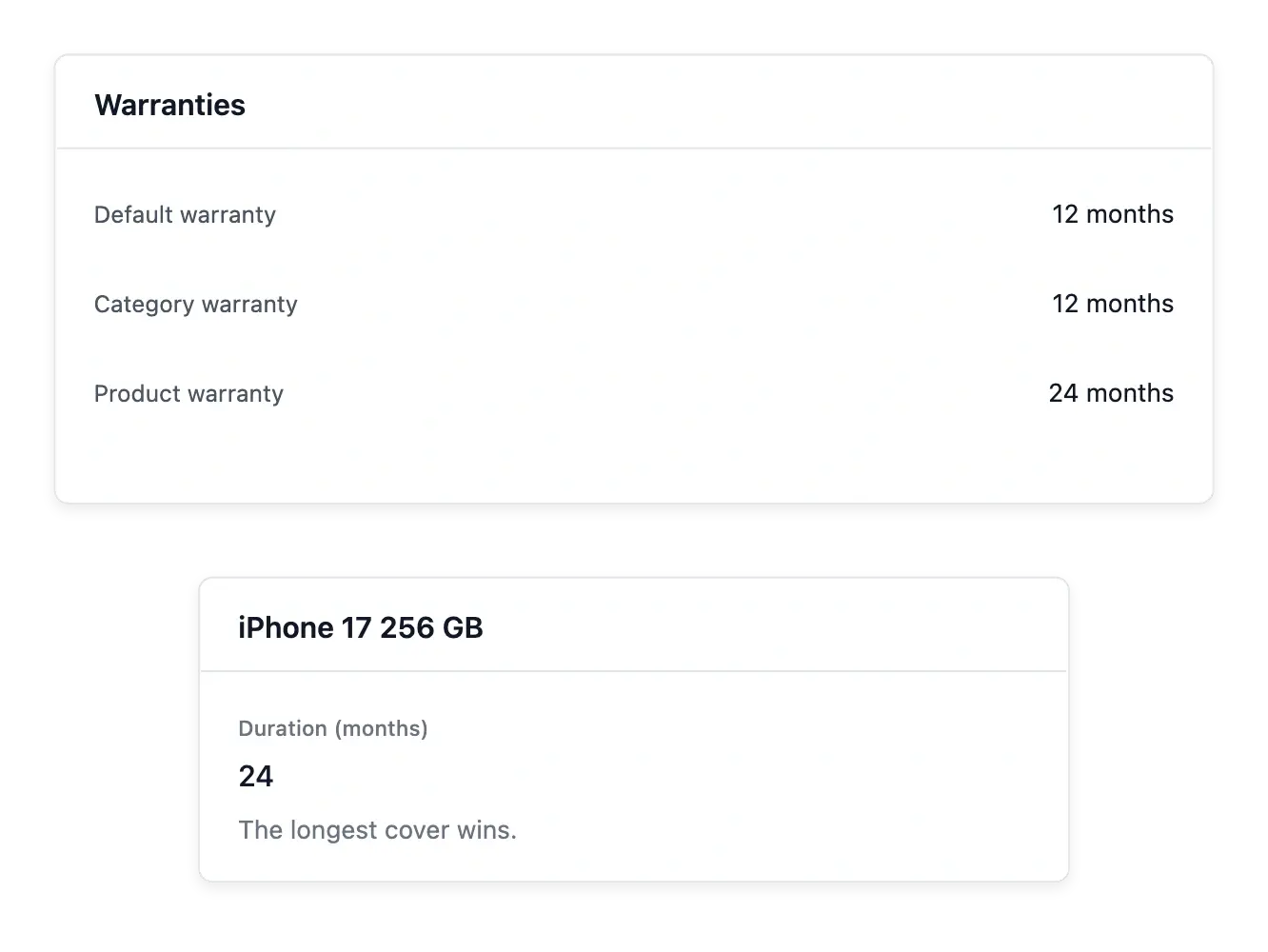
The warranty views explain the precedence used between the shop, family and product: the longest cover wins. Review this information before removing a direct assignment or changing a default, rather than assuming one selection erases every other cover.
Warranty settings describe the cover your shop offers. Handling an actual claim, repair, exchange or refund belongs to the after-sales workflow; changing a warranty record does not itself start that process.
Apply the cover at the right level
Use a shop default for the usual cover, then associate a warranty with a category or an individual product where appropriate. Those levels let your catalogue reuse an existing promise without rewriting it for every reference.
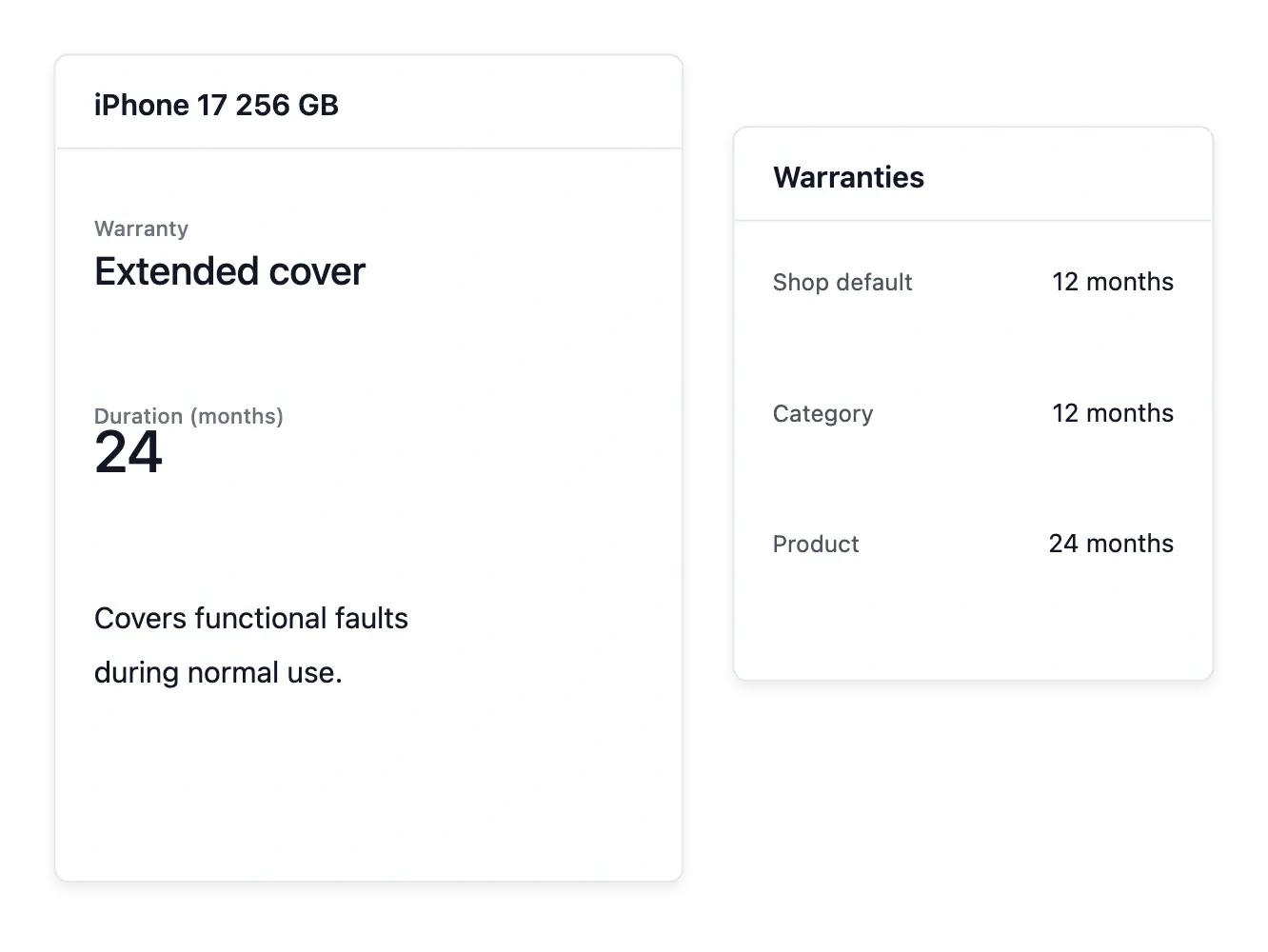
Check the resulting duration on the product. When several warranties apply, the longest cover wins: a 24-month product warranty takes precedence over a 12-month default in this example.
Give customers a clearer product promise
Maintain the cover and conditions associated with your range as it develops.
Questions about Warranties
Enter the warranty length in months, with its name and conditions.
Yes. A warranty can be marked as the shop default; only one holds that default position at a time.
Yes. The warranty's products view lets you select and attach a product.
Yes. The view distinguishes product, family and default origins and explains the longest-cover rule.
No. The product remains and follows the other applicable cover settings.
No. These screens maintain cover definitions; support, returns and refunds handle the after-sales case.